


 Coming Soon and Maintenance Mode Launch and support
A coming soon page and maintenance mode for WordPress
Put your site behind a coming soon or maintenance page and collect the email addresses of everyone waiting for it.

$19 a year for 1 domain 5 domains $29 · unlimited $39 · or pay once from $49
- 30-day refund, no reason needed
- Every feature in every plan
- Support from the developers
- Tested with WordPress
- 6.0 to 7.1
- PHP
- 8.0 or later
- Multisite
- Network activation
- Languages
- English, Spanish, French
- Updates
- From your Plugins screen
- Latest version
- 1.12.0 · 23 Oct 2026
What it does
-
A launch that starts before the site does
A form on the holding page builds a list of people waiting, and the plugin writes to all of them when you open.
-
Maintenance that tells search engines to come back
Google can record an ordinary holding page as your site. Maintenance says you are away, and when to come back.
-
Show the work without handing over a password
Each client gets their own preview link, with an end date if you like, and sees the site with no account or password.
-
Live in two minutes
Pick a design, write a headline, switch the mode on. No page builder to install, and nothing fetched from anyone else's server.
See it working
Captured from a working WordPress site, not drawn. Select one to see it full size.
-

The page visitors see while the site is closed: your words, a countdown to the opening time, and a form for their address. -

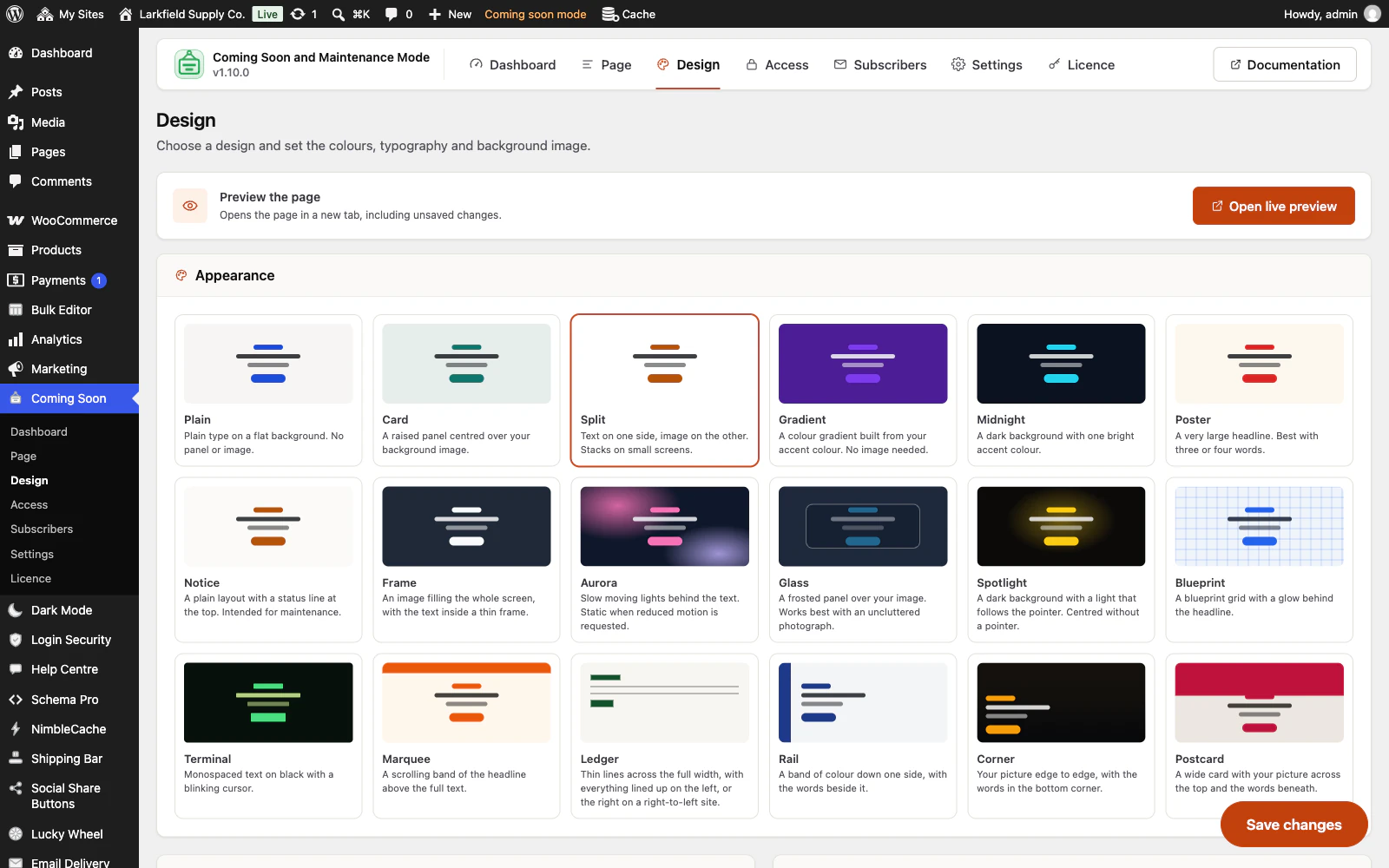
Eighteen designs, each drawn in the picker as it will look, with a live preview of the real page a click away. -

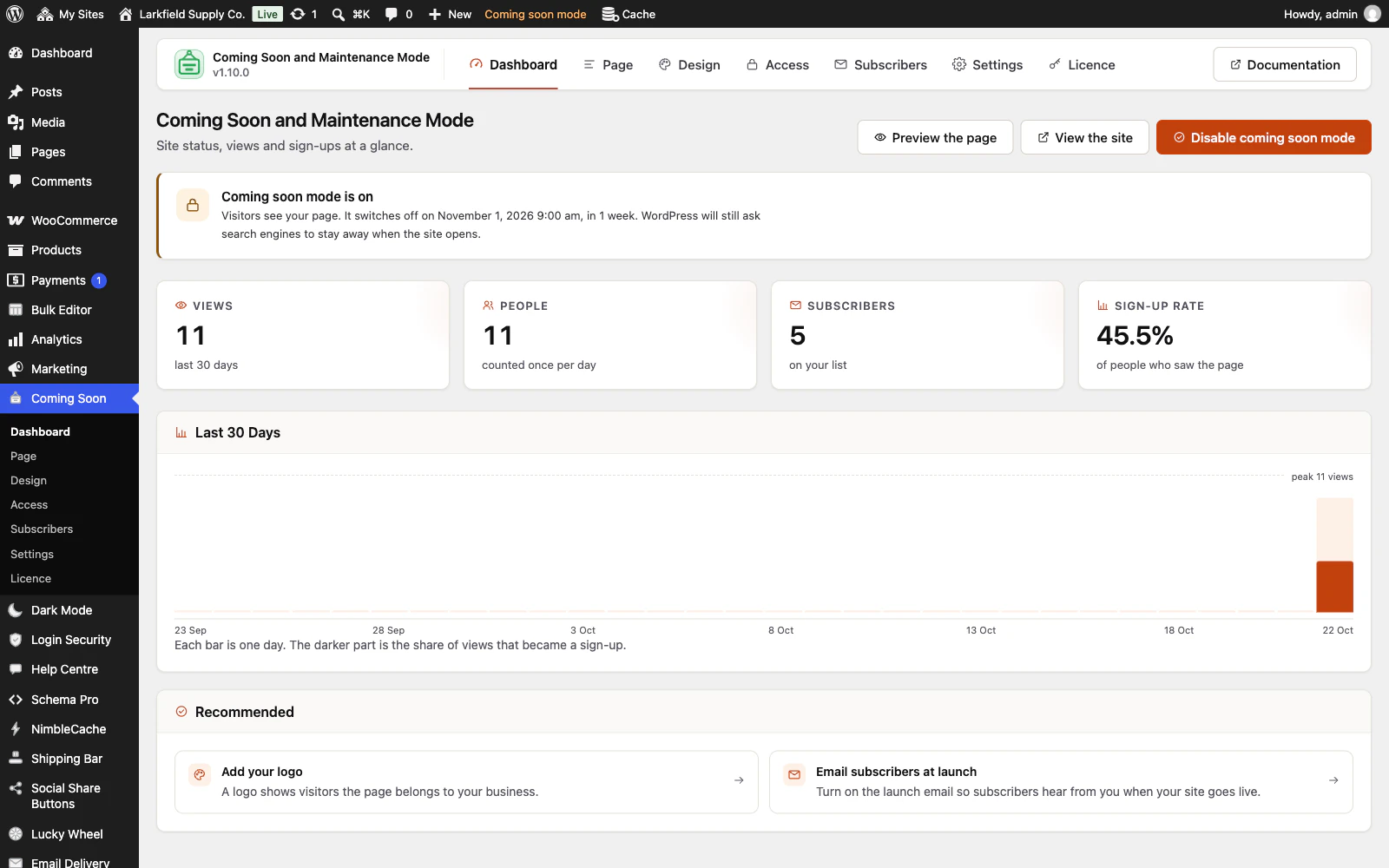
The dashboard says whether the site is closed and when it opens, how many people found the page, and how many left an address. -

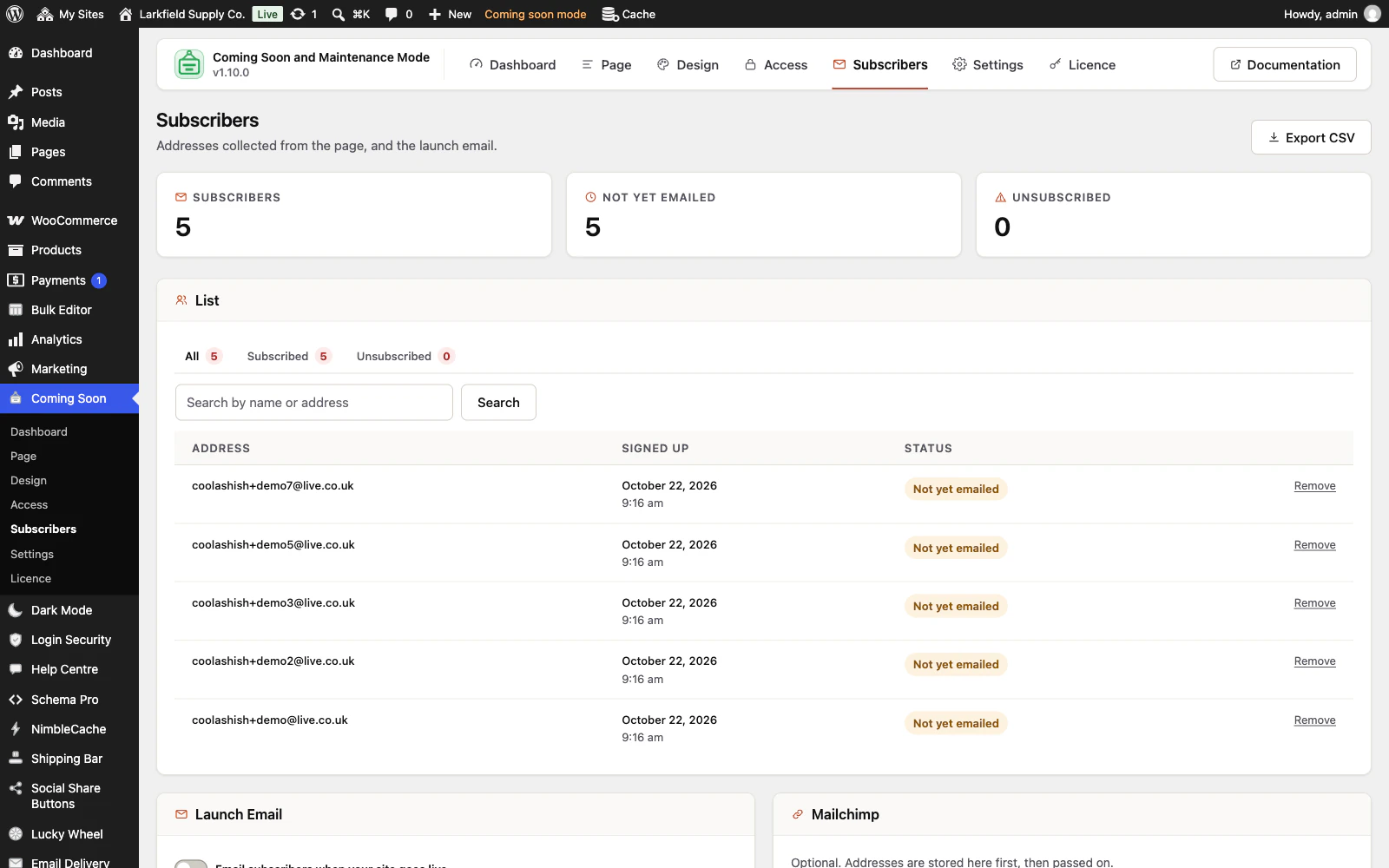
Every address left on the page is kept on your own site, ready for the launch email or a CSV export.

Features
See all 23 features- Coming soon, or maintenance The basics
- Eighteen designs, none of them a template to configure The basics
- A countdown that tells the truth The basics
- Collects addresses, and actually writes to them Your list
- A link for each person you show the site to Who gets in
- Cover part of a site, not all of it Who gets in
Pricing
Choose how many domains, and whether to pay yearly or once.
Pay yearly renews until you cancel
Pay once (lifetime) no renewals
- Every plan includes every feature. You choose only the number of domains.
- 30-day refund, no reason needed. Refund policy
- Licence key and download straight after payment, by Stripe.
- A lapsed licence stops updates and support. It never switches a feature off.
- Local, development and staging copies are free and do not count against your domains.
- Yearly plans renew at the then-current price until you cancel. Cancel any time from your account.
- Where tax applies it is calculated at checkout and shown before you pay.
Questions
About the plugin first, then how your licence works.
Will Coming Soon and Maintenance Mode lock me out of wp-admin?
No. Coming Soon and Maintenance Mode never closes the admin, the login screen, cron, the REST API, WP-CLI, robots.txt or your sitemap. Signed in with a role ticked under Access, you see your own site while visitors see the holding page.
Does maintenance mode affect how search engines see my site?
Coming Soon and Maintenance Mode answers search engines differently in each mode. Maintenance sends a 503 status with a Retry-After header, which asks crawlers to come back later. Coming soon sends a normal 200, which suits a site that does not exist yet.
Does Coming Soon and Maintenance Mode work with my caching plugin?
Yes. Coming Soon and Maintenance Mode sends the holding page with no-store headers and empties NimbleCache, WP Rocket, WP Super Cache, W3 Total Cache, LiteSpeed Cache and several others when the mode changes. A CDN or host cache that ignores those headers needs purging by hand.
Can I show the unfinished site to a client without a password?
Yes. Coming Soon and Maintenance Mode gives you preview links under Access, one per person if you like, each with its own end date. Whoever opens one sees the finished site with no account and no password, and removing a link shuts out only its holder. You can also let in whole IP address ranges, such as an office.
Does Coming Soon and Maintenance Mode need WooCommerce?
No. Coming Soon and Maintenance Mode works on any WordPress site. With WooCommerce active it can also cover just the shop and product pages, or switch to Shop closed for orders, which keeps every page open and only stops buying.
What happens to my subscribers if I remove the plugin?
Deactivating Coming Soon and Maintenance Mode keeps your settings, subscriber list and counts. Deleting it removes them only if you ticked Delete all data on uninstall under Settings first. The page it leaves for WordPress updates is removed either way.
How your licence works
How do I install it?
After checkout you get a licence key and a download link straight away, plus an email copy. Upload the ZIP under Plugins → Add New, activate it, and paste your key into the plugin settings.
How do updates work?
Once your key is entered, new versions appear on your Plugins screen and install with one click, exactly like a plugin from the WordPress directory.
What happens when my licence expires?
The plugin keeps working. You only lose access to new updates and support until you renew.
Do staging sites use up a domain?
No. Local, development and staging copies are free and unlimited: localhost, private IP addresses, domains ending in .test, .local or .localhost, and subdomains beginning with staging. or dev. None of them counts against your plan.
Read before you buy
The documentation and answers are open to everyone.
- Documentation13 sections, open before you buy
- Answers47 questions people ask, answered
- ChangelogEvery version with its date. 1.12.0, 23 Oct 2026: A preview link for each person, each with its own end. First released 24 Aug 2026.
- GuideDoes maintenance mode hurt SEO? Coming soon vs maintenance mode
- GuideWordPress stuck in maintenance mode: getting out, and why it happened