


Redirects features
Every feature, grouped by what it does. All 15 are in every plan.
$19 a year for one site · or pay once from $49
See the plansDoing it for you
4 features
-
Renamed pages and categories keep their old address
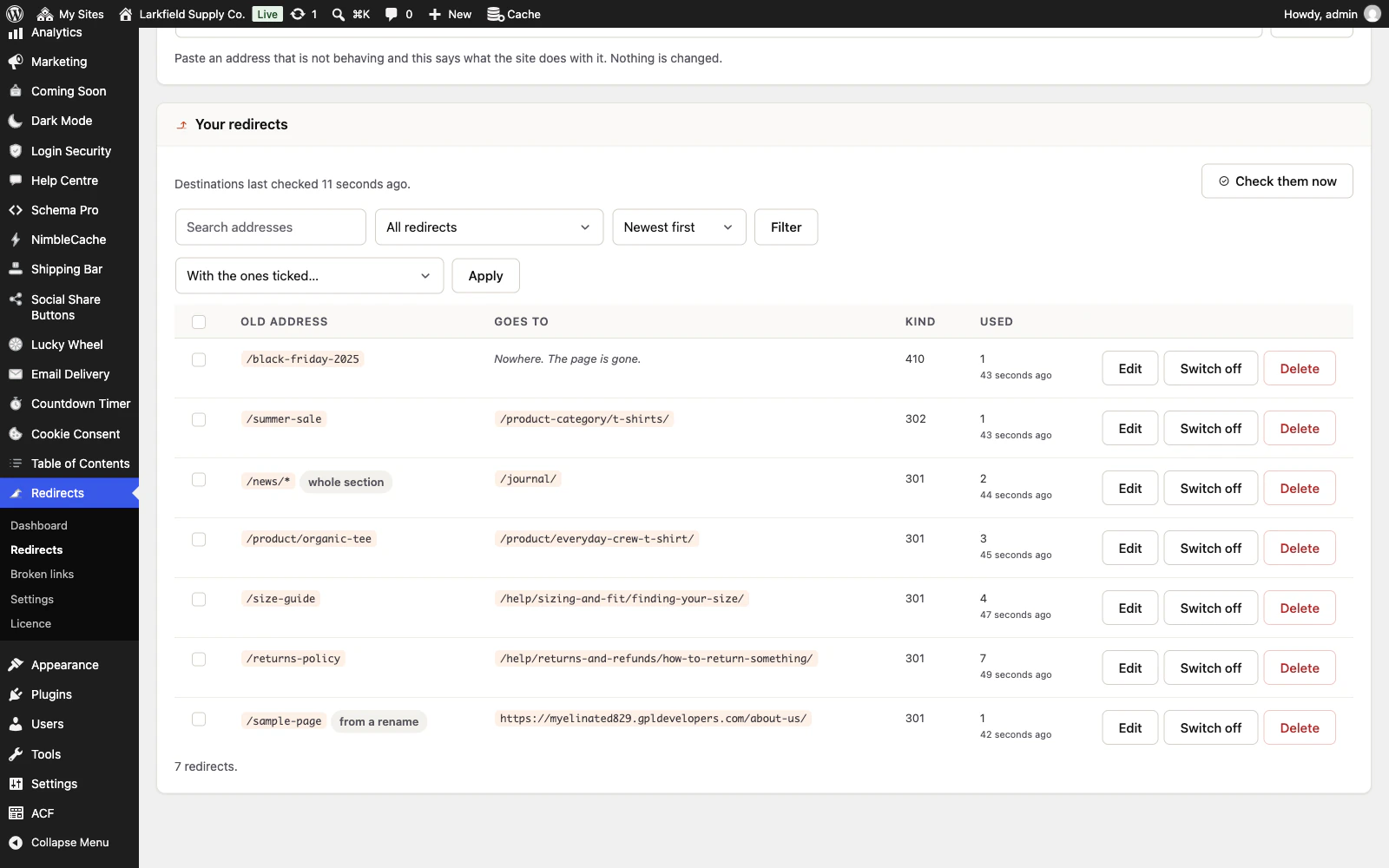
Rename a published page, a category, a tag or a product category and the address it used to have keeps working, with no thought from you.
More: Renamed pages and categories keep their old address
The redirect is made the moment you save, appears in the list marked as one that was made for you, and can be changed or deleted like any other. Rename it a second time and the first redirect follows, so you never end up with a chain of them. Move a category under another parent and every category beneath it keeps its old address too. If another page or category later takes an old address, the redirect made for it steps aside so the new one answers. A redirect you wrote that ends up pointing at another one gets a button naming the final address, and one press points it straight there.
-
A new permalink structure keeps old post, category and product links working
Change your permalinks from dated addresses to plain post names, or change the category, tag or WooCommerce product base, and visitors following an old link to a post, category or product still arrive.
More: A new permalink structure keeps old post, category and product links working
Each old address is matched to the one post, category or product it named, date and all, so a newer post with the same name is never sent by mistake. The redirect is added to the list the first time somebody follows it, and a change you made before installing can be typed in. On a site that had the plugin before, the Dashboard asks first.
-
A list of what is actually breaking
Every address somebody asks this site for and does not find is recorded, with how many times and the page that linked to it.
More: A list of what is actually breaking
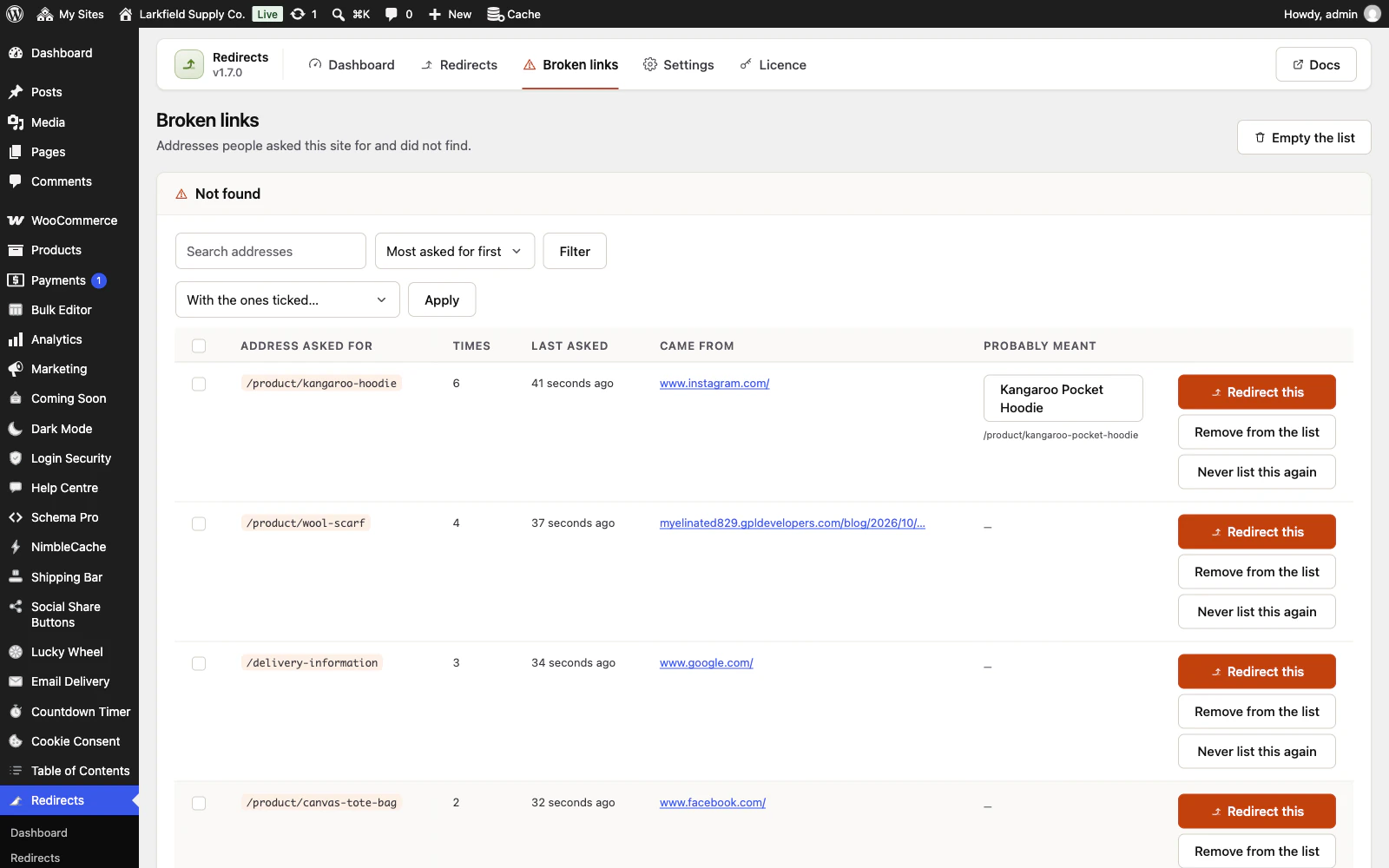
Busiest first, because the link a hundred people followed this month matters more than the one somebody mistyped an hour ago. Each row has a button that fills in a redirect for it, and one that keeps an address a bot keeps trying off the list for good. A page or category you delete is added the moment you delete it, with the older addresses its renames kept working, and offers where it lived: a retired product its own category, a child page its parent, one click from a redirect. Take a page back out of the bin and publish it, and its redirects return to every old address nothing else has taken since.
-
Nothing about your visitors is kept
No addresses, no names, no fingerprints, nothing that follows anybody anywhere.
More: Nothing about your visitors is kept
What is stored is which page was asked for, how often, and the page that linked to it — a page rather than a person. The list keeps itself to the size and the age you set.
Writing a rule
4 features
-
Move a whole section with one rule
End an address with a star and the rule covers everything under it.
More: Move a whole section with one rule
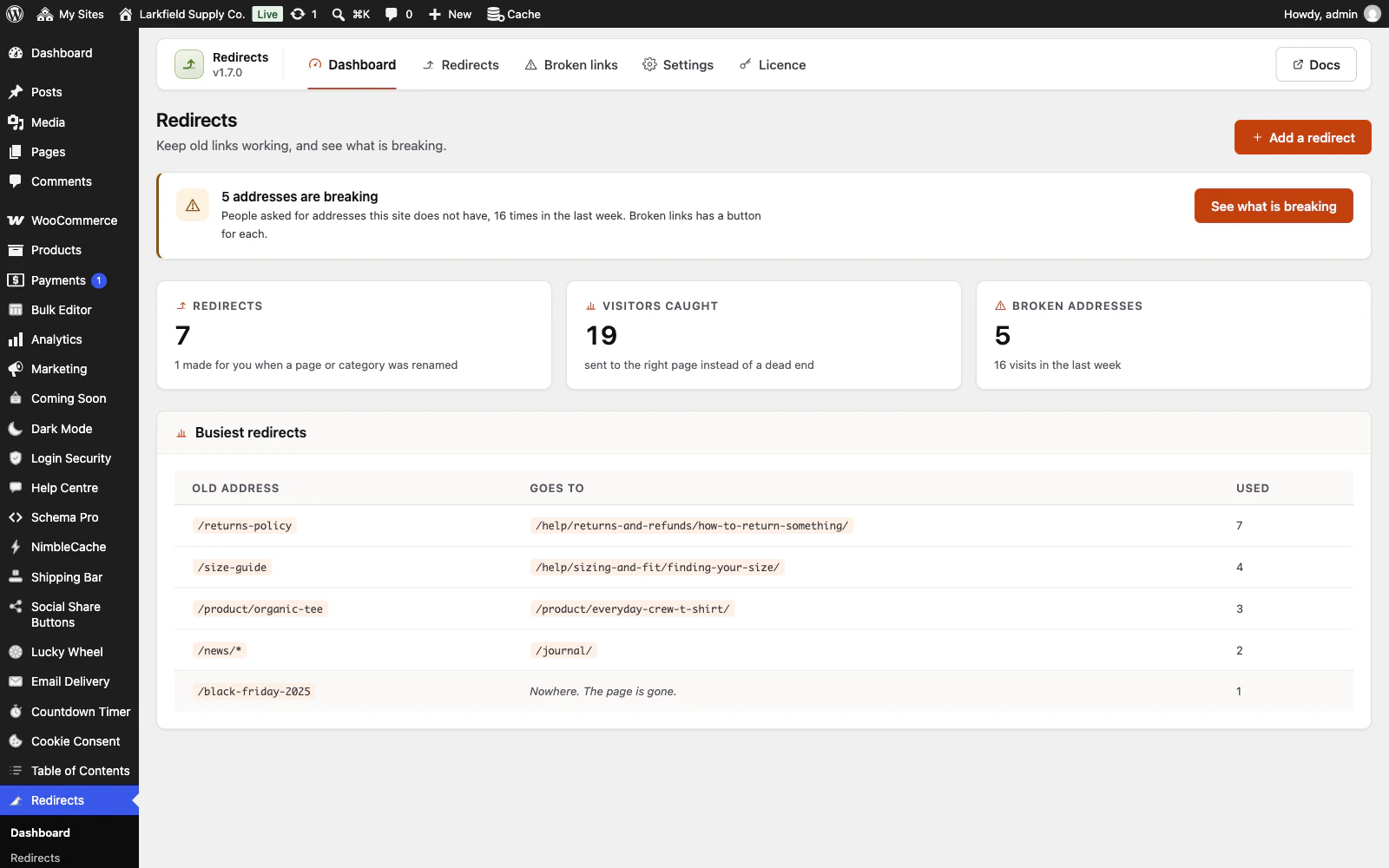
/blog/* to /news/* sends /blog/hello to /news/hello and /blog/2019/june to /news/2019/june; leave the star off the destination and they all land on one page instead. A star only ever cuts at a slash, so /blog/* never catches /blogging-tips.
-
Permanent, temporary, or gone
301 for a page that has moved for good, which is what passes its standing in search to the new address.
More: Permanent, temporary, or gone
302 or 307 while something is away. And 410 for a page that is gone and is not coming back, such as a discontinued product: it says so plainly, where a redirect to the home page would pretend the page still exists.
-
It refuses to lock you out
A redirect pointing at your own login page, your admin, or the whole site is refused when you write it, with a sentence saying why — not accepted and then discovered at the worst possible moment.
More: It refuses to lock you out
A rule that points at itself is refused too, and caught again when it runs, because a site can move under a rule that was fine yesterday. The form keeps what you typed, so you fix the one part that was wrong, and in the block editor the Old addresses panel's refusal arrives as the editor's own notice.
-
Editors and shop managers can look after redirects
Tick Editors, or Shop managers on a WooCommerce shop, and the people who rename pages can add, change and delete redirects, work through Broken links, and keep a page's old address from the Old addresses panel beside it.
More: Editors and shop managers can look after redirects
Settings, import and export stay with administrators, and every redirect is held to the same refusals whoever writes it. Only those WordPress lets add scripts to a page can redirect to another site, so a shop manager cannot send your checkout elsewhere. A role editor plugin can give the capability, trrd_manage_redirects, to any other role. Until you choose, only administrators can, as before.
Getting it right
5 features
-
One address, however it is written
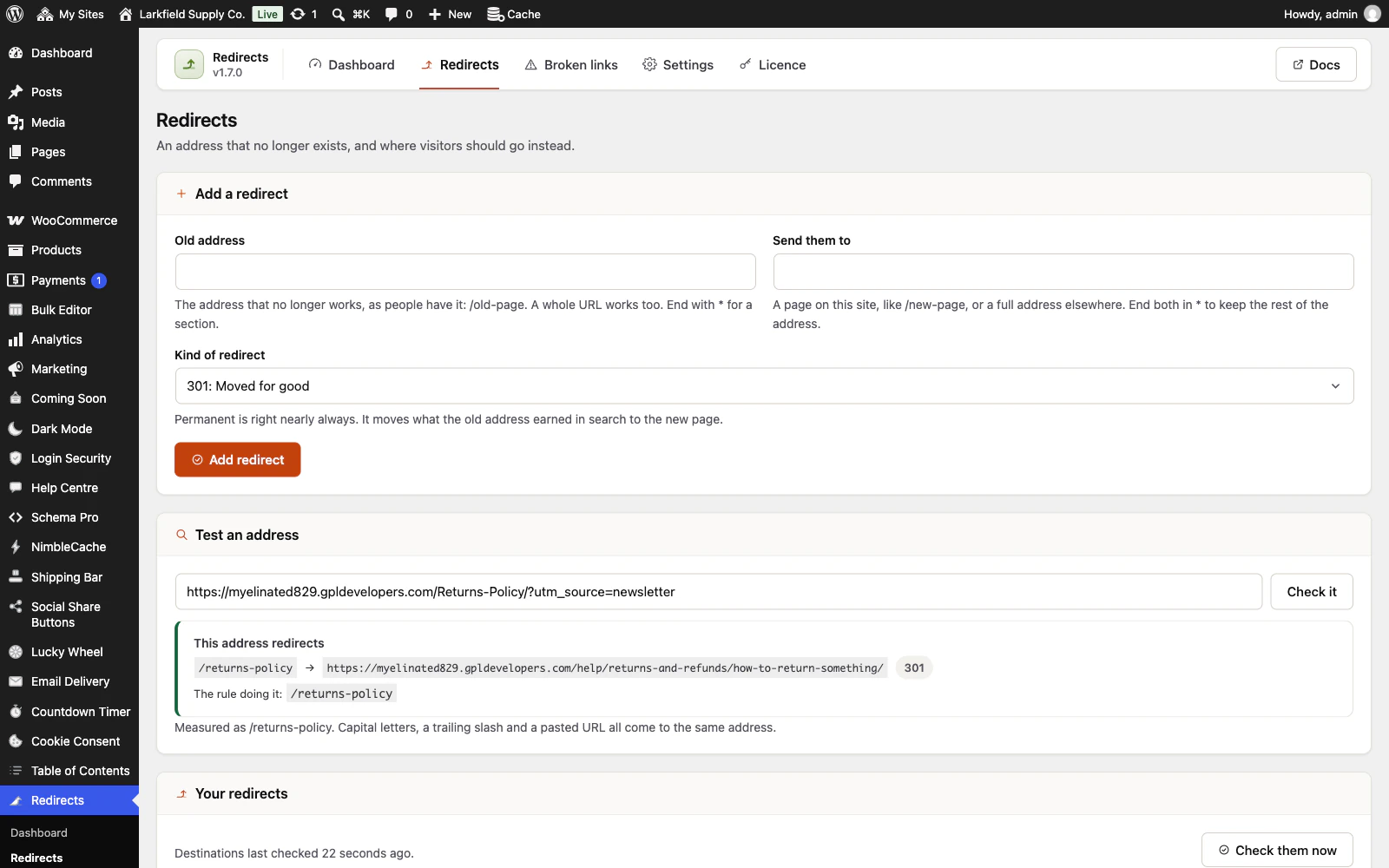
/Old-Page/, /old-page, the whole URL pasted out of an email, one with a campaign tag on the end, one with a doubled slash — all of them are the same address, and one rule catches all of them.
More: One address, however it is written
This is the single most common reason a redirect somebody wrote does not fire, and it is handled rather than explained.
-
Campaign tags survive the redirect
Somebody who clicks a tagged link and gets redirected keeps the tag, so your analytics still say where they came from instead of recording the visit as arriving from nowhere.
More: Campaign tags survive the redirect
It arrives as it was sent, with its spaces and accents. On by default, and a switch if you would rather it did not.
-
Switch from Redirection, Rank Math, Yoast or Safe Redirect Manager
Their redirects are found in your site's database, even with the plugin already switched off.
More: Switch from Redirection, Rank Math, Yoast or Safe Redirect Manager
Preview shows what will arrive, what is already here, and what stays behind and why; Import then brings them over. A regular expression, a rule only for some visitors, or one switched off there is listed rather than copied. Two kinds arrive a little narrower, and the preview counts them: Rank Math's Starts With for a folder becomes a rule for that folder, and a plain Apache Redirect line a rule for its one address. Your own redirects are never overwritten, and nothing is changed in the other plugin. Rank Math's free version exports only server rules, so a pasted .htaccess or Nginx list is read too, with every line it could not read counted and the first of them listed by number. The Dashboard says so while the old plugin is still redirecting, until you dismiss the note.
-
Bring your redirects with you
Import a spreadsheet of redirects from whatever else you were using before — a header row or none, any recognisable column order, commas or semicolons — and export yours at any time.
More: Bring your redirects with you
Every row still goes through the same checks as one typed into the form, so nothing gets in that the screen would have refused.
-
Settings that move to your next site
Export the settings as a small file and read it back on the site you set up next.
More: Settings that move to your next site
Settings only: nothing you have written or collected, and never your licence key.
Built to stay fast
2 features
-
A request that matches nothing costs nothing
The addresses that have a redirect are kept in memory as a set of small numbers, already loaded before the question is asked.
More: A request that matches nothing costs nothing
A request that matches nothing — which is nearly all of them — reaches the database not at all. A site with four redirects costs four numbers and no queries.
-
Works on a network, and on a site in a subfolder
Each site on a multisite network keeps its own redirects and its own broken links list, and a site added to the network later is set up on its own.
More: Works on a network, and on a site in a subfolder
A site living at example.com/shop/ is understood: you write /old-page, which is the address you see in the admin, and the subfolder is handled.
Pricing
Every plan includes every feature. Choose how many domains, and whether to pay yearly or once.
Pay yearly renews until you cancel
Pay once (lifetime) no renewals
- Every plan includes every feature. You choose only the number of domains.
- 30-day refund, no reason needed. Refund policy
- Licence key and download straight after payment, by Stripe.
- A lapsed licence stops updates and support. It never switches a feature off.
- Local, development and staging copies are free and do not count against your domains.
- Yearly plans renew at the then-current price until you cancel. Cancel any time from your account.
- Where tax applies it is calculated at checkout and shown before you pay.