


 Countdown Timer Sell more
WooCommerce countdown timers for sales, the shop and the cart
Countdown timers that run to your real sale dates, on a product, across the shop, or as a cart timer at the checkout.

$19 a year for 1 domain 5 domains $29 · unlimited $39 · or pay once from $49
- 30-day refund, no reason needed
- Every feature in every plan
- Support from the developers
- Tested with WordPress
- 6.0 to 7.1
- PHP
- 8.0 or later
- Multisite
- Network activation
- Languages
- English, Spanish, French
- Updates
- From your Plugins screen
- Latest version
- 1.12.0 · 23 Oct 2026
What it does
-
Shoppers see exactly how long is left
Show the time left on a reduced product, across the shop for the sale itself, or on the cart while the shopper decides.
-
It cannot contradict your prices
A sale campaign reads each product's sale end date from WooCommerce, so the clock and the price come from the same place.
-
Nobody catches you out
Timers run on your site's clock. A per-visitor countdown remembers when it was first seen, so coming back does not restart it.
See it working
Captured from a working WordPress site, not drawn. Select one to see it full size.
-

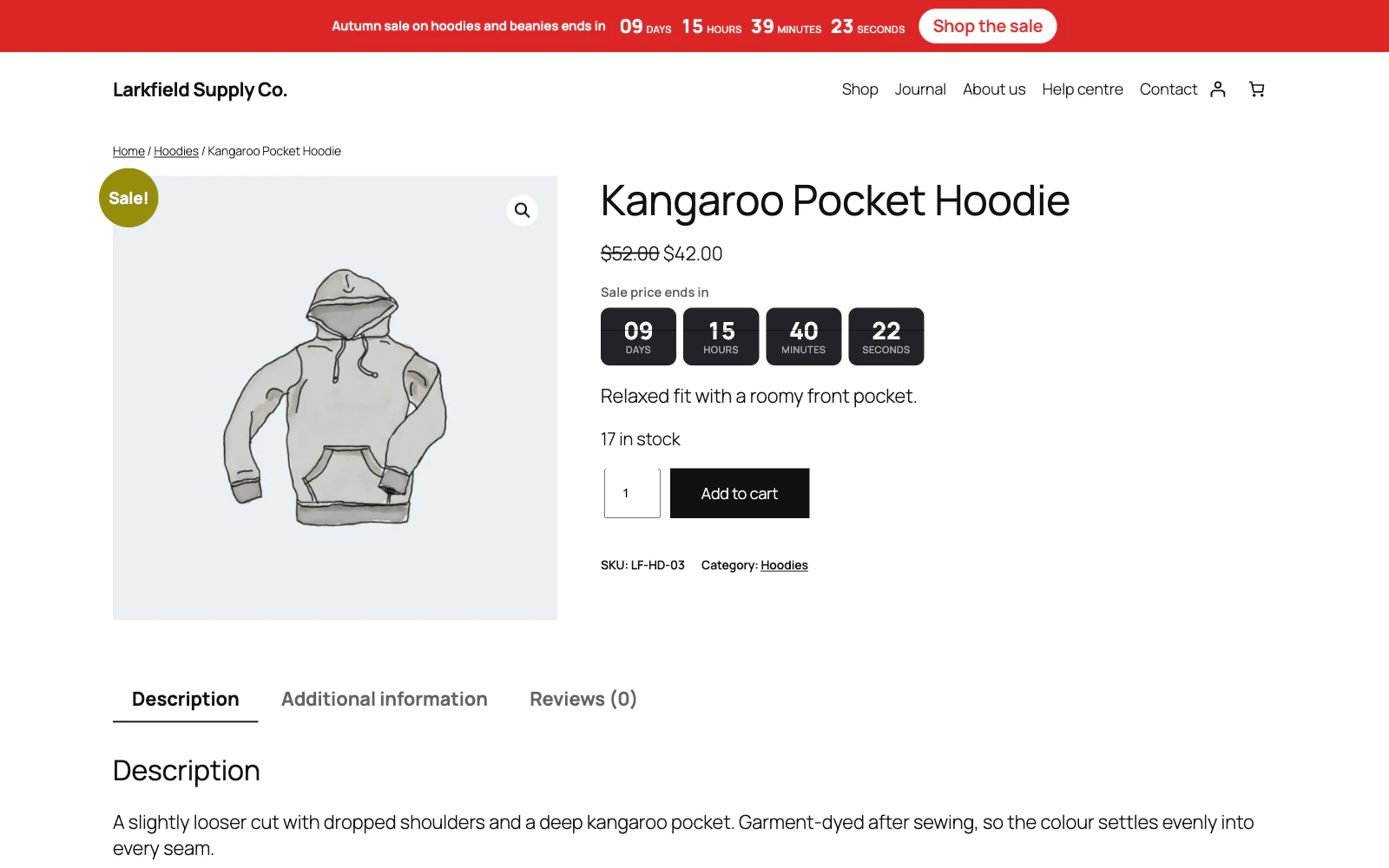
A reduced product counts down to its own sale end date, under a site-wide bar for the sale as a whole. -

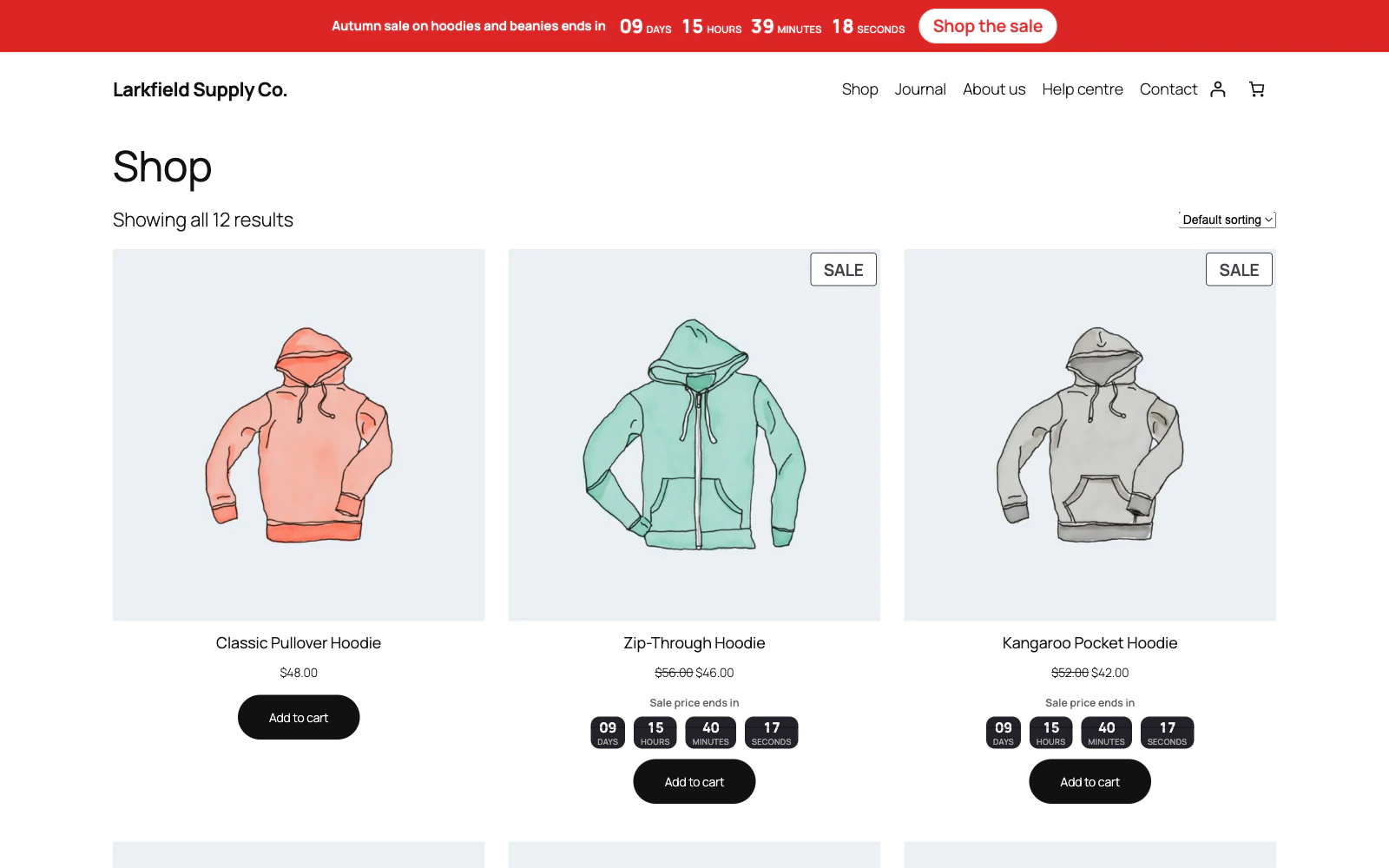
In the shop grid, each reduced product carries a small timer under its price. -

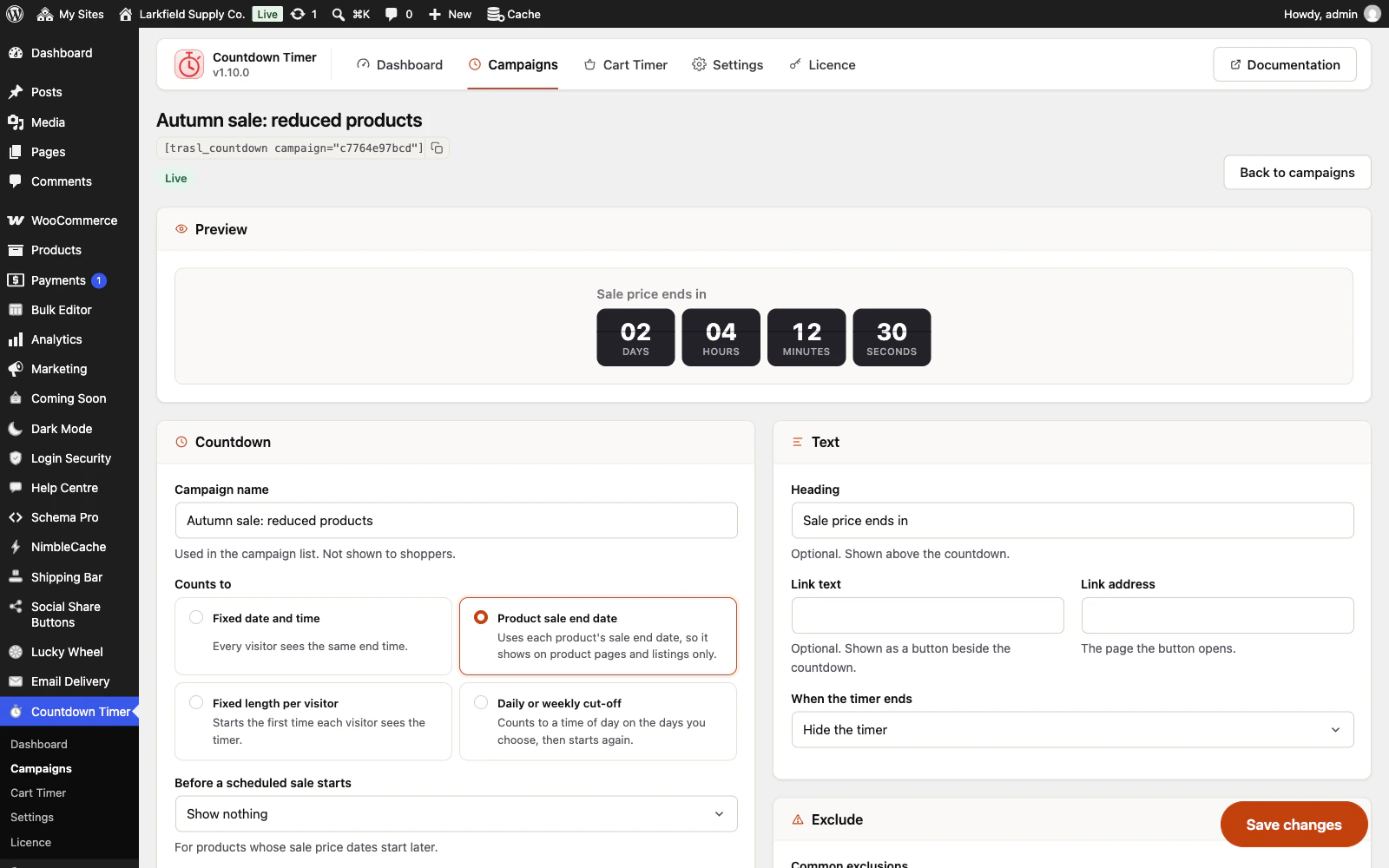
A campaign is set up on one screen, with a preview at the top and four kinds of deadline to count to. -

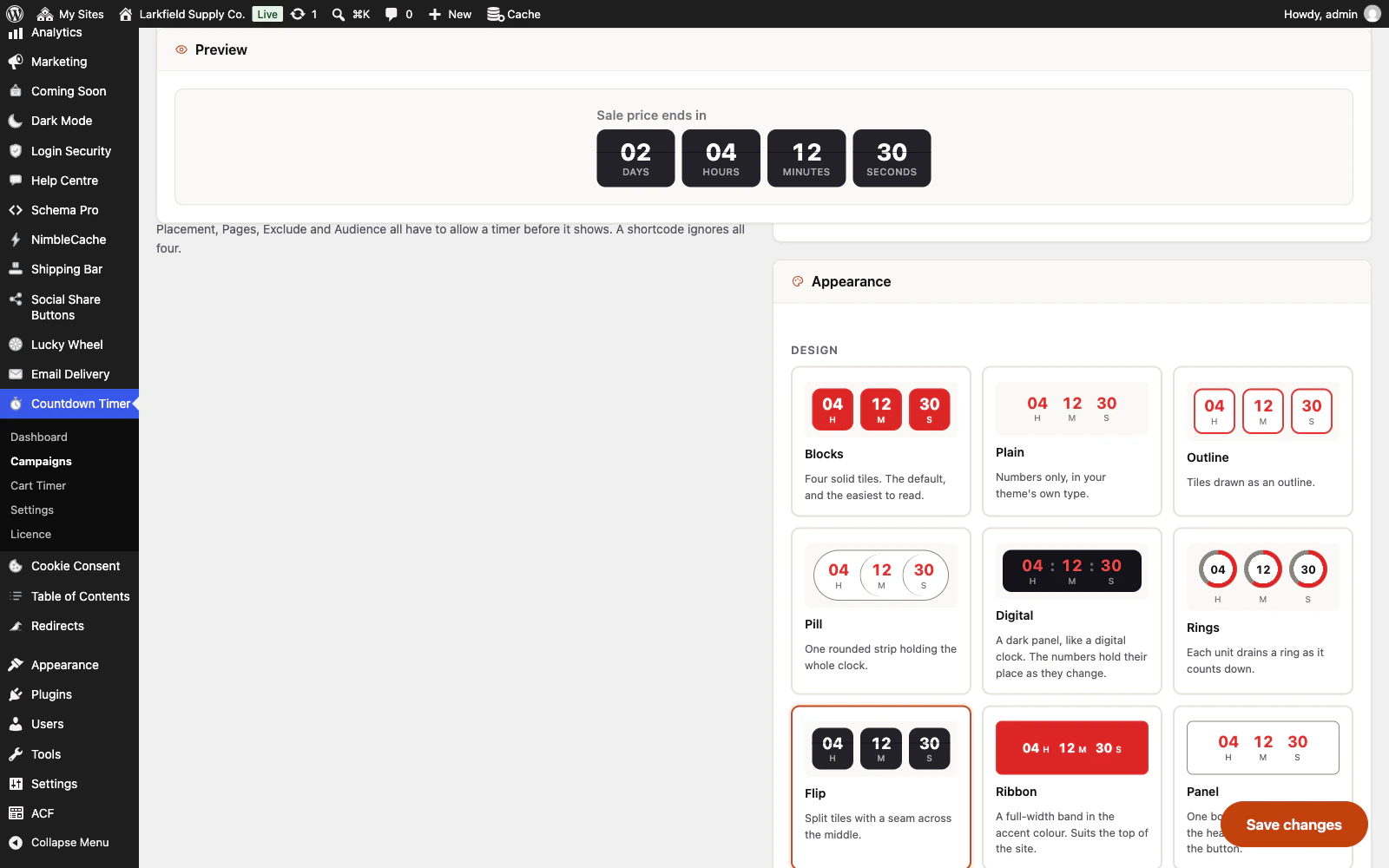
Twelve designs, each drawn in the picker as it will look, while the preview stays in view.
Features
See all 26 features- Four kinds of countdown Campaigns
- Reads your real sale dates Campaigns
- Four places, no template editing Campaigns
- Sells only while the clock allows Campaigns
- A coupon that ends with the countdown Campaigns
- A page that changes when the sale ends Campaigns
Pricing
Choose how many domains, and whether to pay yearly or once.
Pay yearly renews until you cancel
Pay once (lifetime) no renewals
- Every plan includes every feature. You choose only the number of domains.
- 30-day refund, no reason needed. Refund policy
- Licence key and download straight after payment, by Stripe.
- A lapsed licence stops updates and support. It never switches a feature off.
- Local, development and staging copies are free and do not count against your domains.
- Yearly plans renew at the then-current price until you cancel. Cancel any time from your account.
- Where tax applies it is calculated at checkout and shown before you pay.
Questions
About the plugin first, then how your licence works.
Does Countdown Timer work with page caching?
Yes. Countdown Timer writes the end into the page as one exact moment and the script counts to it from the visitor's own clock, so a page cached an hour ago still shows the right time. Per-visitor countdowns work from a cached page too. Only the cart timer needs the cart and checkout left out of caching, as WooCommerce already asks.
Does Countdown Timer need WooCommerce?
Not for everything: Countdown Timer's bar across the top of the site, the countdown above posts and pages, and the shortcode work without it. Timers on product pages and listings and the cart timer need WooCommerce 7.0 or later.
Will Countdown Timer slow my site down?
Hardly: Countdown Timer loads one stylesheet and one script, about 7KB together as a browser downloads them, and only on pages that show a timer. It never loads jQuery, and there are no web fonts and no requests to other sites.
Does Countdown Timer restart when a visitor comes back?
No. Countdown Timer remembers when each visitor first saw a per-visitor countdown, in a cookie on their own device, so coming back does not hand them a fresh hour. Sale countdowns read WooCommerce's own sale end dates, so nothing is left counting after a sale is over.
What happens when the cart timer runs out?
Countdown Timer takes the timer's coupon off the cart, unless you chose to keep it, and shows your expired message. The cart is never emptied and nothing is cancelled. It works on the block Cart and Checkout and on the older shortcode ones.
What happens to my campaigns if I delete Countdown Timer?
Deactivating Countdown Timer keeps your campaigns and settings, and no campaign stops a sale while it is off. Deleting it leaves them in the database unless you first turn on Delete all data on uninstall under Settings.
How your licence works
How do I install it?
After checkout you get a licence key and a download link straight away, plus an email copy. Upload the ZIP under Plugins → Add New, activate it, and paste your key into the plugin settings.
How do updates work?
Once your key is entered, new versions appear on your Plugins screen and install with one click, exactly like a plugin from the WordPress directory.
What happens when my licence expires?
The plugin keeps working. You only lose access to new updates and support until you renew.
Do staging sites use up a domain?
No. Local, development and staging copies are free and unlimited: localhost, private IP addresses, domains ending in .test, .local or .localhost, and subdomains beginning with staging. or dev. None of them counts against your plan.
Read before you buy
The documentation and answers are open to everyone.