


 Schema Pro Content and SEO
Schema markup for WordPress without writing code
Mark up your pages so Google can show stars, prices, cook times and more, set up in two minutes with no code.

$19 a year for 1 domain 5 domains $29 · unlimited $39 · or pay once from $49
- 30-day refund, no reason needed
- Every feature in every plan
- Support from the developers
- Tested with WordPress
- 6.0 to 7.1
- PHP
- 8.0 or later
- Multisite
- Network activation
- Languages
- English, Spanish, French
- Updates
- From your Plugins screen
- Latest version
- 1.14.0 · 23 Oct 2026
What it does
-
Markup Google can turn into stars and prices
Each type says what Google can show for it, and the markup is checked before it ships. Google decides per search whether to show it.
-
One answer per page, not two competing ones
Where Yoast, Rank Math or another SEO plugin already covers a part, this one stands down, so search engines read one copy.
-
The right type on the right posts
Thirty schema types, matched to the right posts automatically.
-
Live in minutes, not weekends
A two-minute setup fills most fields from your content, with a live Google preview.
See it working
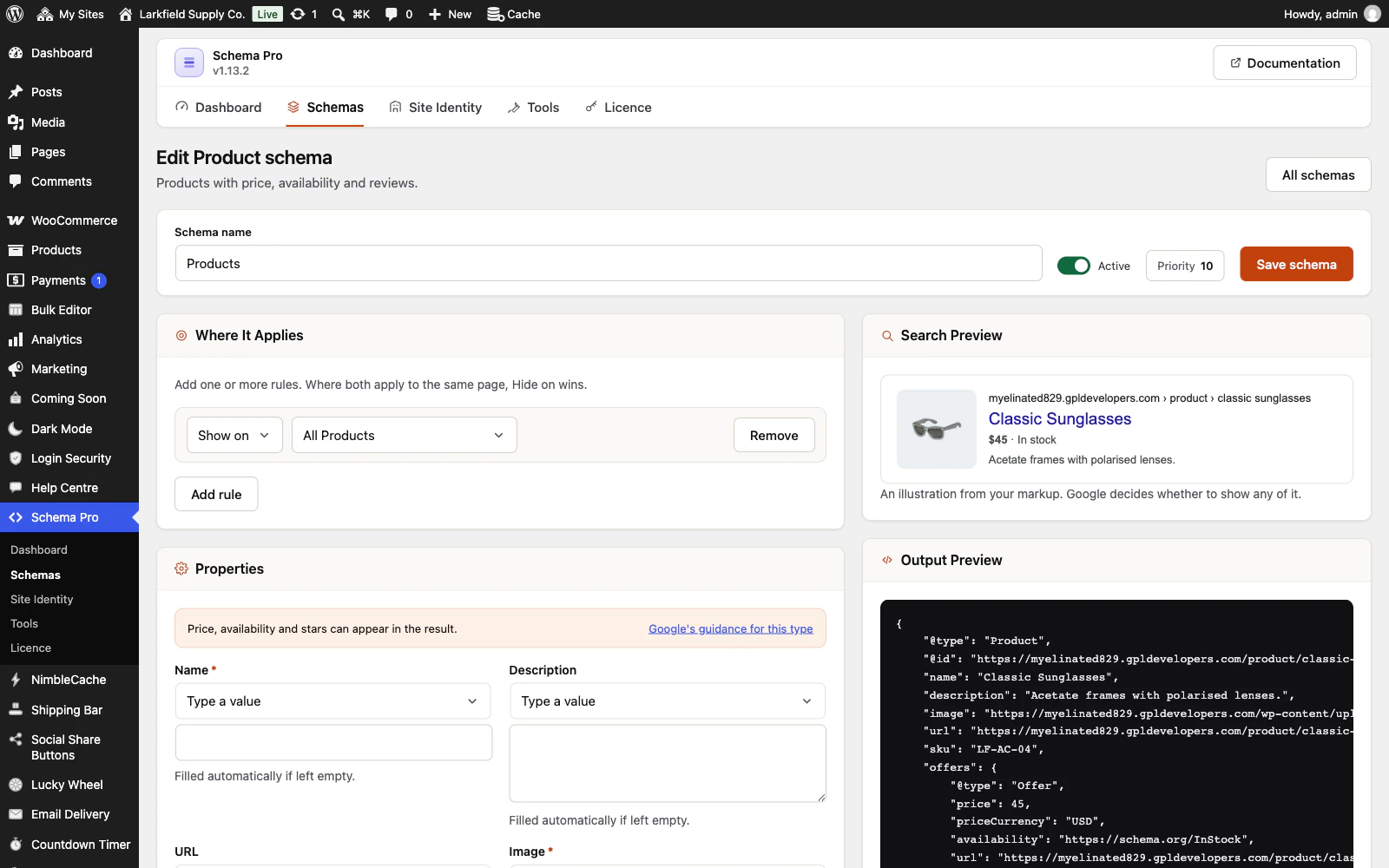
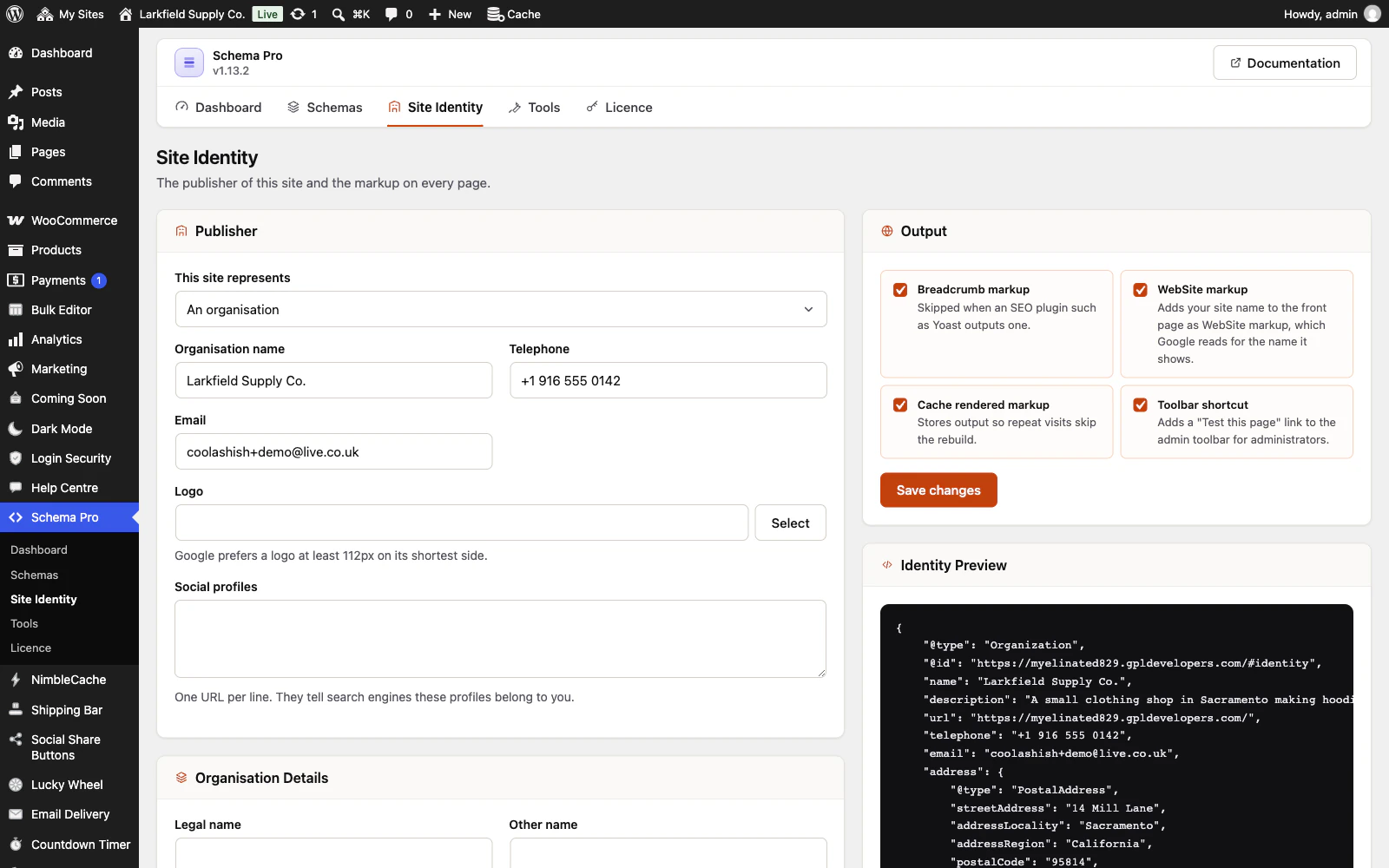
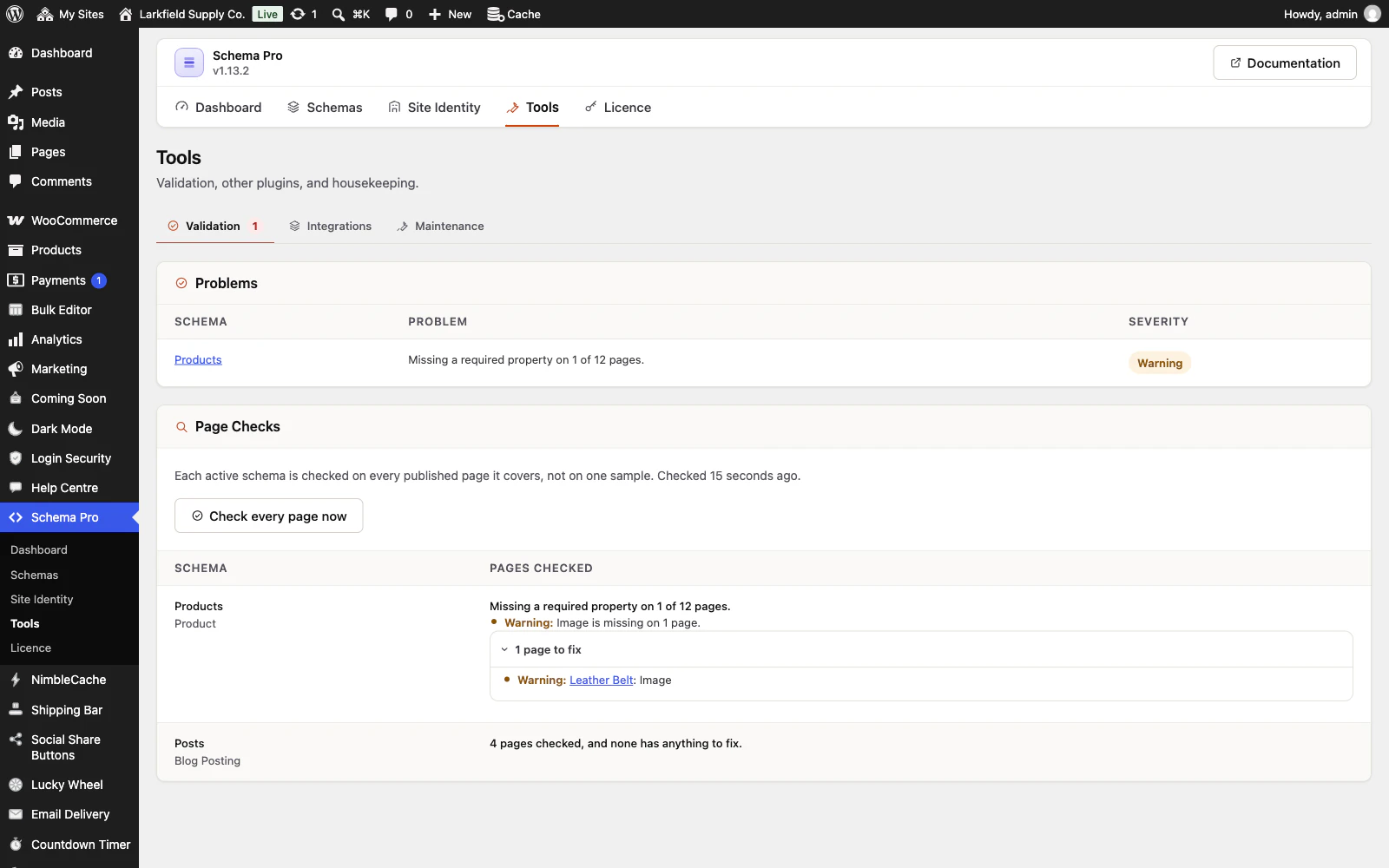
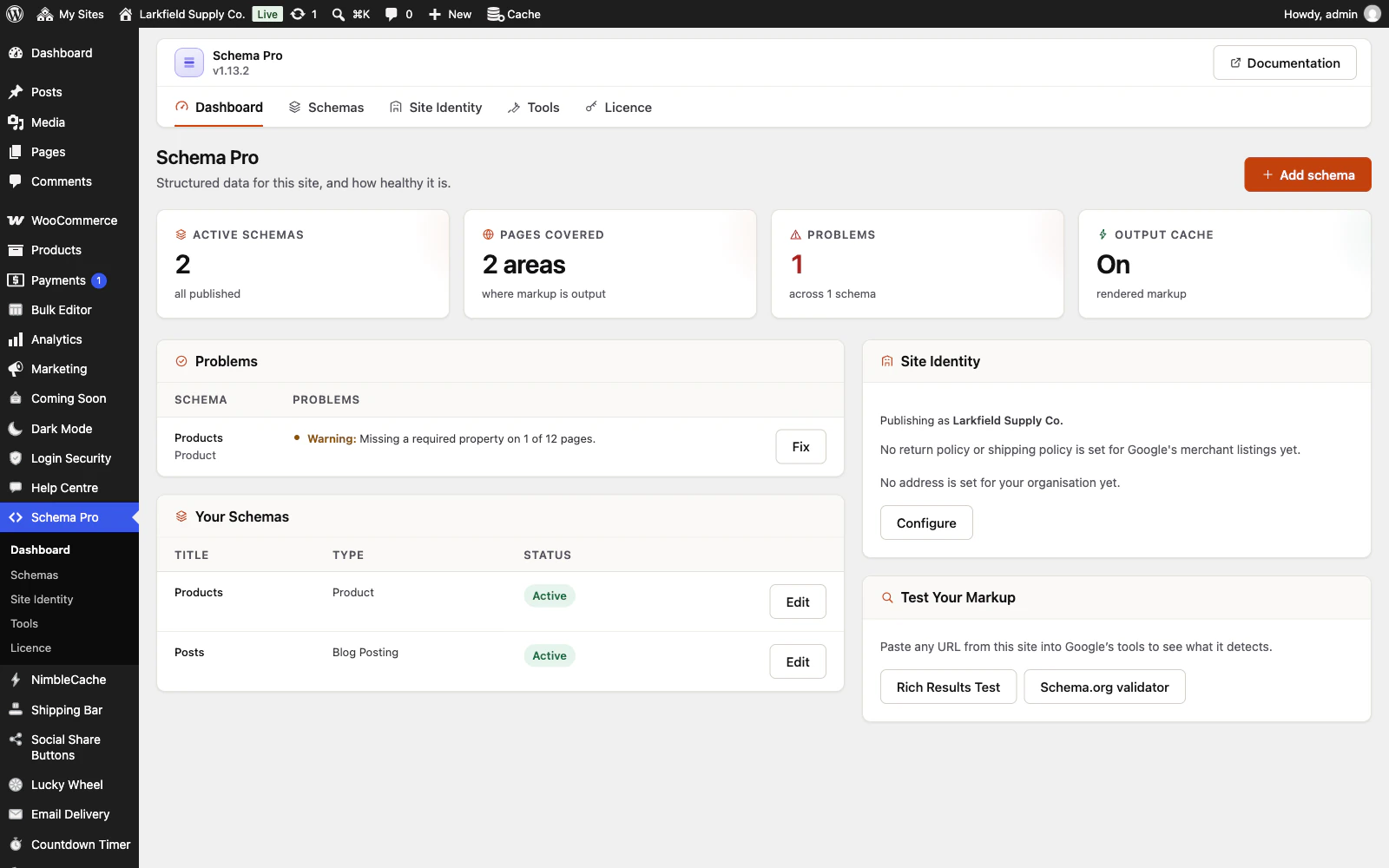
Captured from a working WordPress site, not drawn. Select one to see it full size.
-

One Product schema covers every product: its fields fill in from each product, and the previews show the result for a real one as you edit. -

Who publishes the site is set once, with the address read from WooCommerce, and every schema points to it. -

Every page a schema covers is checked, not one sample, and the page that needs fixing is named. -

The dashboard: what is active, where the markup goes, what needs attention, and who the site publishes as.
Features
See all 22 features- 30 schema types Markup
- One block of markup per page Markup
- Fields that fill themselves in Markup
- Authors as real people Markup
- Precise targeting Targeting
- Custom post types and taxonomies Targeting
Pricing
Choose how many domains, and whether to pay yearly or once.
Pay yearly renews until you cancel
Pay once (lifetime) no renewals
- Every plan includes every feature. You choose only the number of domains.
- 30-day refund, no reason needed. Refund policy
- Licence key and download straight after payment, by Stripe.
- A lapsed licence stops updates and support. It never switches a feature off.
- Local, development and staging copies are free and do not count against your domains.
- Yearly plans renew at the then-current price until you cancel. Cancel any time from your account.
- Where tax applies it is calculated at checkout and shown before you pay.
Questions
About the plugin first, then how your licence works.
Does Schema Pro work alongside Yoast, Rank Math or my theme's markup?
Yes. Schema Pro detects Yoast, Rank Math, SEOPress, All in One SEO and The SEO Framework and stands down for the parts they already output: site identity, breadcrumbs and the WebSite markup. A theme that hard-codes its own markup cannot be detected, so remove the theme's block or set the competing schema to Draft.
Will Schema Pro get my pages rich results in Google?
Schema Pro makes a page eligible for rich results, but no plugin can promise them: Google decides per search, and it can take days or weeks after a page is crawled again. The Tools screen lists every page missing a property Google requires, so you can fix those first.
Does Schema Pro work with WooCommerce products and variations?
Yes. Schema Pro reads price, currency, stock, SKU, brand, GTIN, sale dates and ratings from each product once a Product schema is aimed at All Products, and marks up each variation on its own. WooCommerce's own Product markup is switched off on those products, so each page has one.
Will Schema Pro slow my site down?
Schema Pro should not slow your site: it keeps its data in its own tables, matches its rules in one indexed query and caches the finished markup, so a cached request costs one lookup. The check of every page runs in WordPress's scheduled tasks, never on a visitor's page view.
Does Schema Pro work on multisite, and with WPML or Polylang?
Yes. Schema Pro works on a multisite network, where each site keeps its own schemas and rules and new sites are set up automatically. With WPML or Polylang, the site's name, logo and profiles can be translated, and a rule aimed at one page covers that page's translations too.
What happens to my schemas if I delete Schema Pro?
Schema Pro leaves your schemas in place when you deactivate or delete it, so reinstalling brings everything back. To remove them for good, tick Delete all data on uninstall on the Tools screen before you delete the plugin.
How your licence works
How do I install it?
After checkout you get a licence key and a download link straight away, plus an email copy. Upload the ZIP under Plugins → Add New, activate it, and paste your key into the plugin settings.
How do updates work?
Once your key is entered, new versions appear on your Plugins screen and install with one click, exactly like a plugin from the WordPress directory.
What happens when my licence expires?
The plugin keeps working. You only lose access to new updates and support until you renew.
Do staging sites use up a domain?
No. Local, development and staging copies are free and unlimited: localhost, private IP addresses, domains ending in .test, .local or .localhost, and subdomains beginning with staging. or dev. None of them counts against your plan.
Read before you buy
The documentation and answers are open to everyone.