


 Lucky Wheel for WooCommerce Sell more
A WooCommerce spin-to-win wheel that hands out real coupons
A spin-to-win prize wheel that gives shoppers a real WooCommerce coupon for their email address, and shows the orders those coupons bring in.

$19 a year for 1 domain 5 domains $29 · unlimited $39 · or pay once from $49
- 30-day refund, no reason needed
- Every feature in every plan
- Support from the developers
- Tested with WordPress
- 6.0 to 7.1
- WooCommerce
- 7.0 to 11.0
- PHP
- 8.0 or later
- Multisite
- Network activation
- Languages
- English, Spanish, French
- Latest version
- 1.12.0 · 23 Oct 2026
What it does
-
An email address with every spin
Every spin asks for an email address, with your own consent tick box if you show one, ready for Mailchimp or Klaviyo.
-
A real coupon, applied in one click
Each win is a real WooCommerce coupon with its own code, and winners can apply it to their cart in one click.
-
See what it actually earns
Orders are traced back to the coupon, so you see revenue rather than just email counts.
-
Live in a few minutes
Set the prizes, choose when it appears, turn it on. A live preview shows exactly what shoppers get.
See it working
Captured from a working WordPress site, not drawn. Select one to see it full size.
-

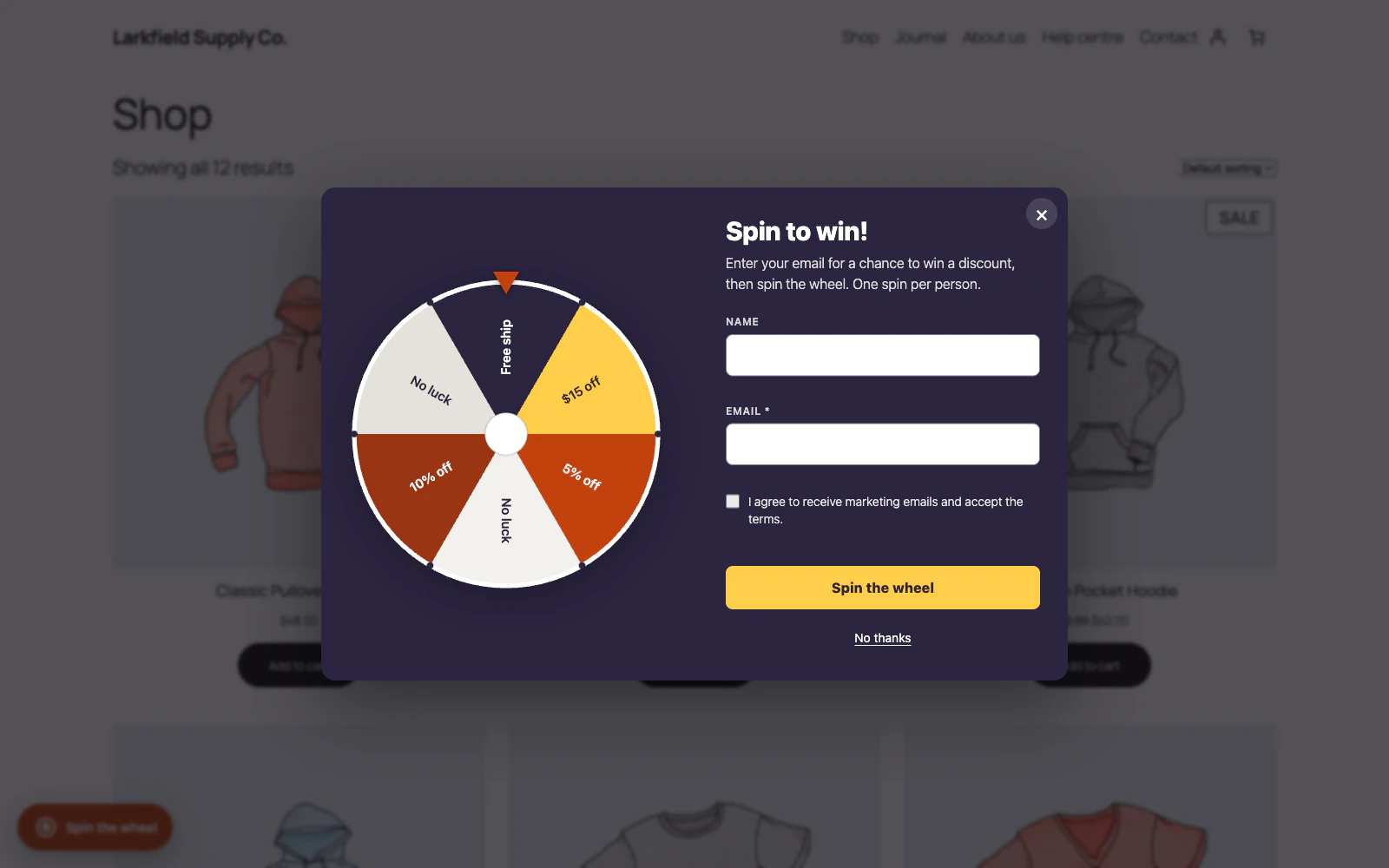
The wheel opens over the shop and asks for an email address before it can be spun. -

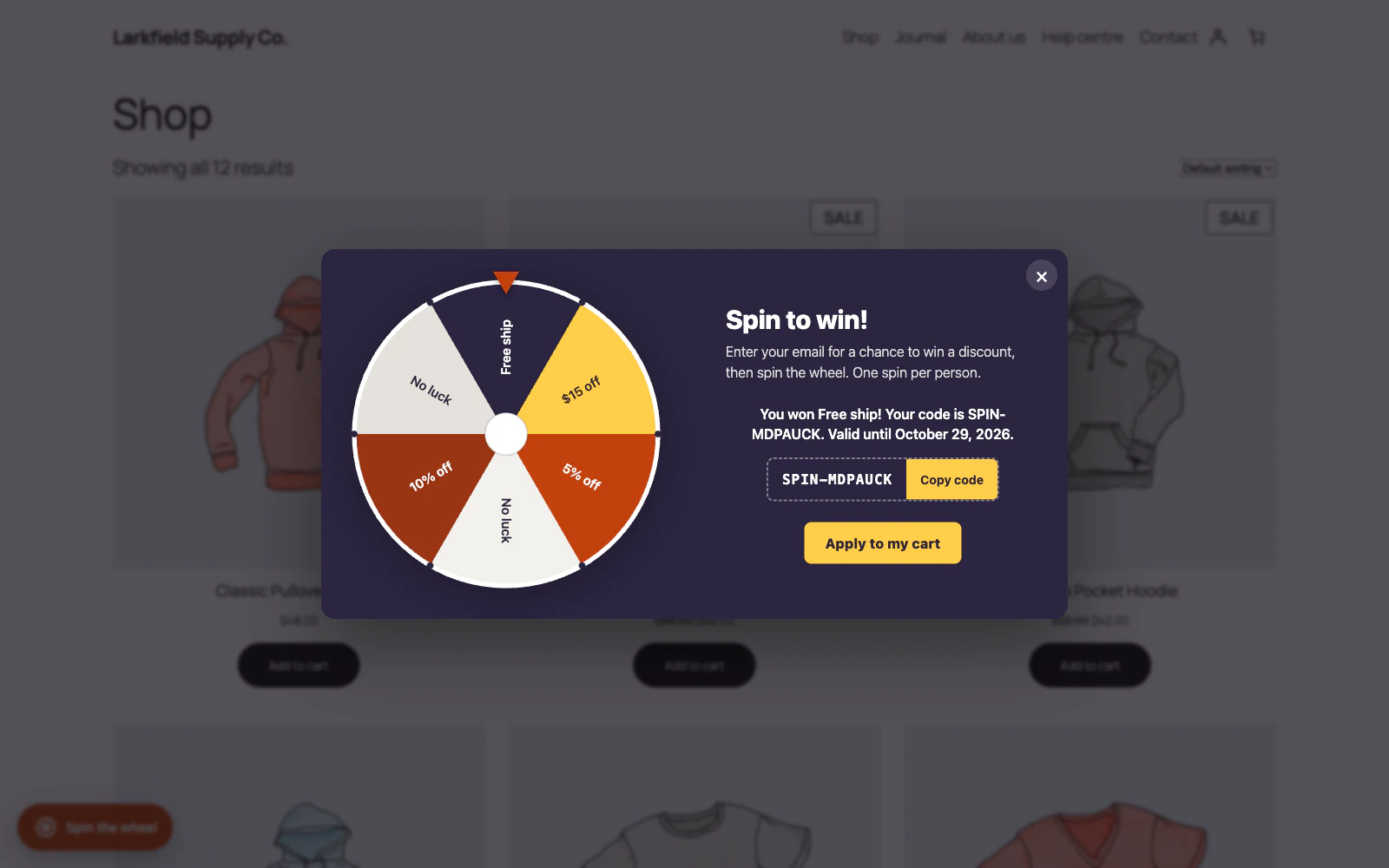
A winner sees the prize and a real WooCommerce coupon code, with a button that applies it to their cart. -

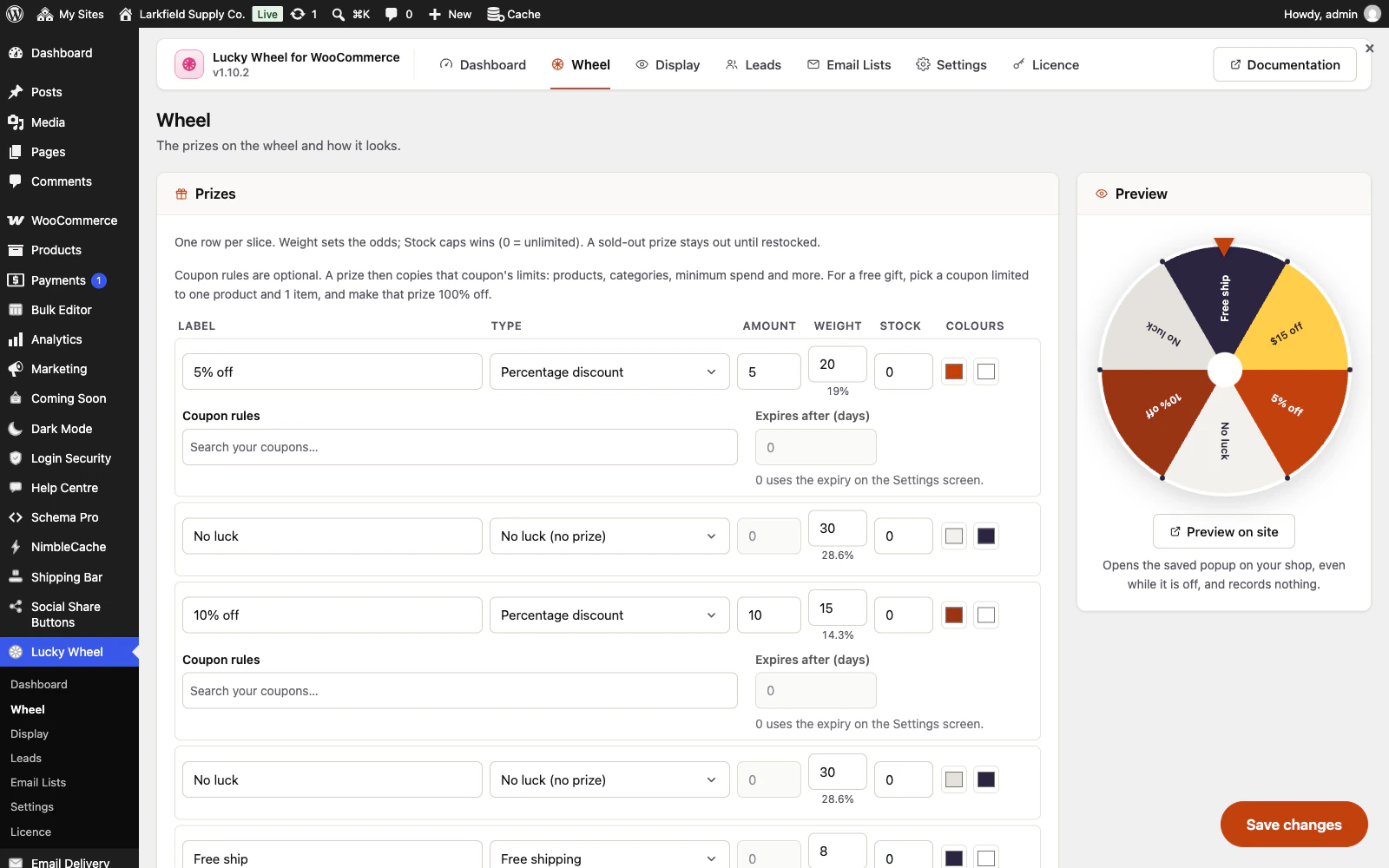
Each slice is a prize with its own type, amount, weight and stock, and the chance each weight gives is worked out for you. -

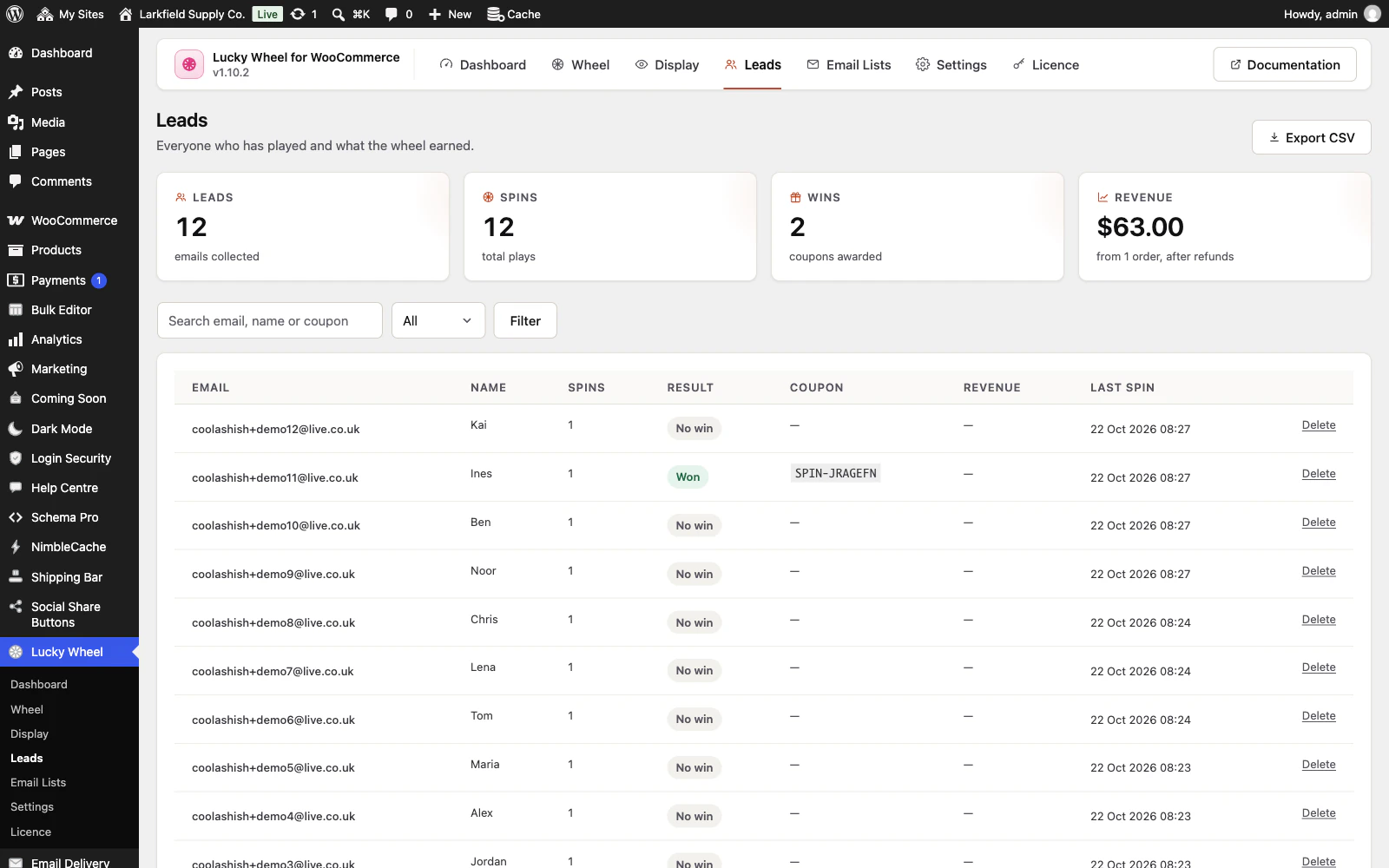
Every play is kept as a lead, with the result, the coupon and the revenue the wheel brought in.
Features
See all 24 features- A spin-to-win prize wheel Core
- Real WooCommerce coupons Coupons
- Rules for each prize Coupons
- Fair odds you control Core
- The prizes and chances, shown before anyone plays Core
- A reminder of the prize code Coupons
Pricing
Choose how many domains, and whether to pay yearly or once.
Pay yearly renews until you cancel
Pay once (lifetime) no renewals
- Every plan includes every feature. You choose only the number of domains.
- 30-day refund, no reason needed. Refund policy
- Licence key and download straight after payment, by Stripe.
- A lapsed licence stops updates and support. It never switches a feature off.
- Local, development and staging copies are free and do not count against your domains.
- Yearly plans renew at the then-current price until you cancel. Cancel any time from your account.
- Where tax applies it is calculated at checkout and shown before you pay.
Questions
About the plugin first, then how your licence works.
Can shoppers cheat Lucky Wheel by editing the page?
No. Lucky Wheel draws the winning slice and creates the coupon on your server, and the browser is only told where to stop the animation. Editing the page cannot change the prize, the coupon or the odds, and two shoppers spinning at once cannot both win a prize's last one.
Does Lucky Wheel work with page caching plugins?
Yes. Lucky Wheel's popup is the same for every visitor, so it caches cleanly, and the spin itself is a live request that is never cached. The page carries no security token that can go out of date, so the wheel still spins on a page your cache has served for days.
Will Lucky Wheel slow my WooCommerce store down?
No. Lucky Wheel's front end is one small script and stylesheet with no third-party libraries, and leads go into their own indexed table rather than being stored as posts. Google's reCAPTCHA and a Google font, if you use them, are fetched only when a visitor opens the wheel.
Can Lucky Wheel ask for marketing consent before the spin?
Yes. Lucky Wheel can show a consent tick box in your own words, and when it is shown a shopper must tick it to spin. Leads are part of WordPress's Export and Erase Personal Data tools, and the plugin offers a suggested paragraph for your privacy policy.
Which email services does Lucky Wheel connect to?
Lucky Wheel connects to Mailchimp and Klaviyo directly, and sends each new address in the background moments after the spin. For any other service, export your leads to CSV from the Leads screen and import them there.
What happens to my leads if I delete Lucky Wheel?
Lucky Wheel keeps your leads and settings when it is deleted, unless you switched on Delete all data on uninstall in Settings first. The coupons it gave out are ordinary WooCommerce coupons, so they stay in WooCommerce either way.
How your licence works
How do I install it?
After checkout you get a licence key and a download link straight away, plus an email copy. Upload the ZIP under Plugins → Add New, activate it, and paste your key into the plugin settings.
How do updates work?
Once your key is entered, new versions appear on your Plugins screen and install with one click, exactly like a plugin from the WordPress directory.
What happens when my licence expires?
The plugin keeps working. You only lose access to new updates and support until you renew.
Do staging sites use up a domain?
No. Local, development and staging copies are free and unlimited: localhost, private IP addresses, domains ending in .test, .local or .localhost, and subdomains beginning with staging. or dev. None of them counts against your plan.
Read before you buy
The documentation and answers are open to everyone.