


 Free Shipping Bar for WooCommerce Sell more
A WooCommerce free shipping bar that fills as the cart grows
Show every shopper how close their cart is to free shipping, and how much more it takes.

$19 a year for 1 domain 5 domains $29 · unlimited $39 · or pay once from $49
- 30-day refund, no reason needed
- Every feature in every plan
- Support from the developers
- Tested with WordPress
- 6.0 to 7.1
- WooCommerce
- 7.0 to 11.0
- PHP
- 8.0 or later
- Multisite
- Network activation
- Languages
- English, Spanish, French
- Latest version
- 1.12.0 · 23 Oct 2026
What it does
-
Shows each shopper how much more to add
The bar says how much more the cart needs for free delivery: a reward the shopper claims, not a discount you give away.
-
Never contradict your checkout
The free shipping amount and the cart both come from WooCommerce, so what the bar promises is what checkout delivers.
-
Fits the shop you already have
Twelve designs, your colours and your font, with a live preview while you choose.
-
Live in a couple of minutes
Switch it on. If your shop already has a free shipping amount set, the bar reads it.
See it working
Captured from a working WordPress site, not drawn. Select one to see it full size.
-

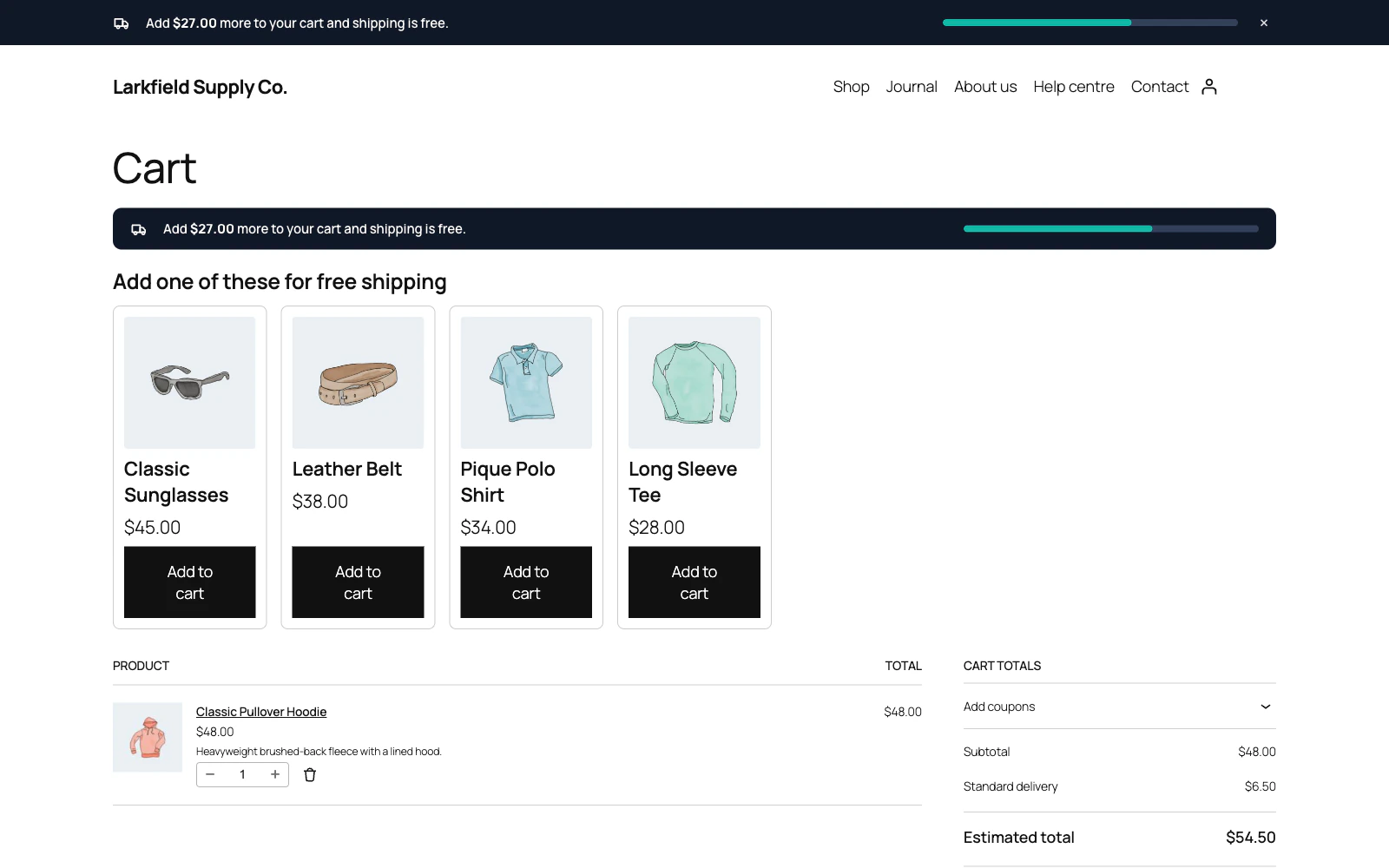
On the cart page the bar says how much more the cart needs, and offers products that would each get it to free shipping. -

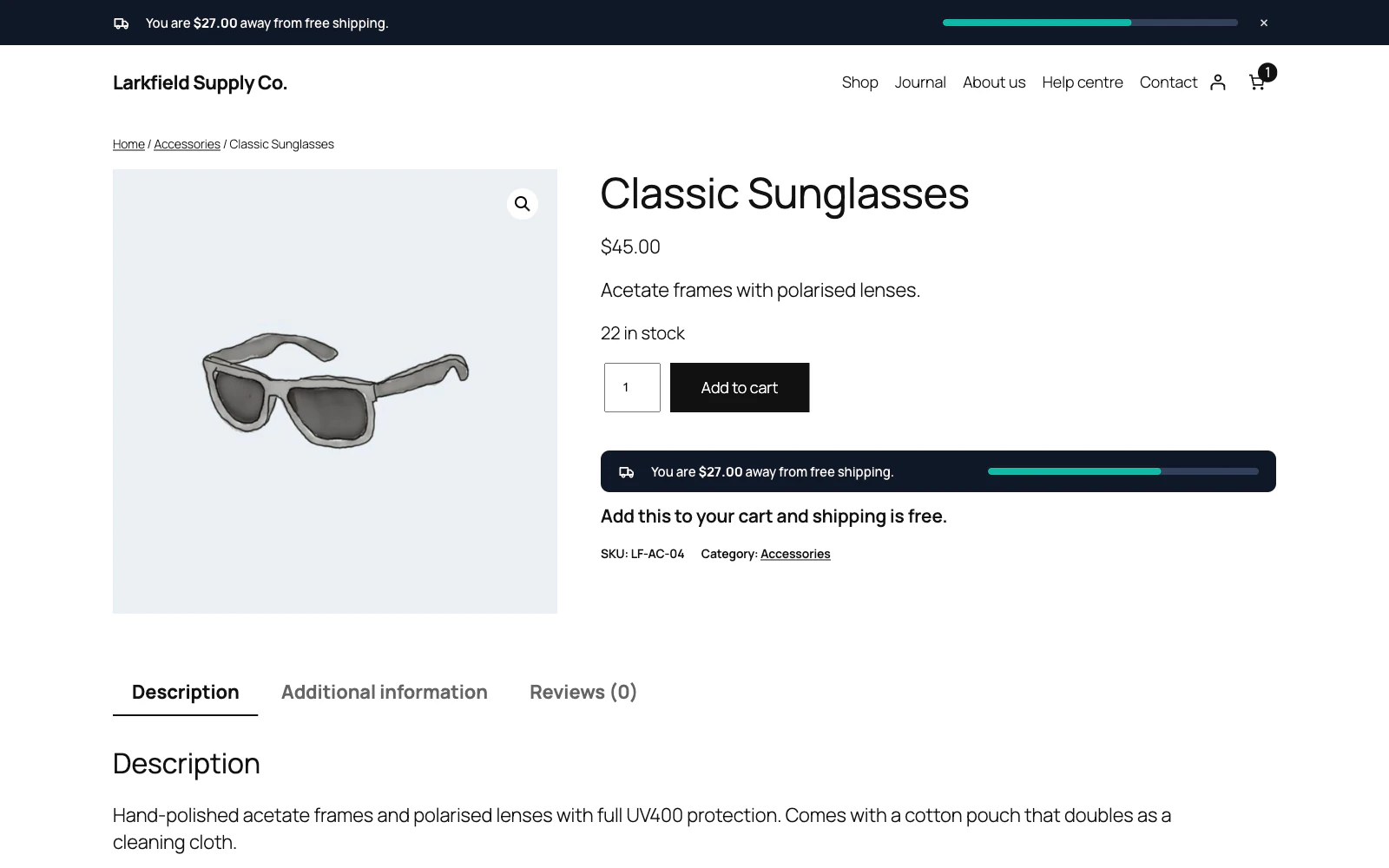
On a product page, a line under the bar says whether this item alone gets the cart to free shipping. -

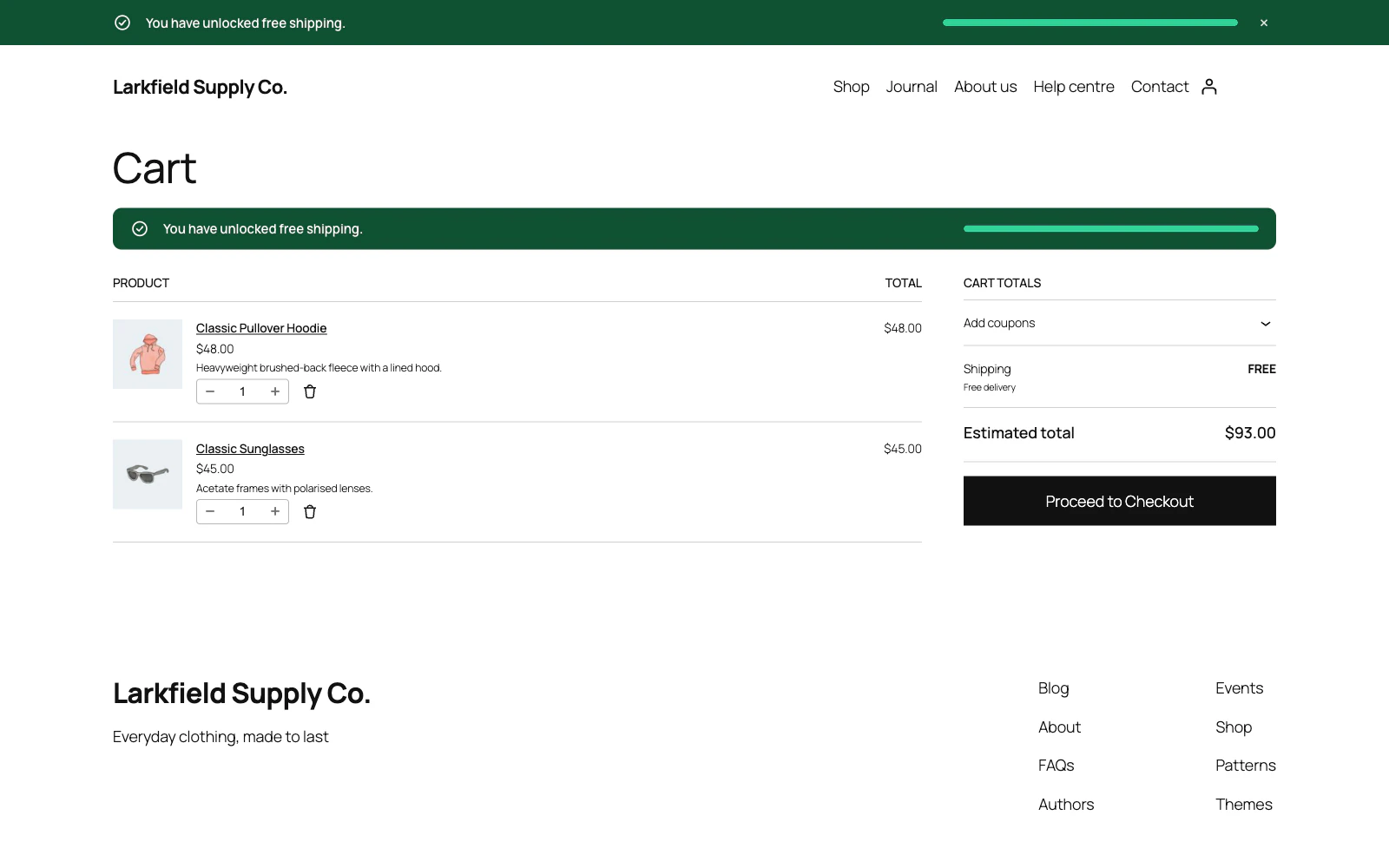
Past the threshold the bar turns green, and the cart's shipping line shows the free delivery rate. -

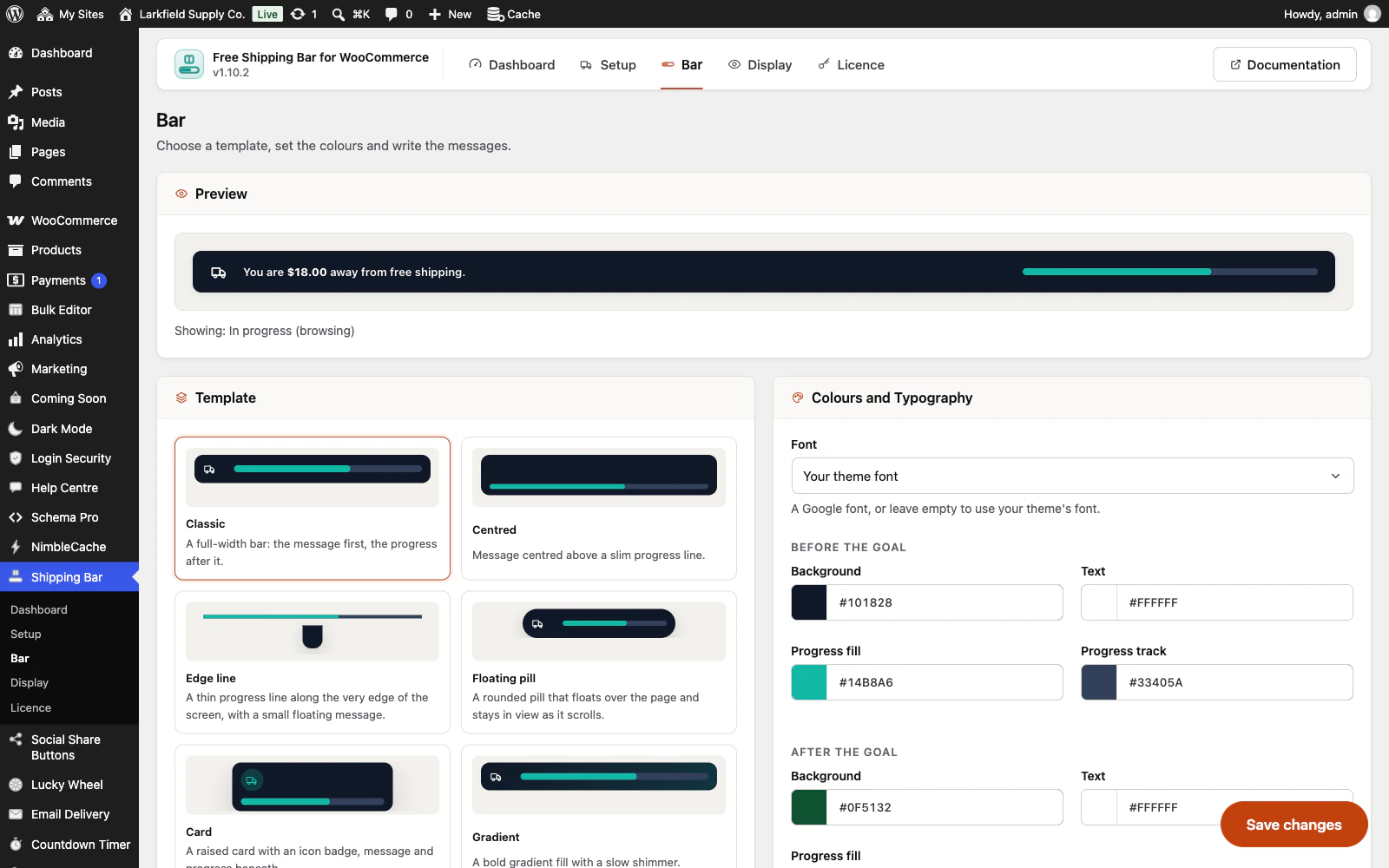
The Bar screen: a live preview of the bar above the templates and the colour settings.
Try the bar
A working copy of the Classic design, drawn in HTML here, with the plugin's own wording. Free shipping from $75 in this example; you set your own amount.
Features
See all 23 features- A progress bar towards free shipping Core
- Reads the free shipping amount from WooCommerce Core
- Twelve designs, not three Design
- Your colours, your font Design
- Updates the instant the cart changes Core
- Put it where shoppers decide Placement
Pricing
Choose how many domains, and whether to pay yearly or once.
Pay yearly renews until you cancel
Pay once (lifetime) no renewals
- Every plan includes every feature. You choose only the number of domains.
- 30-day refund, no reason needed. Refund policy
- Licence key and download straight after payment, by Stripe.
- A lapsed licence stops updates and support. It never switches a feature off.
- Local, development and staging copies are free and do not count against your domains.
- Yearly plans renew at the then-current price until you cancel. Cancel any time from your account.
- Where tax applies it is calculated at checkout and shown before you pay.
Questions
About the plugin first, then how your licence works.
Does Free Shipping Bar work with the WooCommerce block cart and checkout?
Yes. Free Shipping Bar updates through WooCommerce's classic cart refresh and, on the block cart and checkout, through the Store API, so it looks and behaves the same either way. The reminders on the cart, the checkout and the mini cart work with the Cart, Checkout and Mini-Cart blocks too.
Do I have to type my free shipping amount into Free Shipping Bar?
No. Free Shipping Bar reads the minimum order amount from your WooCommerce Free shipping method and counts towards it, so changing it in WooCommerce is enough. Typing an amount yourself is there for shops whose free shipping comes from another plugin.
Will Free Shipping Bar slow my shop down?
Free Shipping Bar adds one small stylesheet and one small script, about 8KB together as a browser downloads them, and only on pages where the bar can appear. It makes no third-party request unless you choose a Google font, and it tracks nothing about your shoppers.
Does Free Shipping Bar work on a site with page caching?
Yes. Free Shipping Bar is drawn into the cached page like any other markup, then updated in the shopper's browser as the cart changes, and a closed bar is remembered in the browser rather than on your server. After a plugin update it empties common page caches once, such as WP Rocket and LiteSpeed Cache.
Does Free Shipping Bar work with a currency switcher?
Yes. When Free Shipping Bar reads WooCommerce's own amount, your currency switcher converts the Free shipping method and the bar follows it. An amount you type yourself is converted for each shopper with WooCommerce Multilingual, FOX Currency Switcher, CURCY or Aelia Currency Switcher.
What happens to my settings if I delete Free Shipping Bar?
Free Shipping Bar keeps them unless you ask. Delete all data on uninstall, under Setup, Advanced, is off by default, so a reinstall picks up where you left off. WooCommerce's own setting that hides paid rates when free shipping is available is left as it is either way.
How your licence works
How do I install it?
After checkout you get a licence key and a download link straight away, plus an email copy. Upload the ZIP under Plugins → Add New, activate it, and paste your key into the plugin settings.
How do updates work?
Once your key is entered, new versions appear on your Plugins screen and install with one click, exactly like a plugin from the WordPress directory.
What happens when my licence expires?
The plugin keeps working. You only lose access to new updates and support until you renew.
Do staging sites use up a domain?
No. Local, development and staging copies are free and unlimited: localhost, private IP addresses, domains ending in .test, .local or .localhost, and subdomains beginning with staging. or dev. None of them counts against your plan.
Read before you buy
The documentation and answers are open to everyone.