


 NimbleCache Speed and delivery
A WordPress page cache plugin that needs no setup
Serve your pages before the plugins load — and never touch a setting to do it.

$19 a year for 1 domain 5 domains $29 · unlimited $39 · or pay once from $49
- 30-day refund, no reason needed
- Every feature in every plan
- Support from the developers
- Tested with WordPress
- 6.0 to 7.1
- PHP
- 8.0 or later
- Multisite
- Network activation
- Languages
- English, Spanish, French
- Updates
- From your Plugins screen
- Latest version
- 1.7.0 · 23 Oct 2026
What it does
-
The page is already written when the visitor asks
A cached page is answered from a file at the earliest point a plugin can run, before the other plugins and the database.
-
A shop that stays correct
The cart, checkout and account pages are never cached, and a shopper with something in the cart always gets a fresh page.
-
It tells you why
Give it an address and it says which rule applied, then fetches the page twice to prove what the server really did.
-
Nothing to configure, nothing to break
Install it and it works. It leaves out minification, script deferral and image rewriting, which help test scores and can break pages.
See it working
Captured from a working WordPress site, not drawn. Select one to see it full size.
-

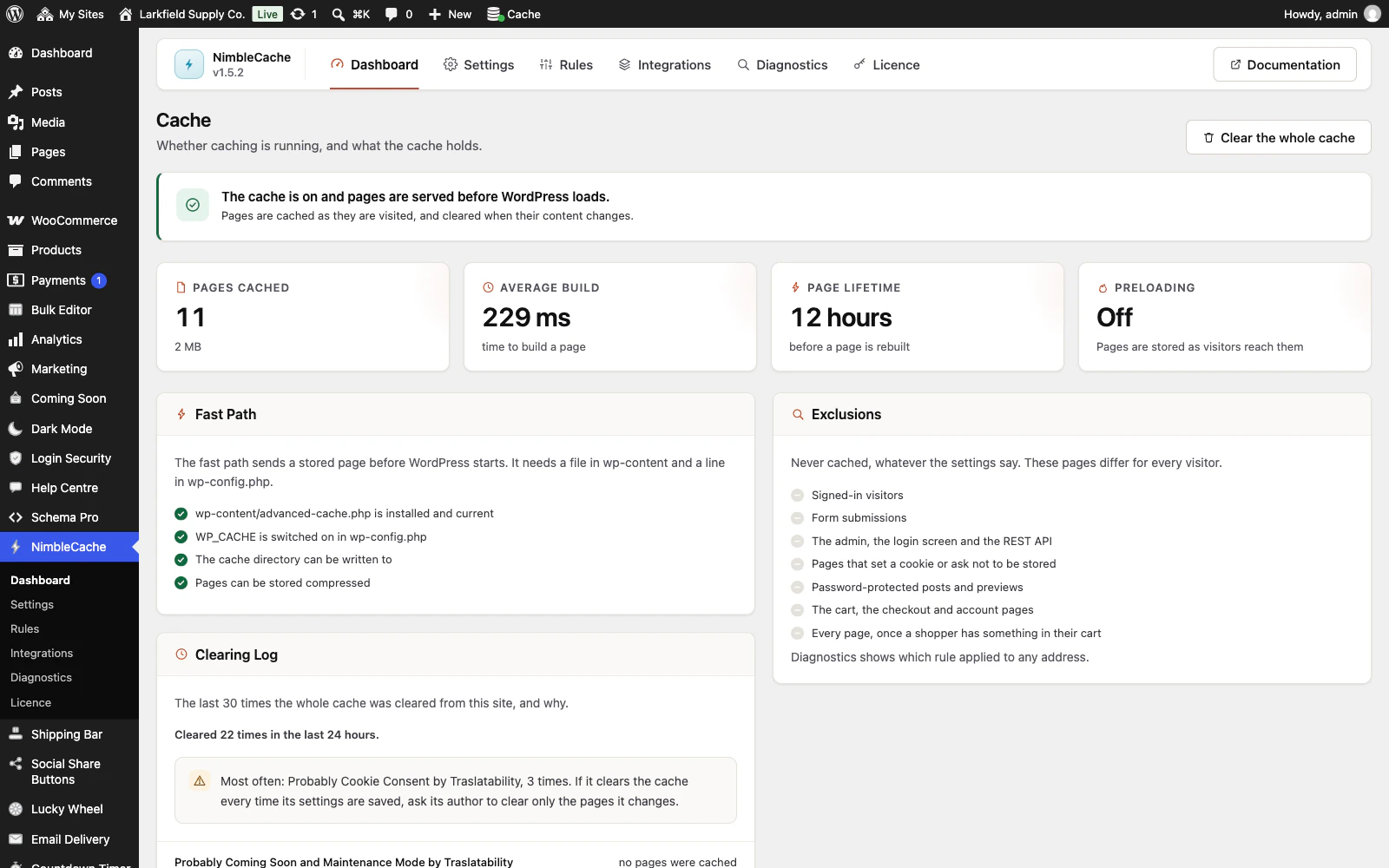
The dashboard checks that the cache is really running before WordPress loads, and keeps a log of what cleared the whole cache and why. -

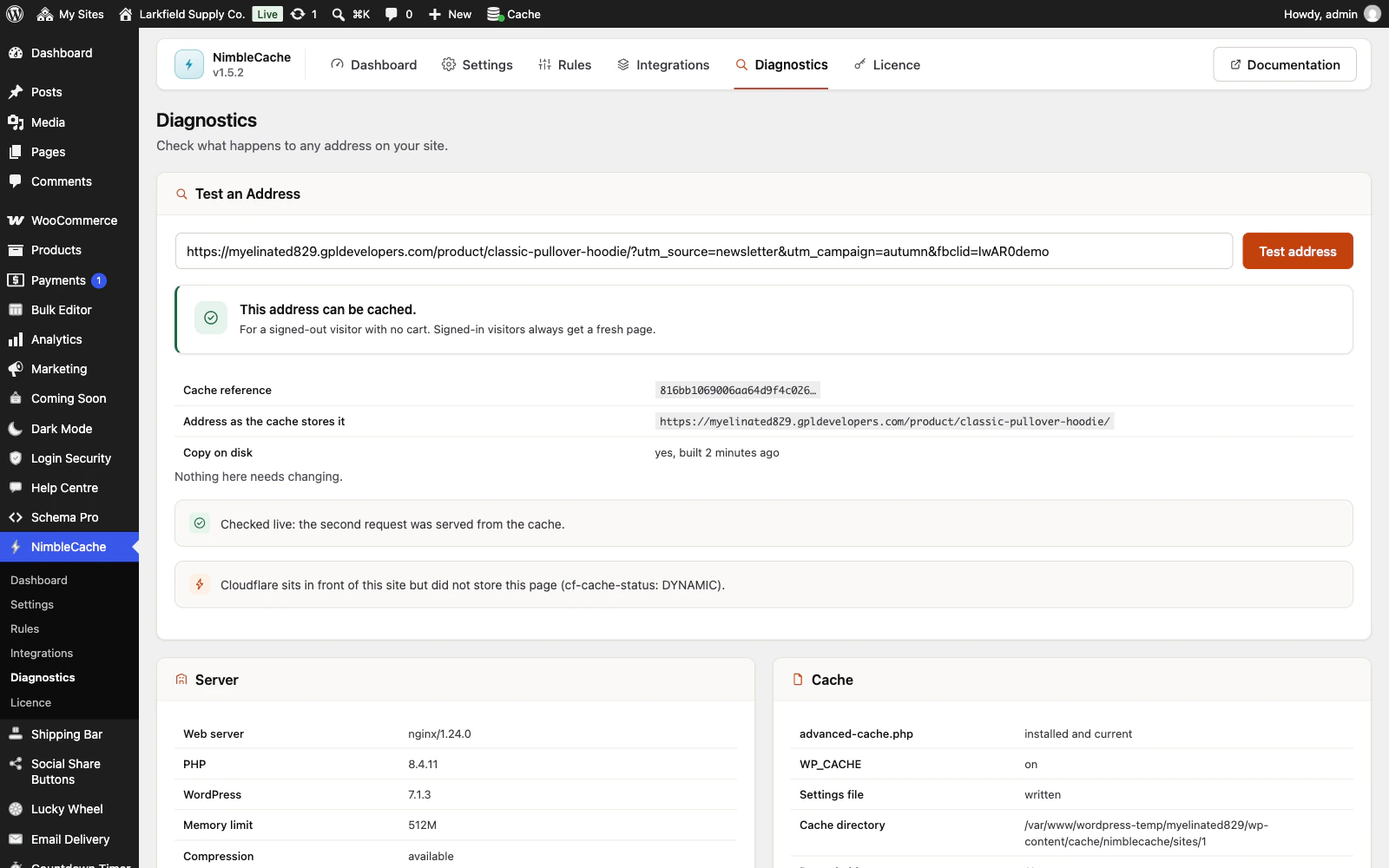
Give Diagnostics an address and it says whether it can be cached, which tracking parameters it drops, and fetches it to prove the second visit came from the cache. -

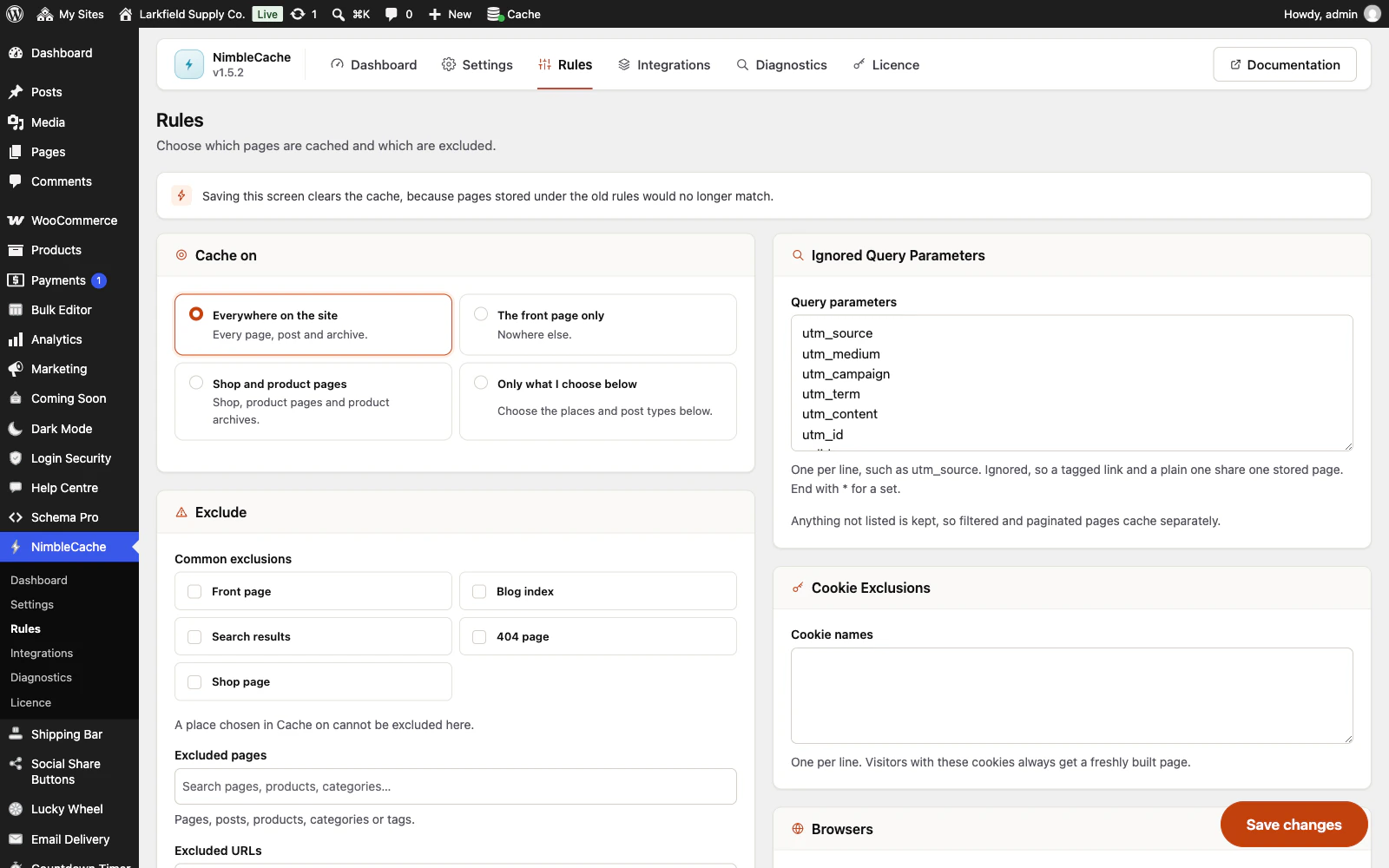
Choose what is cached: everywhere, the front page, shop pages or exactly the places you tick, with the exclusions and ignored tracking parameters beside them. -

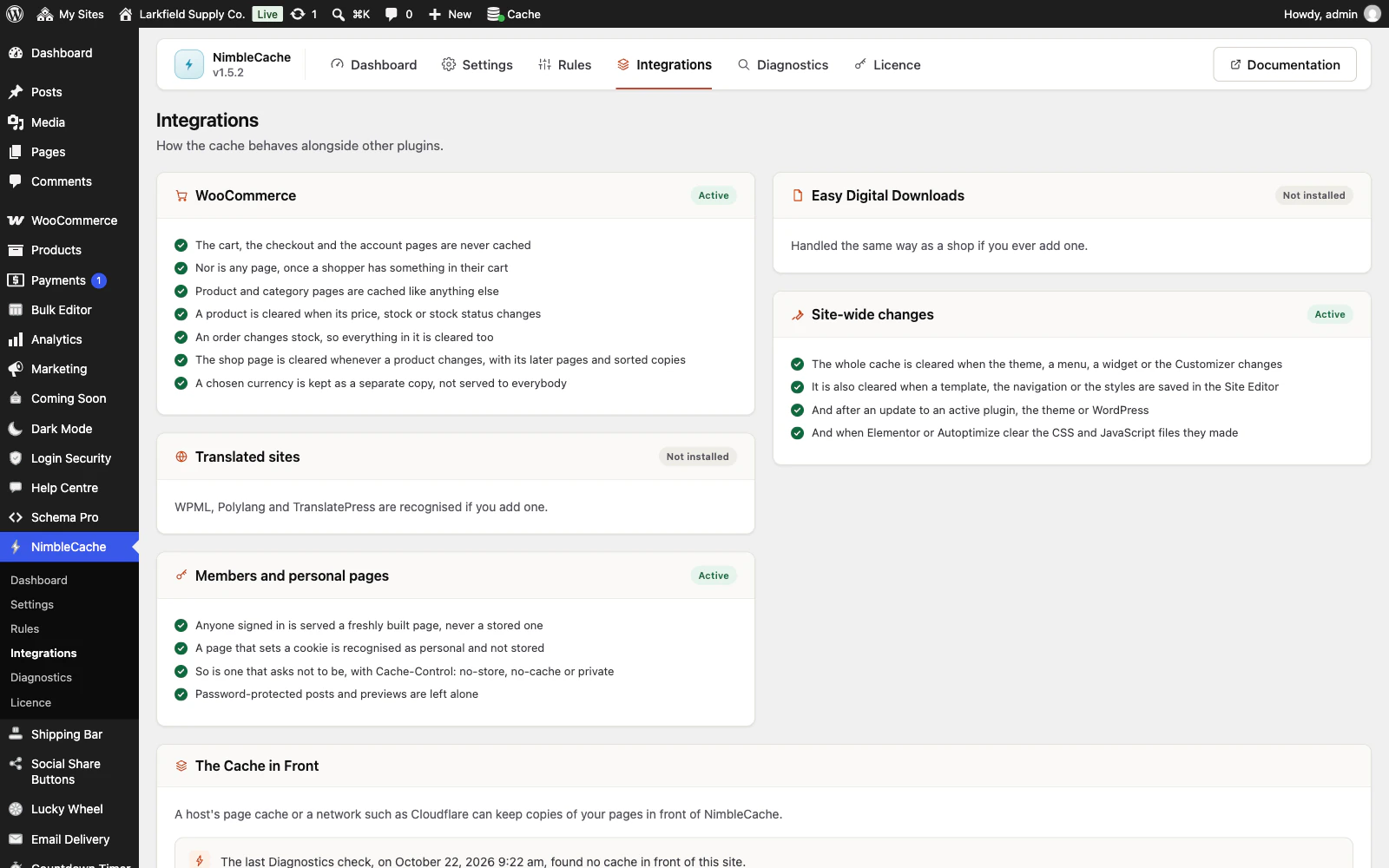
It already knows what to do about WooCommerce, members' pages and site-wide changes, and says so plainly.
Features
See all 27 features- Answers before WordPress loads The engine
- Works on the hosting you already have The engine
- Tells you exactly why a page was not cached Knowing what it did
- Says why pages were built but not kept Knowing what it did
- Shows what cleared the whole cache, and who Knowing what it did
- Throws away the page you changed, not the whole cache Staying correct
Pricing
Choose how many domains, and whether to pay yearly or once.
Pay yearly renews until you cancel
Pay once (lifetime) no renewals
- Every plan includes every feature. You choose only the number of domains.
- 30-day refund, no reason needed. Refund policy
- Licence key and download straight after payment, by Stripe.
- A lapsed licence stops updates and support. It never switches a feature off.
- Local, development and staging copies are free and do not count against your domains.
- Yearly plans renew at the then-current price until you cancel. Cancel any time from your account.
- Where tax applies it is calculated at checkout and shown before you pay.
Questions
About the plugin first, then how your licence works.
Does NimbleCache work with WooCommerce?
Yes. NimbleCache never caches the cart, checkout or account pages, and stops serving cached pages to anyone with something in their cart. Product and category pages are cleared as soon as WooCommerce reports a price or stock change, a sale starting or ending, or an order that used stock.
Does NimbleCache work with Cloudflare or my host's own cache?
Yes. When Cloudflare's plugin, or a host's cache plugin such as Nginx Helper, SiteGround Speed Optimizer, Breeze or LiteSpeed Cache, is active, NimbleCache passes on each page it clears. Diagnostics tells you when a cache in front of your site is one it cannot clear, and what to do instead.
Can I run NimbleCache alongside another caching plugin?
No. NimbleCache answers from a small file that only one plugin can own, and it never overwrites another plugin's copy, because two page caches on one site is how a shop ends up showing the wrong prices. Deactivate the other caching plugin and NimbleCache takes over on the next admin page.
Do I need Redis, WP-CLI or SSH to use NimbleCache?
No. NimbleCache keeps pages as files on disk, which every host has, and everything is done from the admin screens. The WP-CLI commands are there for clearing the cache from a deploy script, not for setting it up.
Does NimbleCache minify CSS or JavaScript?
No. NimbleCache caches pages and does nothing else: no minifying, no deferring JavaScript and no rewriting images. Those features can make a site faster on a test and broken on a real visit, so they are left to a plugin you choose for them.
What happens if I deactivate or delete NimbleCache?
Deactivating NimbleCache removes its start-up file and the line it added to wp-config.php, and clears the cache, so the site goes back to exactly how it was. Deleting it also removes your settings, if you ticked Delete all data on uninstall first.
How your licence works
How do I install it?
After checkout you get a licence key and a download link straight away, plus an email copy. Upload the ZIP under Plugins → Add New, activate it, and paste your key into the plugin settings.
How do updates work?
Once your key is entered, new versions appear on your Plugins screen and install with one click, exactly like a plugin from the WordPress directory.
What happens when my licence expires?
The plugin keeps working. You only lose access to new updates and support until you renew.
Do staging sites use up a domain?
No. Local, development and staging copies are free and unlimited: localhost, private IP addresses, domains ending in .test, .local or .localhost, and subdomains beginning with staging. or dev. None of them counts against your plan.
Read before you buy
The documentation and answers are open to everyone.