


 Redirects by Traslatability Speed and delivery
301 redirects and a broken-link list for WordPress
Rename a page without losing the links to it — and see every address on your site that is breaking.

$19 a year for 1 domain 5 domains $29 · unlimited $39 · or pay once from $49
- 30-day refund, no reason needed
- Every feature in every plan
- Support from the developers
- Tested with WordPress
- 6.0 to 7.1
- PHP
- 8.0 or later
- Multisite
- Network activation
- Languages
- English, Spanish, French
- Updates
- From your Plugins screen
- Latest version
- 1.8.1 · 23 Oct 2026
What it does
-
The links you have already earned keep working
Rename a page and every link to it stops working. A permanent redirect keeps them working and tells search engines the page has moved.
-
You find out what is broken without going looking
Every address people ask for and do not find is listed, busiest first, with the page that linked to it.
-
Nothing to set up, and then it looks after itself
Switch it on, and a published page you rename keeps its old address working. The redirect shows in the list to change or delete.
See it working
Captured from a working WordPress site, not drawn. Select one to see it full size.
-

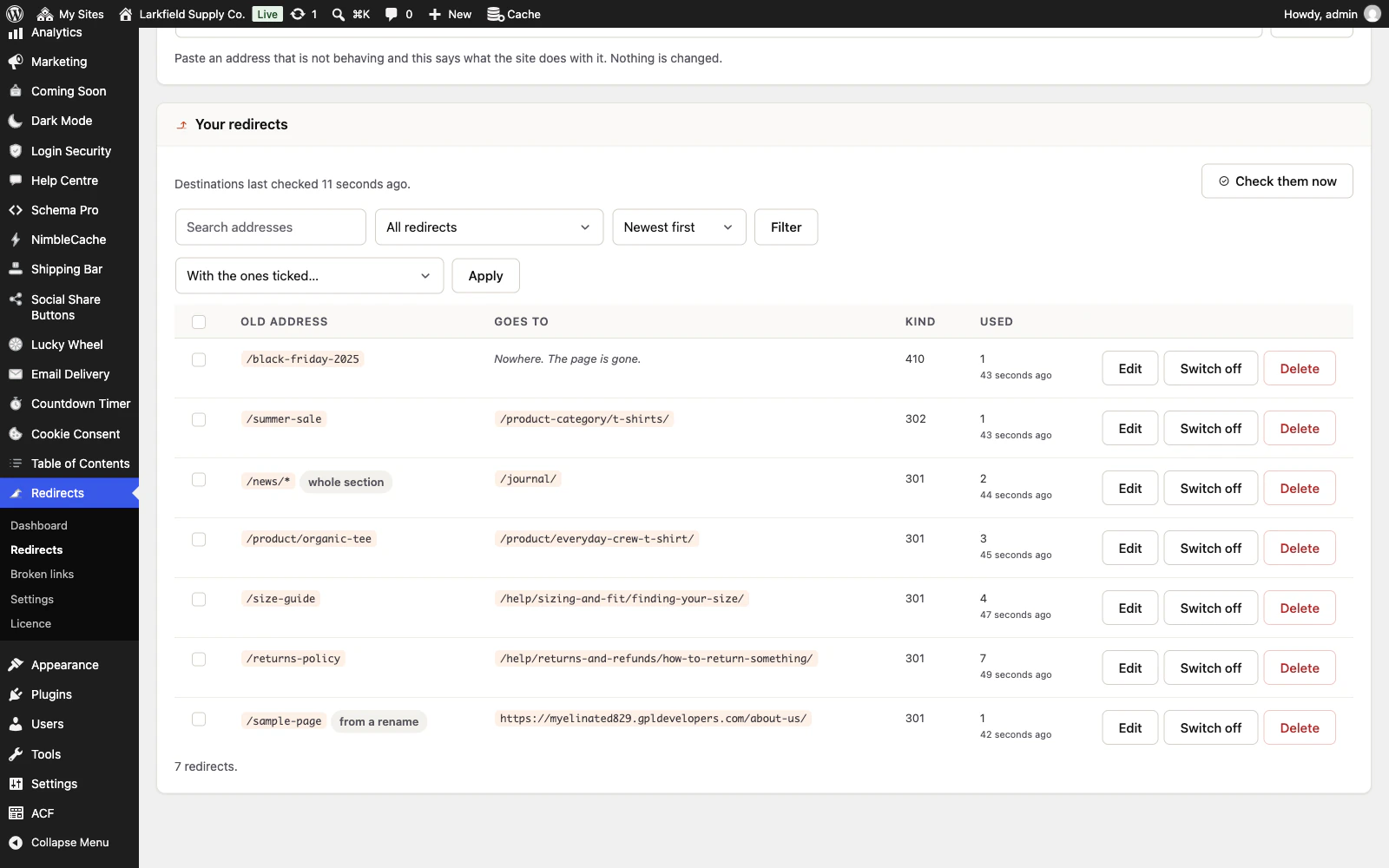
Every redirect in one list, with its kind, how often it has been used and when, and the one made for you when a page was renamed marked as such. -

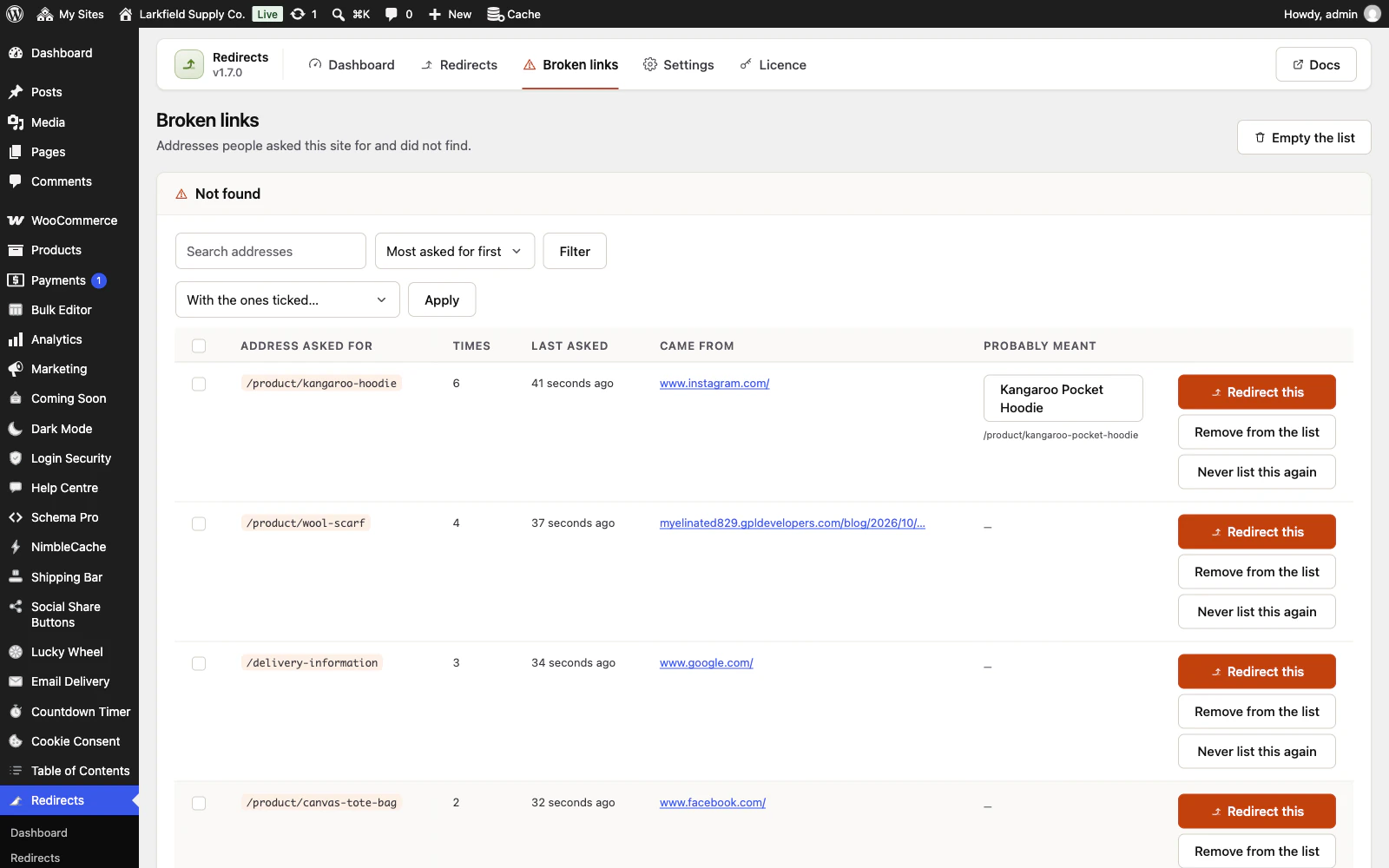
Broken links lists the addresses people asked for and did not find, busiest first, with where they came from and, when it is clear, the page they probably meant. -

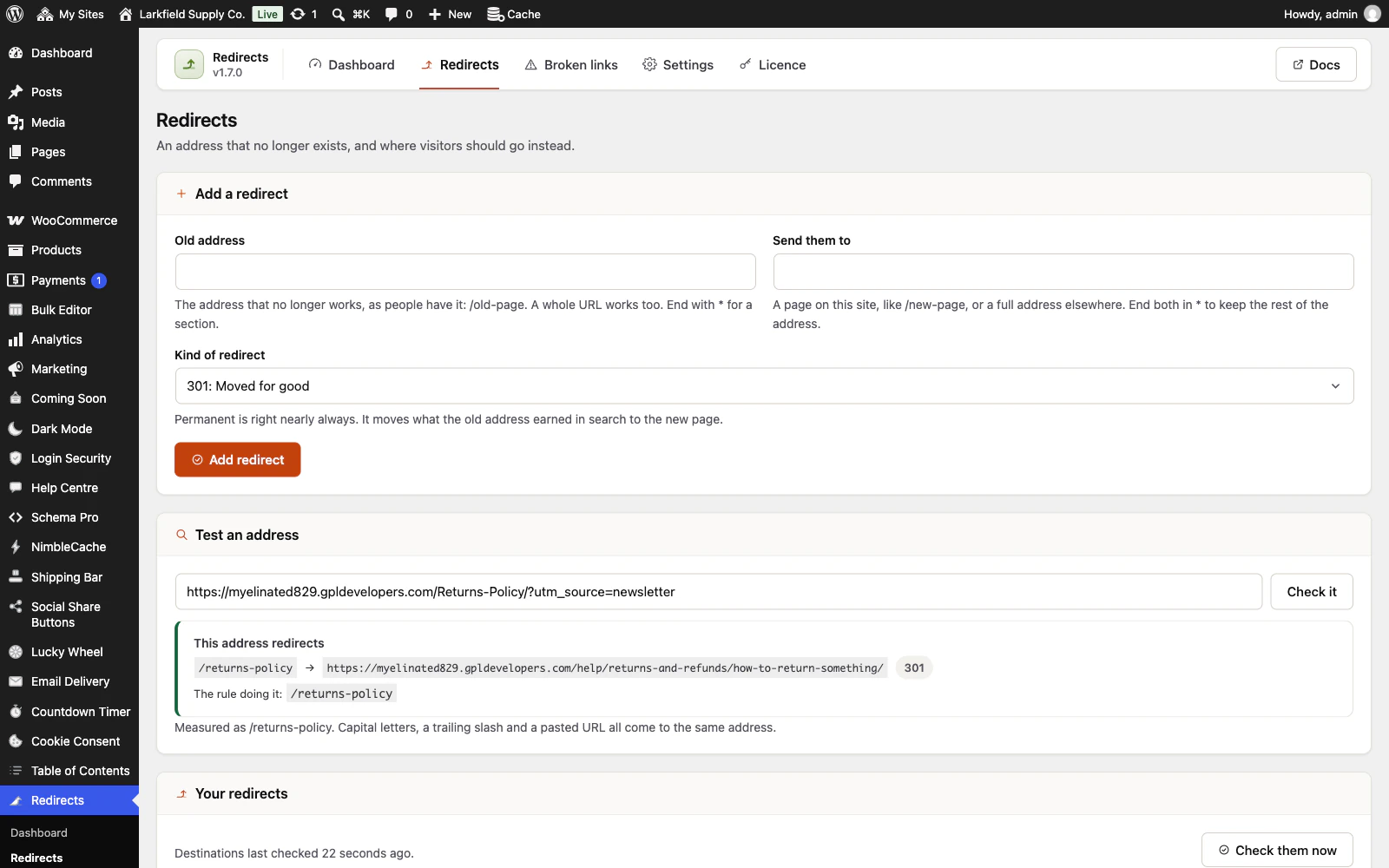
Test an address says exactly what the site does with one, and shows that capitals, a trailing slash and a campaign tag come to the same address. -

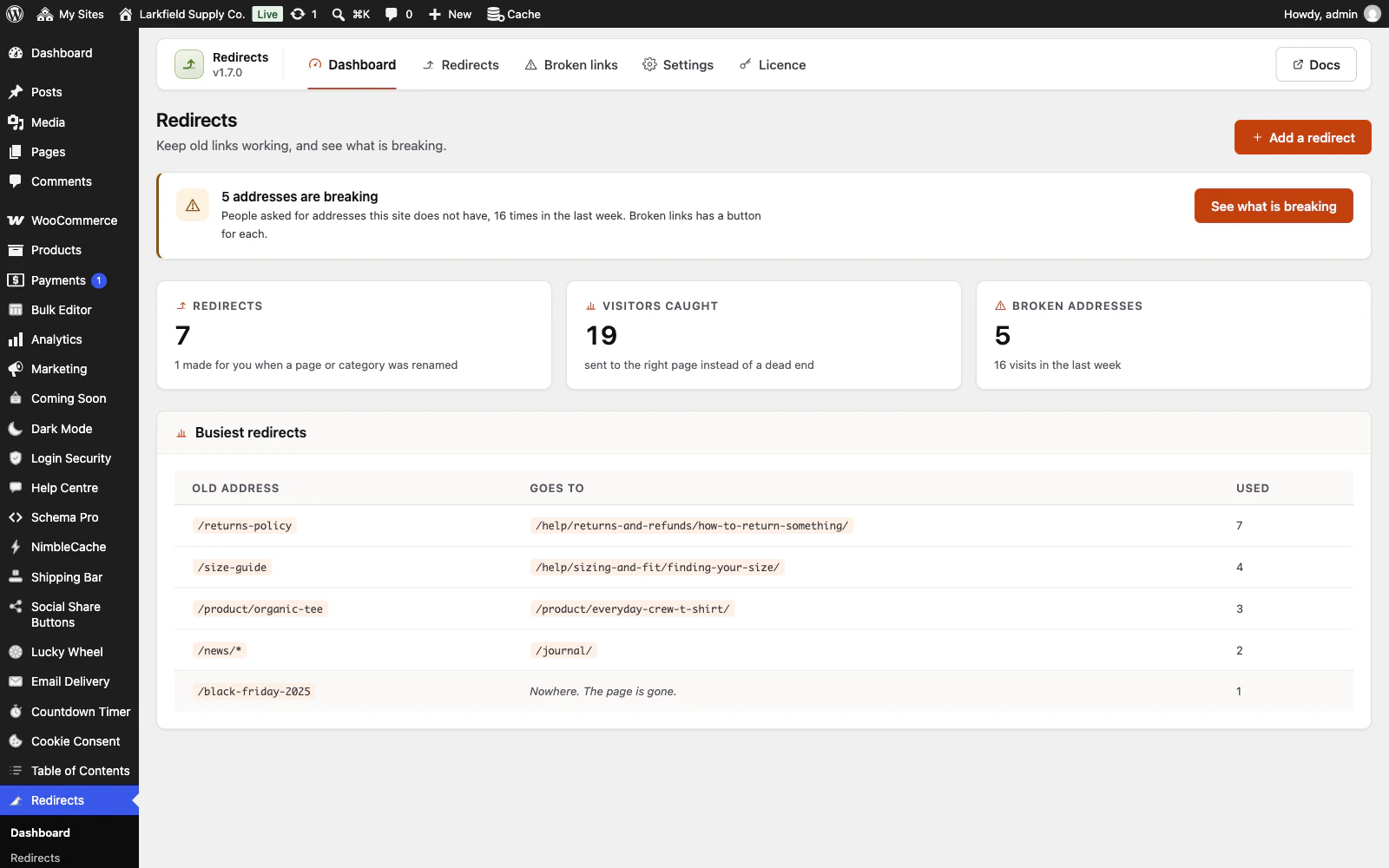
The dashboard counts the redirects, the visitors they caught and the addresses still breaking, and lists the busiest redirects.
Features
See all 15 features- Renamed pages and categories keep their old address Doing it for you
- A new permalink structure keeps old post, category and product links working Doing it for you
- A list of what is actually breaking Doing it for you
- Nothing about your visitors is kept Doing it for you
- Move a whole section with one rule Writing a rule
- Permanent, temporary, or gone Writing a rule
Pricing
Choose how many domains, and whether to pay yearly or once.
Pay yearly renews until you cancel
Pay once (lifetime) no renewals
- Every plan includes every feature. You choose only the number of domains.
- 30-day refund, no reason needed. Refund policy
- Licence key and download straight after payment, by Stripe.
- A lapsed licence stops updates and support. It never switches a feature off.
- Local, development and staging copies are free and do not count against your domains.
- Yearly plans renew at the then-current price until you cancel. Cancel any time from your account.
- Where tax applies it is calculated at checkout and shown before you pay.
Questions
About the plugin first, then how your licence works.
Can Redirects import my redirects from Redirection, Rank Math or Yoast?
Yes. Redirects finds the redirects that Redirection, Rank Math, Yoast SEO Premium or Safe Redirect Manager kept in your database, even with that plugin already switched off. A preview shows what will come across and what stays behind, and your own redirects are never overwritten.
Does Redirects support regular expressions?
No. Redirects moves a whole section with a star at the end of an address, such as /blog/* to /news/*, because a star can be read back a month later and a wrong regular expression quietly redirects pages nobody meant. A regular expression kept by another plugin is listed, not imported.
Will Redirects slow my site down?
No. Redirects keeps the addresses that have a redirect in memory as a set of small numbers, so a visit that matches none of them never reaches the database. Above five thousand redirects it uses one indexed lookup per visit instead.
Does Redirects work with page caches like WP Rocket or LiteSpeed Cache?
Yes. Saving, changing or deleting a redirect in Redirects clears that address from NimbleCache, WP Rocket, LiteSpeed Cache, W3 Total Cache and WP Super Cache. Caches that cannot clear one address are emptied instead, and a host's own cache has to be emptied from the host's panel.
Does Redirects work on WordPress multisite?
Yes. On a multisite network Redirects gives each site its own redirects, its own broken-links list and its own settings, and a site added later is set up on its own. A site in a subfolder, such as example.com/shop/, is handled too.
What happens to my redirects if I deactivate or delete Redirects?
Deactivating Redirects keeps every redirect and the broken-links list, but nothing answers the old addresses while it is off, because the plugin itself sends the redirects. Deleting it removes them only if you switched on the delete option in its Settings first.
How your licence works
How do I install it?
After checkout you get a licence key and a download link straight away, plus an email copy. Upload the ZIP under Plugins → Add New, activate it, and paste your key into the plugin settings.
How do updates work?
Once your key is entered, new versions appear on your Plugins screen and install with one click, exactly like a plugin from the WordPress directory.
What happens when my licence expires?
The plugin keeps working. You only lose access to new updates and support until you renew.
Do staging sites use up a domain?
No. Local, development and staging copies are free and unlimited: localhost, private IP addresses, domains ending in .test, .local or .localhost, and subdomains beginning with staging. or dev. None of them counts against your plan.
Read before you buy
The documentation and answers are open to everyone.