


 Social Share Buttons Content and SEO
WordPress share buttons that load nothing from the networks
Share buttons that load fast, look like your site, and count what people actually share.

$19 a year for 1 domain 5 domains $29 · unlimited $39 · or pay once from $49
- 30-day refund, no reason needed
- Every feature in every plan
- Support from the developers
- Tested with WordPress
- 6.0 to 7.1
- PHP
- 8.0 or later
- Multisite
- Network activation
- Languages
- English, Spanish, French
- Updates
- From your Plugins screen
- Latest version
- 1.12.1 · 23 Oct 2026
What it does
-
Buttons where people share from
Buttons sit under the article, float beside it or stay pinned to the bottom of a phone, in a design that matches your site.
-
Nothing loaded from anywhere else
No code from the networks, no tracking pixels and no fonts from another company's server.
-
Numbers that are real
It counts presses on your own buttons, so every number is something a reader really did.
See it working
Captured from a working WordPress site, not drawn. Select one to see it full size.
-

On a journal post: a quotable line with its own share link, the buttons under the article, and a rail down the side that stays in view. -

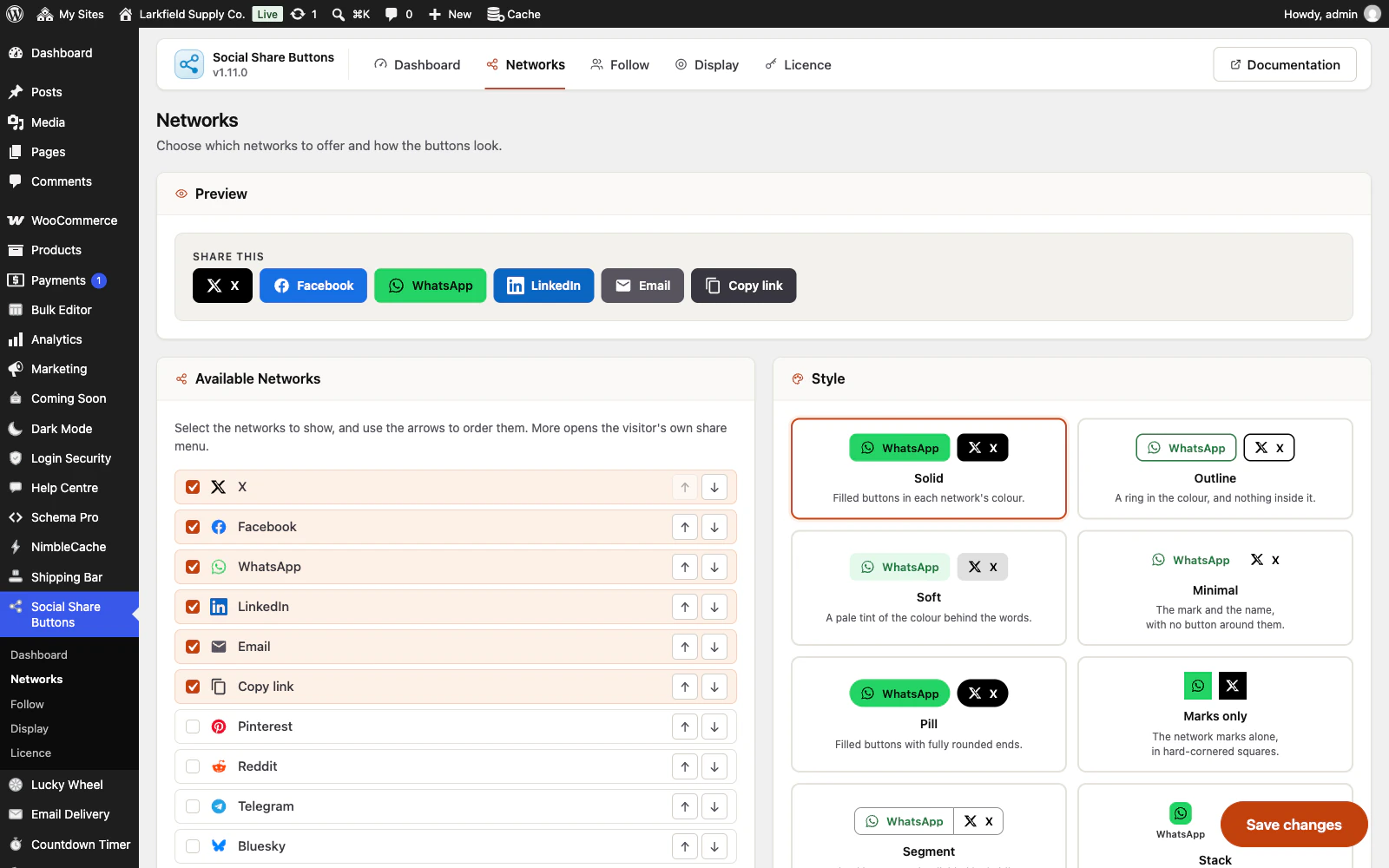
Choose the networks and their order, then a button style, with a preview at the top of the screen. -

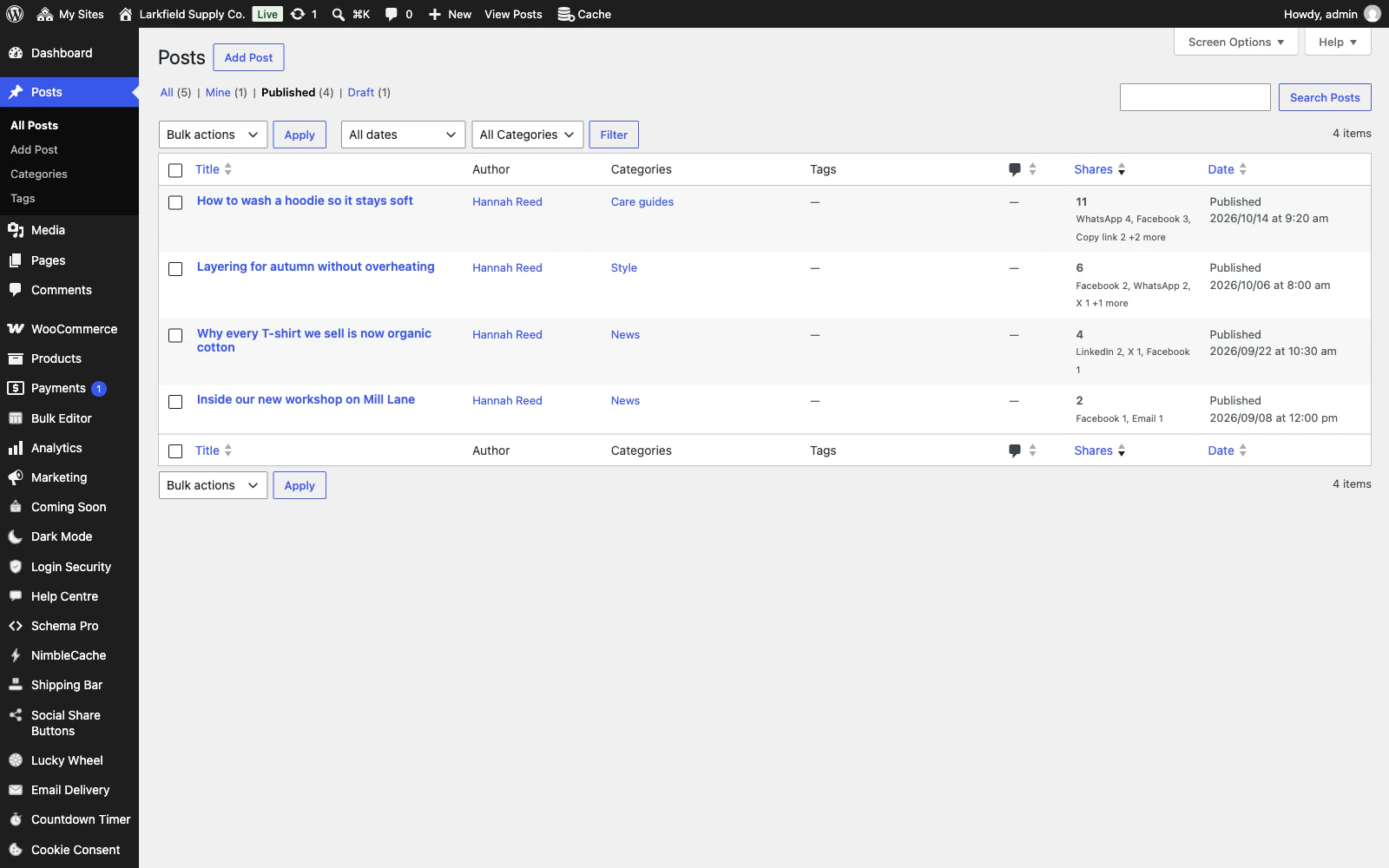
The Posts list gains a Shares column, counted from presses on your own buttons and sortable. -

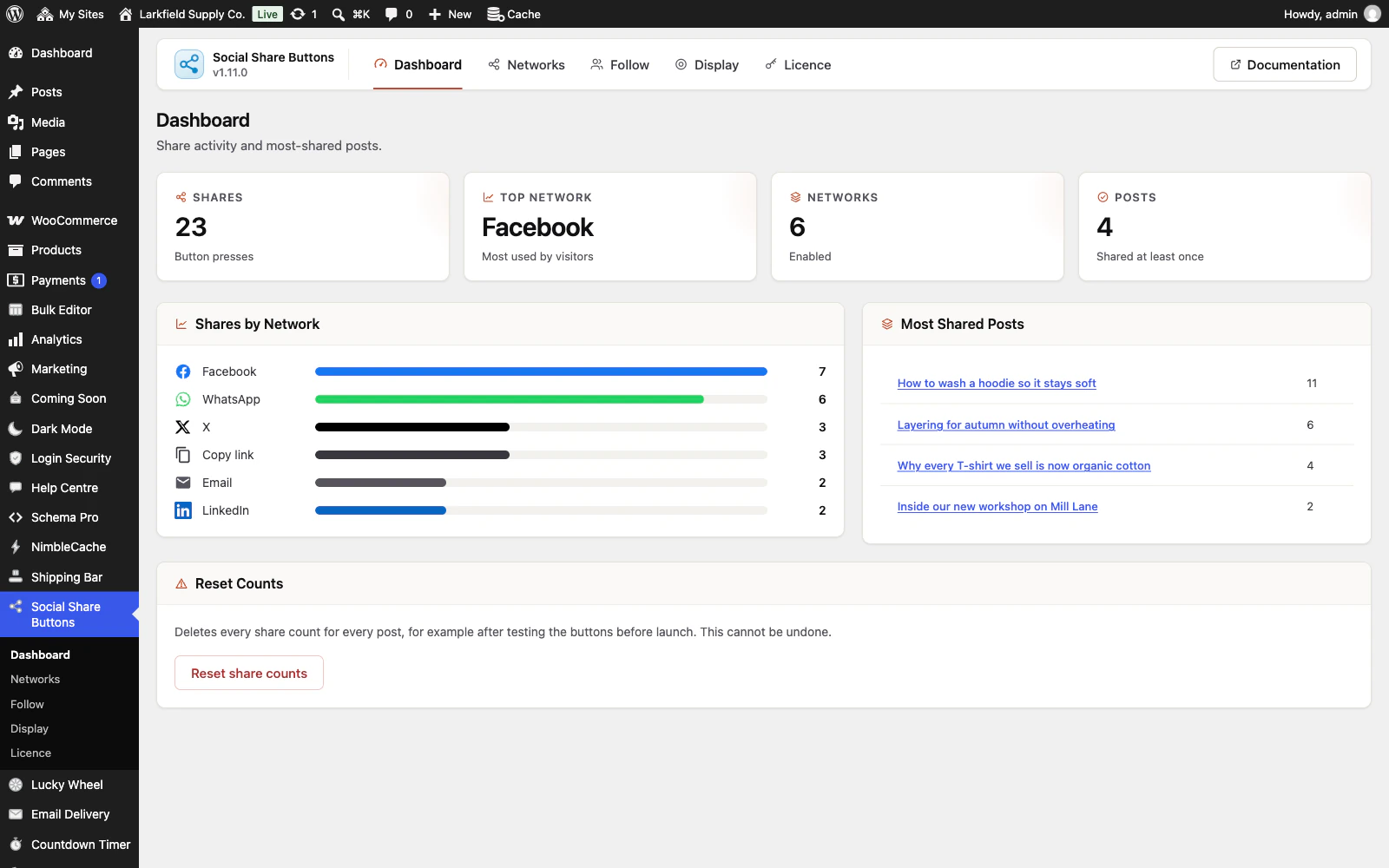
The dashboard adds up the presses by network and lists the most shared posts.

Features
See all 22 features- Fifteen networks, kept current Sharing
- Ask an AI about this page Sharing
- Twelve button styles Design
- Your colours or theirs Design
- Placed where people share Placement
- Per-post control Placement
Pricing
Choose how many domains, and whether to pay yearly or once.
Pay yearly renews until you cancel
Pay once (lifetime) no renewals
- Every plan includes every feature. You choose only the number of domains.
- 30-day refund, no reason needed. Refund policy
- Licence key and download straight after payment, by Stripe.
- A lapsed licence stops updates and support. It never switches a feature off.
- Local, development and staging copies are free and do not count against your domains.
- Yearly plans renew at the then-current price until you cancel. Cancel any time from your account.
- Where tax applies it is calculated at checkout and shown before you pay.
Questions
About the plugin first, then how your licence works.
Will Social Share Buttons slow my site down?
Social Share Buttons adds one small stylesheet and one small script, only on pages that show buttons, loaded after the page itself. There is no jQuery and nothing is requested from any other domain, which is usually the part of share buttons that costs the most.
Does Social Share Buttons send anything to Facebook or X before a click?
No. Social Share Buttons uses ordinary links, so nothing contacts X, Facebook or anyone else until a reader presses one. A press records the post and the network name, with no IP address, no identifier and no cookie.
Why does Social Share Buttons not show Facebook's own share counts?
Social Share Buttons counts presses on your own buttons, because most networks no longer publish share counts, and Facebook gives one only to an app with its own access token, with likes and comments counted in. Your count tells you which buttons your readers use.
Does Social Share Buttons work with page caching?
Yes. Social Share Buttons draws plain HTML with nothing per visitor, so a cached page is a correct page, and counting happens in the browser after the click. Saving a change empties the caching plugins it knows; a host's own cache or a CDN may need clearing by hand.
Does Social Share Buttons work with the block editor, WooCommerce and WPML?
Yes. Social Share Buttons has a Share Buttons block and a Click-to-Share Quote block, can sit under Add to cart on WooCommerce product pages, and lets you translate its heading in WPML or Polylang. A shortcode and a template tag cover anywhere else.
What happens to my settings and counts if I delete Social Share Buttons?
Social Share Buttons keeps your settings and share counts when it is deleted, so an accidental delete costs nothing. To remove everything, including follow profiles and each post's share title, summary and picture choice, turn on Delete all data on uninstall on the Display screen first.
How your licence works
How do I install it?
After checkout you get a licence key and a download link straight away, plus an email copy. Upload the ZIP under Plugins → Add New, activate it, and paste your key into the plugin settings.
How do updates work?
Once your key is entered, new versions appear on your Plugins screen and install with one click, exactly like a plugin from the WordPress directory.
What happens when my licence expires?
The plugin keeps working. You only lose access to new updates and support until you renew.
Do staging sites use up a domain?
No. Local, development and staging copies are free and unlimited: localhost, private IP addresses, domains ending in .test, .local or .localhost, and subdomains beginning with staging. or dev. None of them counts against your plan.
Read before you buy
The documentation and answers are open to everyone.