


Countdown Timer features
Every feature, grouped by what it does. All 26 are in every plan.
$19 a year for one site · or pay once from $49
See the plansCampaigns
10 features
-
Four kinds of countdown
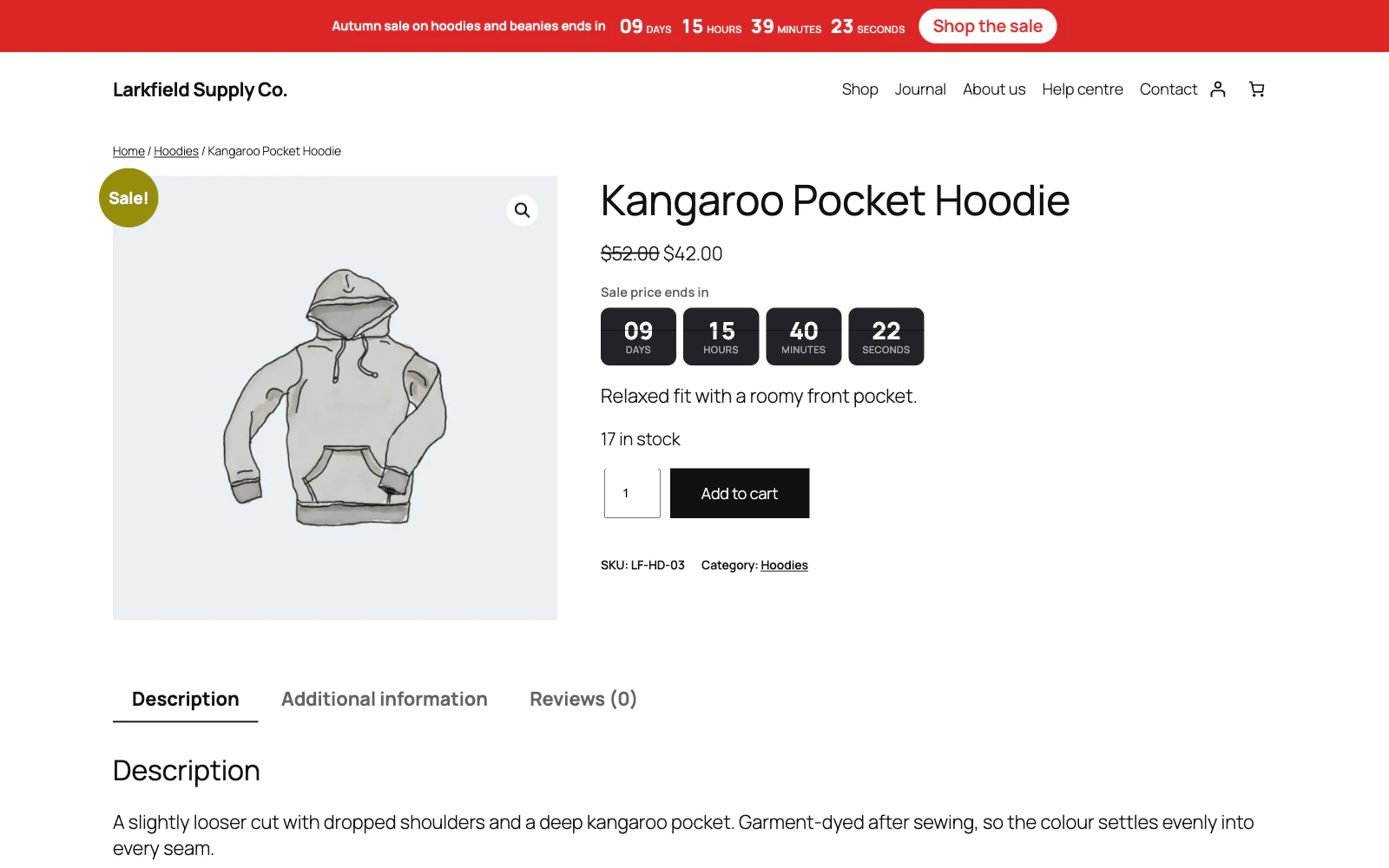
Fixed date and time, for a launch or a sale that ends for everyone at once.
More: Four kinds of countdown
A product's own sale end, read from WooCommerce. A length of time per visitor, starting when they first see it. Or a daily or weekly cut-off — order by 15:00 for dispatch today — that starts again by itself.
-
Reads your real sale dates
A sale campaign takes its end from the product's own "sale price dates", including each variation's, so the timer and the price can never disagree.
More: Reads your real sale dates
Nothing to type twice and nothing left running after the sale.
-
Four places, no template editing
Product pages, under the price.
More: Four places, no template editing
Shop and category listings. As a bar across the top of the site. Above post and page content. Plus a shortcode for anywhere else.
-
Sells only while the clock allows
A fixed-date launch can keep its products off sale until the countdown ends, and a limited offer can stop selling when it does.
More: Sells only while the clock allows
The shop really refuses the order, from the product page, a shared link, a block theme's buttons and a cart filled earlier, and where the button was the page says when sales open. Stock is never touched.
-
A coupon that ends with the countdown
Link one of your WooCommerce coupons to a fixed-date or per-visitor campaign, and the code works only while that countdown runs, by your site's clock: refused before the start and from the end, to the minute rather than at midnight, and taken off a cart at the checkout once the offer is over.
More: A coupon that ends with the countdown
The timer can show the code with a Copy button.
-
A page that changes when the sale ends
Put any content in the Countdown content block and choose when it shows: before a campaign starts, while it runs, or after it ends.
More: A page that changes when the sale ends
The sale banner goes and "The sale has ended" takes its place the second the timer reaches zero, with no reload, on cached pages too. A per-visitor campaign changes at each visitor's own end.
-
Only the products you mean
All products, a category, a tag, or particular products — all chosen by name, never by ID — and an exclude list that always wins.
More: Only the products you mean
A parent category covers everything inside it.
-
And only the pages you mean
Tick the places, kinds of content and archives a campaign belongs on, then name the exceptions.
More: And only the pages you mean
A sale bar everywhere except the checkout takes one entry.
-
And only the people you mean
A campaign can be limited to desktop, tablet or mobile — decided by the width of the window, so it survives page caching — to signed-in or signed-out visitors, or to particular roles from your own site's list.
-
Counts down to a sale before it starts
Schedule a sale in WooCommerce and the product page can say "Sale starts in" until it does, then carry on to the sale's end.
More: Counts down to a sale before it starts
At the start the page is shown again, and page caches are emptied when WooCommerce moves the price to the sale price. Per variation on a variable product's page. Off unless you choose it, so a shop that shows nothing before a sale goes on showing nothing.
Design
4 features
-
Twelve designs
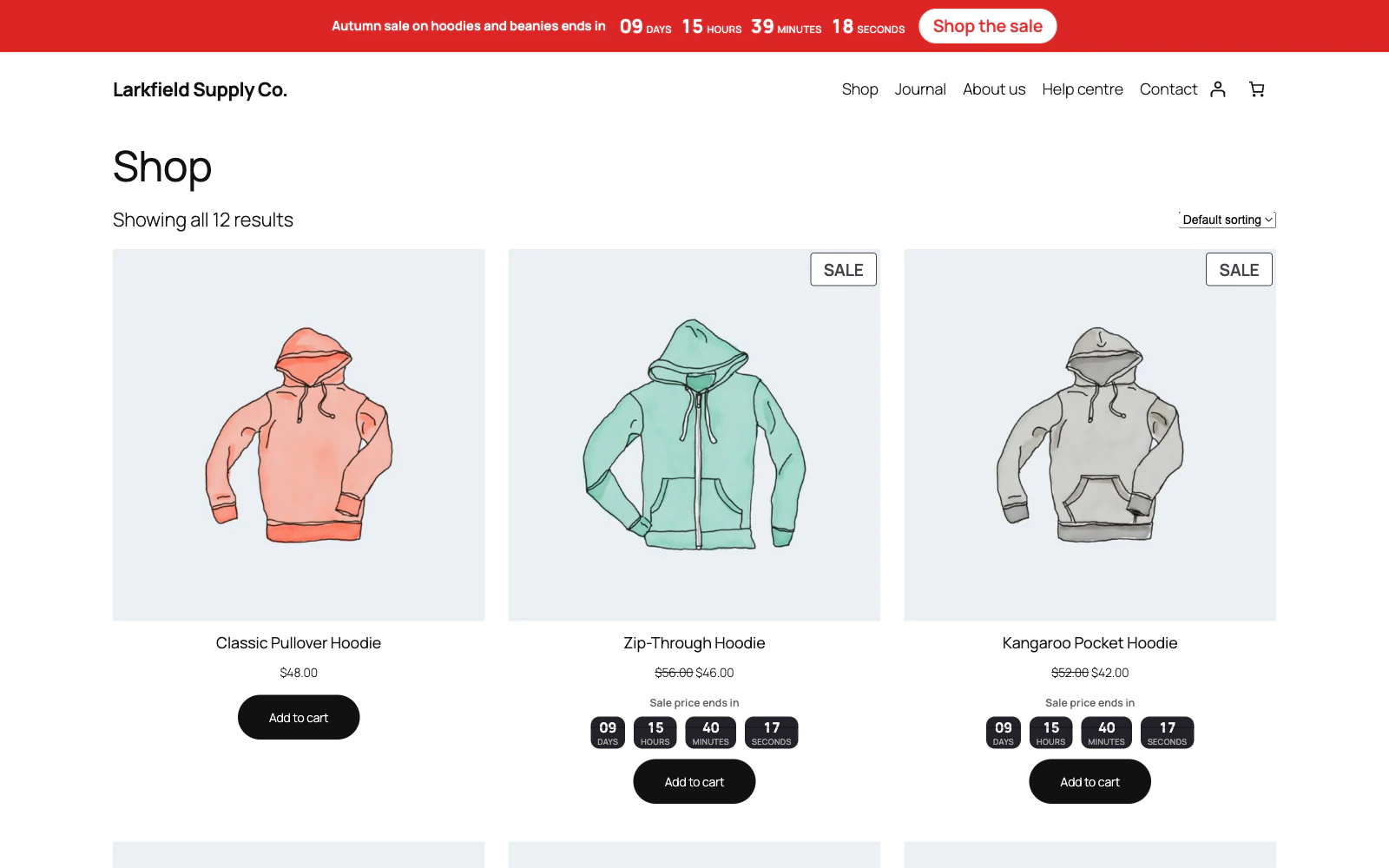
Blocks, plain, outline, pill, digital, rings, flip, a full-width ribbon, a bordered panel, a stack that runs down the page, an underline and a tinted stripe.
More: Twelve designs
Each is one modifier on the same markup, so they behave identically and stay in step.
-
Readable on any brand colour
Pick any accent you like.
More: Readable on any brand colour
Designs that write on a tile of it choose white or near-black for the figures; designs that draw the figures in the accent itself deepen it until it reaches 4.5:1 on the background behind it. An accent that already reads is used exactly as you chose it.
-
It looks like your site
No font is loaded and no size is imposed.
More: It looks like your site
The timer inherits your theme's type and takes three colours from you — accent, text and the surface behind it — so it belongs to the page rather than arriving on it.
-
Says what you want it to say
A line above the clock, a button beside it, which units to show, whether they are labelled "days" or "d" or not at all, and what happens at zero — disappear, leave a message, sit at zero, or send the visitor on to the next offer.
The cart timer
1 feature
-
A cart timer that never empties the cart
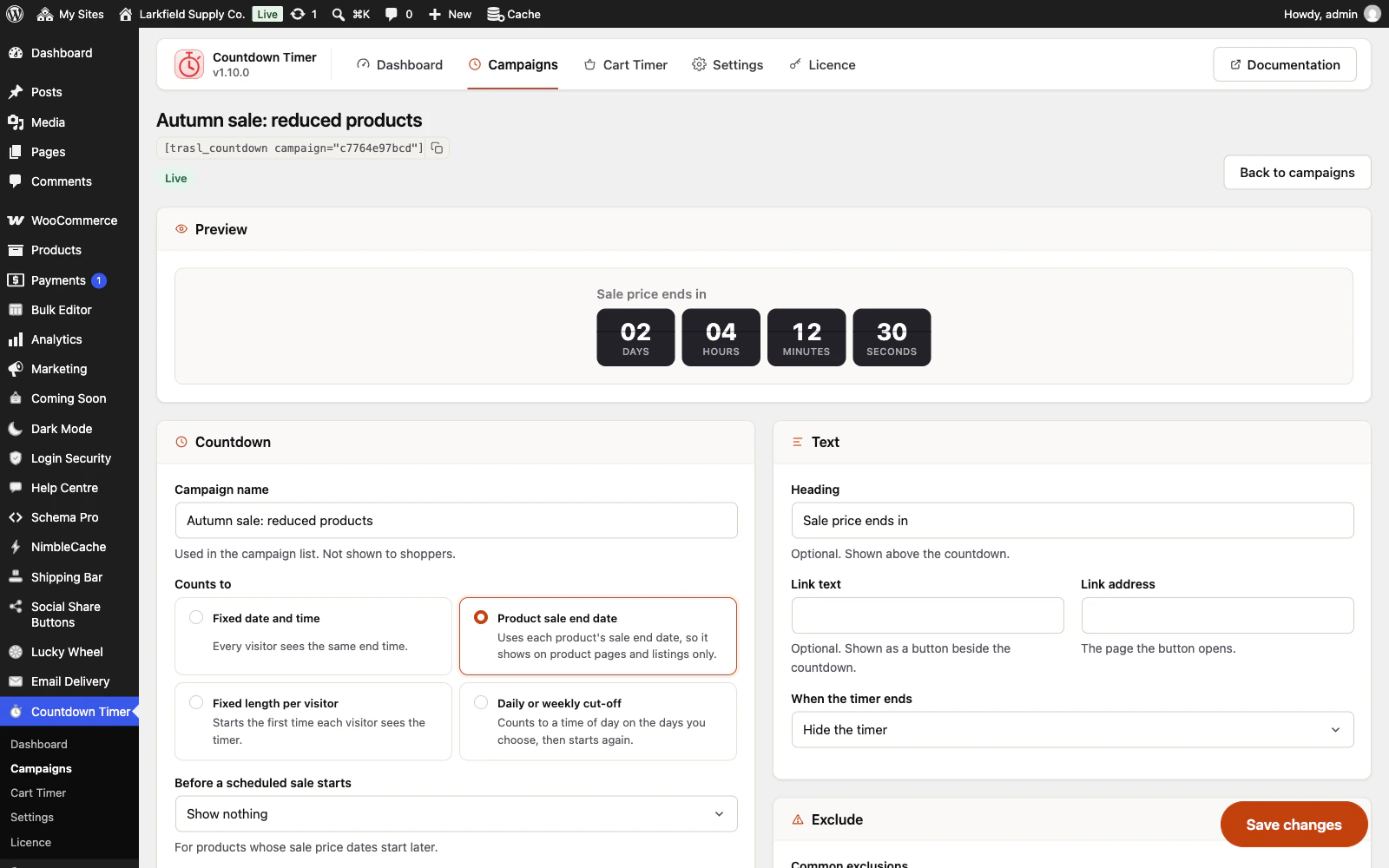
Start a clock when the first item goes in, show it on the cart, the checkout or every page, and apply a real WooCommerce coupon while it runs.
More: A cart timer that never empties the cart
When it expires the coupon comes off and the cart is left exactly as it was.
Honest by default
2 features
-
The clock is your site's
Every countdown is worked out against the site's own time zone and sent to the browser as one exact moment, so a visitor whose device clock is slow still sees the right answer on a page straight from your site.
-
A per-visitor timer that remembers
An evergreen countdown records when someone first saw it and survives a page cache, so a visitor who returns finds it expired rather than reset.
More: A per-visitor timer that remembers
Genuinely recurring offers can repeat daily or weekly, and say so.
Performance
3 features
-
Right before the script runs
The remaining time is rendered on the server and already correct in the markup.
More: Right before the script runs
The script only keeps it moving, is deferred, and recalculates from a timestamp — so a cached page never shows a stale clock.
-
Nothing loaded from elsewhere
One small stylesheet and one small script, on the pages that use them only.
More: Nothing loaded from elsewhere
It never loads jQuery, and there are no web fonts, no third-party requests and nothing stored about your visitors beyond when they first saw a timer.
-
Readable by everyone
The remaining time is announced once in words for screen readers rather than a counter that interrupts every second, and the figures are tabular so the page does not shift as the digits change.
Everywhere
6 features
-
Spanish and French included
Every label, hint and message ships translated, plurals included, and works the same on a multisite network where each site keeps its own campaigns.
-
Set it up once, not once per site
Export the settings and the campaigns as a small file, and import them on your live shop.
More: Set it up once, not once per site
Products, categories, pages and coupons are found there by SKU, slug or code rather than by number, anything missing is named, and every campaign and the cart timer arrive switched off until you have checked them. No licence key and nothing about your visitors.
-
Shop managers can run the sale countdowns
Tick Shop managers and the people who run your sales and coupons get the Dashboard, Campaigns and Cart Timer, with no need to make them administrators.
More: Shop managers can run the sale countdowns
Settings, the licence, import and export stay yours. A role editor plugin can give the same access to any other role.
-
An admin that never reloads
Every screen in the plugin arrives without a page load, and every save happens where you are standing.
More: An admin that never reloads
WordPress fetches the whole of wp-admin's CSS and JavaScript again to change one panel; this fetches the panel. The screen you are on is still there while the next one is on its way, and the one you are heading for is usually already in hand — a pointer takes a moment to reach a menu item, and that moment is spent fetching.
-
Saved, and told so where you are looking
A save answers in the corner of the screen, bordered in the colour of what it is telling you and saying what was saved rather than just "Saved".
More: Saved, and told so where you are looking
Four seconds, and hovering holds it open. No reload, and no scrolling back to find a notice above the header three hundred pixels from the button you just pressed.
-
Tabs that change instantly
A WordPress admin request spends about a second in its own bootstrap before a plugin gets a word in, and fetching when your pointer arrives only buys back a fraction of it.
More: Tabs that change instantly
So the plugin's other screens are fetched quietly while you read the first one — one at a time, only while the browser is idle, and never on a metered connection. By the time you click a tab the answer has been in memory for seconds.
Pricing
Every plan includes every feature. Choose how many domains, and whether to pay yearly or once.
Pay yearly renews until you cancel
Pay once (lifetime) no renewals
- Every plan includes every feature. You choose only the number of domains.
- 30-day refund, no reason needed. Refund policy
- Licence key and download straight after payment, by Stripe.
- A lapsed licence stops updates and support. It never switches a feature off.
- Local, development and staging copies are free and do not count against your domains.
- Yearly plans renew at the then-current price until you cancel. Cancel any time from your account.
- Where tax applies it is calculated at checkout and shown before you pay.