


Free Shipping Bar for WooCommerce features
Every feature, grouped by what it does. All 23 are in every plan.
$19 a year for one site · or pay once from $49
See the plansCore
7 features
-
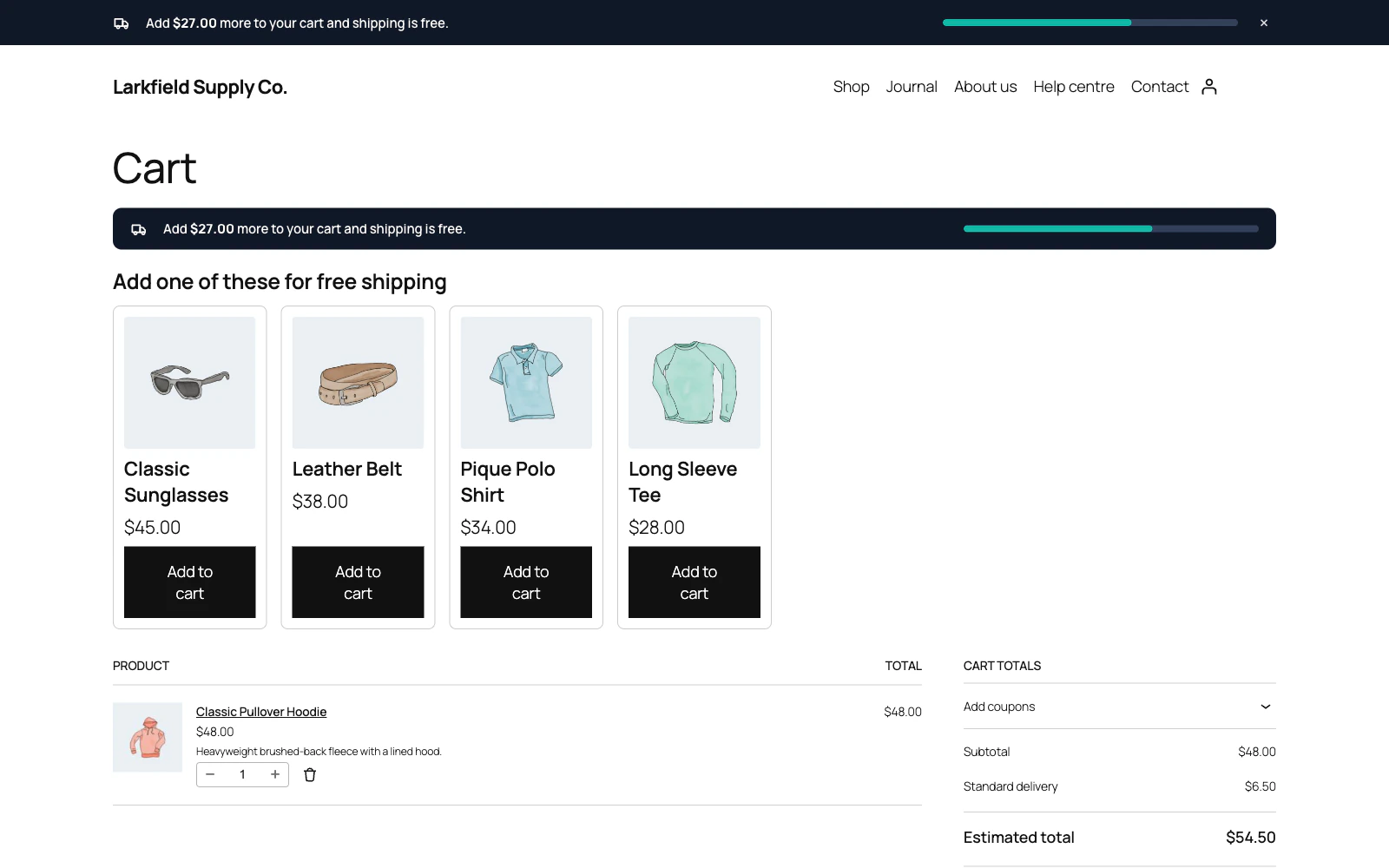
A progress bar towards free shipping
Every shopper sees exactly how close their cart is, and exactly how much more it takes.
More: A progress bar towards free shipping
The bar fills as they shop and celebrates the moment they cross the line.
-
Reads the free shipping amount from WooCommerce
The amount comes from your own Free shipping method, and the cart is measured the way WooCommerce measures it — the same subtotal, the same treatment of coupons and tax.
More: Reads the free shipping amount from WooCommerce
A cart that checkout already ships for nothing, with a Flat rate of 0 for its shipping class say, is told shipping is free rather than asked to spend more. The bar and the checkout can never disagree.
-
Updates the instant the cart changes
Add to cart and the bar moves, with no page reload.
More: Updates the instant the cart changes
Works with the classic cart and with the newer block cart and checkout, and keeps every bar on the page in step — not just the first one.
-
Checkout keeps the bar's promise
Once the bar says shipping is free, checkout can pick Free shipping for the shopper instead of a paid rate WooCommerce chose earlier, or show only the free options.
More: Checkout keeps the bar's promise
The second is WooCommerce's own setting from version 9.9, and the plugin keeps the two screens in step.
-
Built to be usable by everyone
A polite live region so screen readers hear the total change, a real progress bar with values, a keyboard-operable dismiss button, and animation that respects "reduce motion".
-
Works on a network
Activate it on one site or across a WordPress Multisite network.
More: Works on a network
Every site keeps its own threshold, design and wording.
-
Leaves nothing behind
Uninstalling removes the plugin's own settings if you ask it to — and leaves them alone if you do not, so a reinstall picks up where you left off.
Design
2 features
-
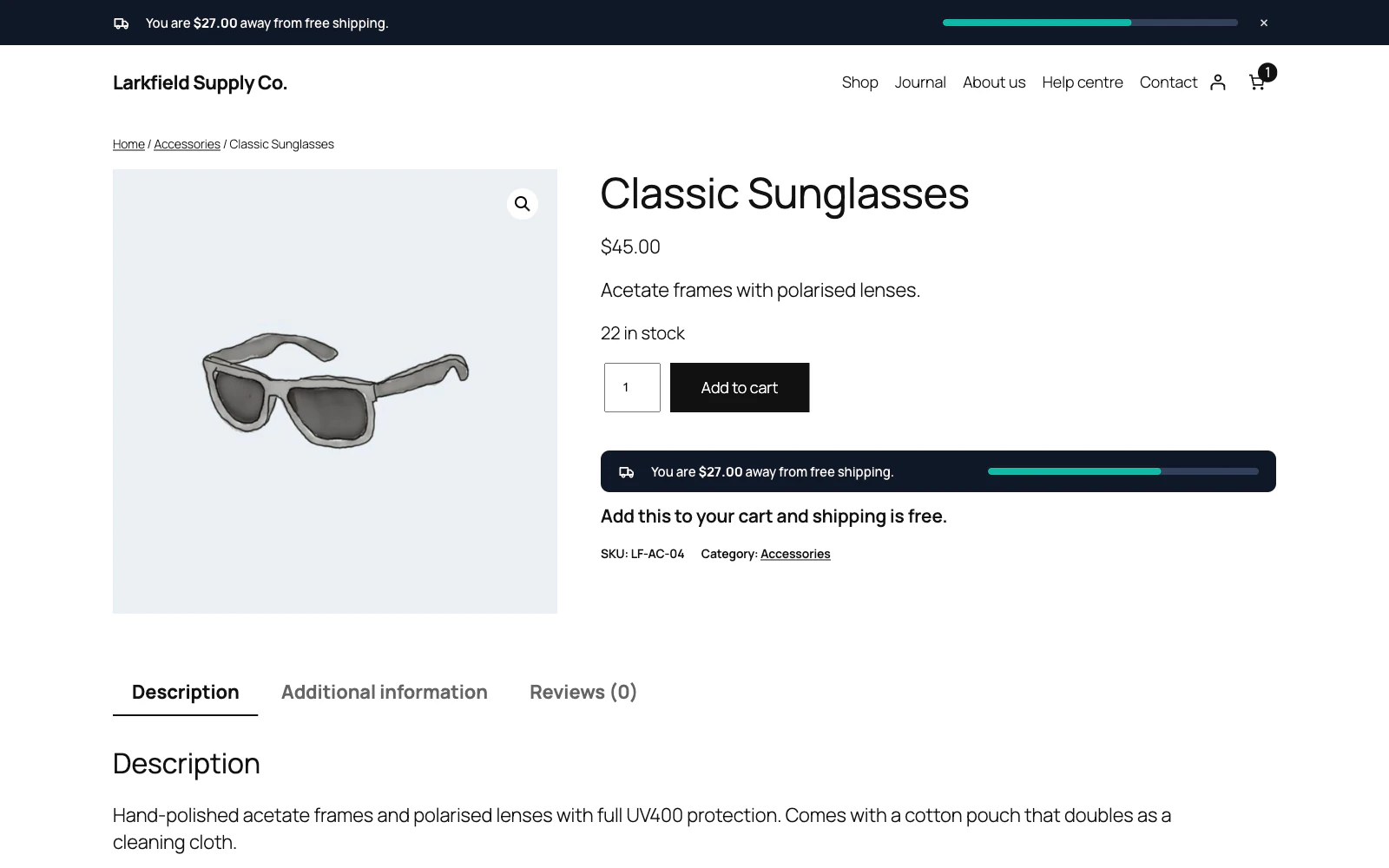
Twelve designs, not three
A full-width bar, a centred line, a hairline along the screen edge, a floating pill, a raised card, a shimmering gradient, a segmented milestone track, a delivery van that drives towards the parcel, a bar that fills itself like a tide, a bar cut in two with a tall gauge on one side, a quiet one underlined with a hairline of progress, or a small corner block with a ring instead of a bar.
-
Your colours, your font
Separate palettes for "still spending" and "unlocked", ten Google fonts or your theme's own, and a live preview that is a real bar rather than a picture of one.
Placement
8 features
-
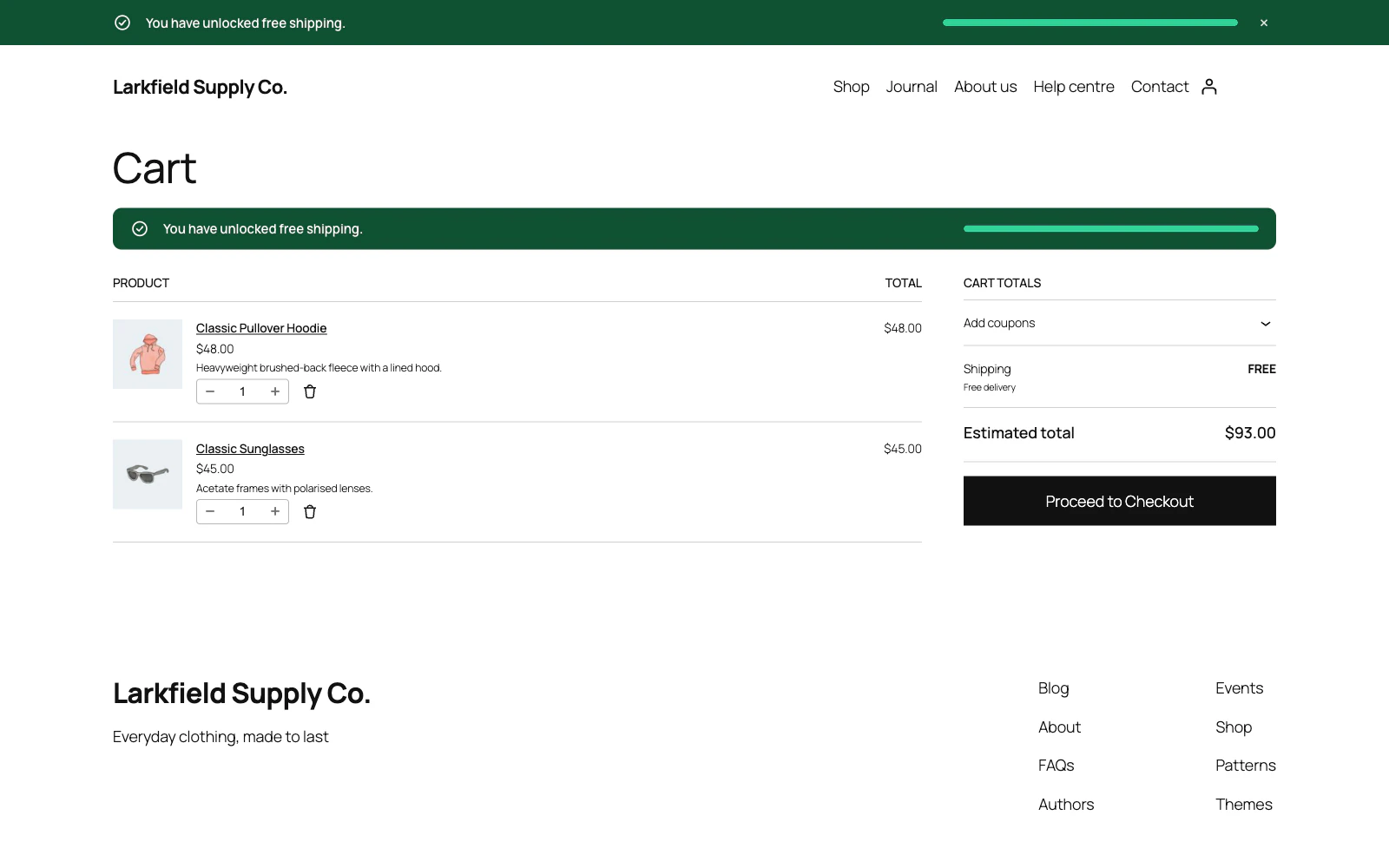
Put it where shoppers decide
Top or bottom, pushing the page down or floating over it, plus in-page reminders on the cart, the checkout, the product page and the cart dropdown.
More: Put it where shoppers decide
Or drop it anywhere with a shortcode.
-
Tells the shopper what this item does
Switch on the product page reminder and it says when that item, at the quantity chosen, gets the cart to free shipping, and when it does not count towards it at all.
More: Tells the shopper what this item does
It follows the quantity, the variation and the cart as they change, without asking the server, so cached pages stay right, and it stays quiet wherever the sum could be wrong.
-
Shows which products ship free
In the shop, categories and search, lists loaded with Load more or a filter, and a block theme's Product Collection, a small label under the price of each product that reaches free shipping on its own.
More: Shows which products ship free
Priced as the cart counts it, by the bar's own rules, so adding that one product unlocks free shipping, and painted in your "unlocked" colours. Drawn by the server, with no script.
-
Suggests what to add for free shipping
On the cart page, under the bar, a few products that would get the cart to free shipping on their own, each with an Add to cart button.
More: Suggests what to add for free shipping
From the cart's own categories, or categories or products you choose, best sellers first, each product on one card before any gets a second. Each is priced as the cart counts it, and none is shown where the sum could be wrong. Adding one moves the bar, without a page load where WooCommerce's AJAX add to cart is on or the cart uses the Cart block.
-
Show it exactly where you mean
Tick the places, the kinds of content and the archives it belongs on — every list built from your own site, custom post types included — then name the exceptions by searching for them.
More: Show it exactly where you mean
No page IDs to look up, no code to write, and nothing you can choose that breaks the shop.
-
An exception that always wins
"Excluded pages" beats everything else, so one mistake is never expensive.
More: An exception that always wins
Choosing a category covers its archive and everything filed under it, and the in-page notices on the cart and checkout honour it too.
-
Show it to the right people
Target desktop or mobile, and choose between guests and signed-in customers.
More: Show it to the right people
Devices are told apart by screen width rather than by guessing from the browser, so it survives page caching.
-
Audience and schedule
Limit it to desktop, tablet or mobile — decided by the width of the window, so it survives page caching — to signed-in or signed-out visitors, or to particular roles.
More: Audience and schedule
Give it a window of dates, days of the week and hours if it is only meant to run for a while.
Behaviour
2 features
-
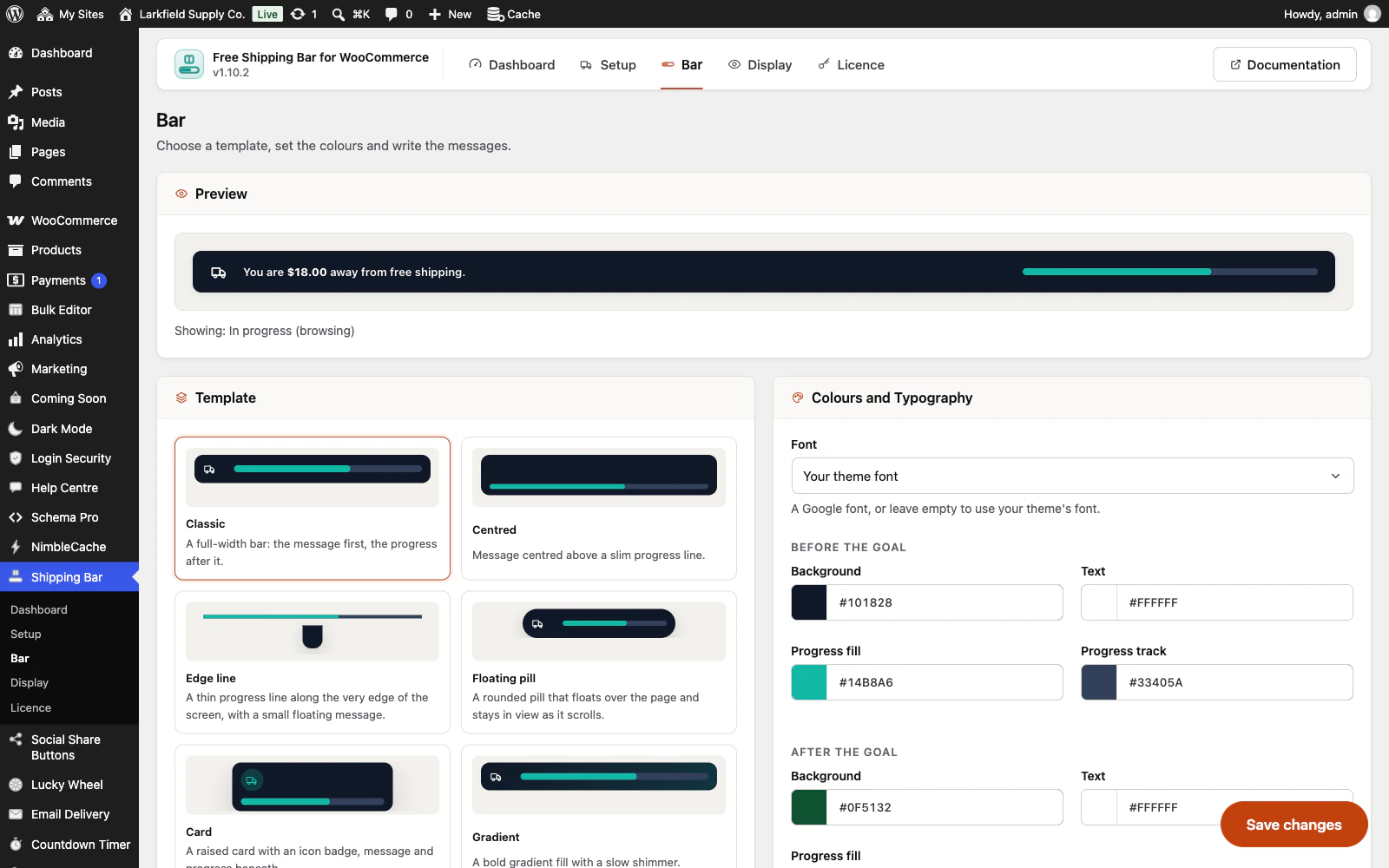
Closes when asked, and stays closed
A shopper who dismisses the bar does not see it again for as many days as you choose.
More: Closes when asked, and stays closed
It can also appear after a delay, or step aside on its own.
-
Wording you control, in words that count
A message for each moment of the bar, one for a cart that is almost there among them, and every token works in every one of them: the amount remaining, the goal, the cart total, the item count, the percentage, and links to the shop, cart or checkout.
More: Wording you control, in words that count
The label in product lists is yours to reword too.
Everywhere
4 features
-
Set it up once, not once per site
Export the bar design, the colours, the wording and the rules as a small file, and import it on your next shop.
More: Set it up once, not once per site
Settings only — no orders, no statistics and no licence key. The free shipping amount is not in it either: that always comes from WooCommerce's own shipping zones on the shop it is running on.
-
An admin that never reloads
Every screen in the plugin arrives without a page load, and every save happens where you are standing.
More: An admin that never reloads
WordPress fetches the whole of wp-admin's CSS and JavaScript again to change one panel; this fetches the panel. The screen you are on is still there while the next one is on its way, and the one you are heading for is usually already in hand — a pointer takes a moment to reach a menu item, and that moment is spent fetching.
-
Saved, and told so where you are looking
A save answers in the corner of the screen, bordered in the colour of what it is telling you and saying what was saved rather than just "Saved".
More: Saved, and told so where you are looking
Four seconds, and hovering holds it open. No reload, and no scrolling back to find a notice above the header three hundred pixels from the button you just pressed.
-
Tabs that change instantly
A WordPress admin request spends about a second in its own bootstrap before a plugin gets a word in, and fetching when your pointer arrives only buys back a fraction of it.
More: Tabs that change instantly
So the plugin's other screens are fetched quietly while you read the first one — one at a time, only while the browser is idle, and never on a metered connection. By the time you click a tab the answer has been in memory for seconds.
Pricing
Every plan includes every feature. Choose how many domains, and whether to pay yearly or once.
Pay yearly renews until you cancel
Pay once (lifetime) no renewals
- Every plan includes every feature. You choose only the number of domains.
- 30-day refund, no reason needed. Refund policy
- Licence key and download straight after payment, by Stripe.
- A lapsed licence stops updates and support. It never switches a feature off.
- Local, development and staging copies are free and do not count against your domains.
- Yearly plans renew at the then-current price until you cancel. Cancel any time from your account.
- Where tax applies it is calculated at checkout and shown before you pay.