


Lucky Wheel for WooCommerce features
Every feature, grouped by what it does. All 24 are in every plan.
$19 a year for one site · or pay once from $49
See the plansCore
4 features
-
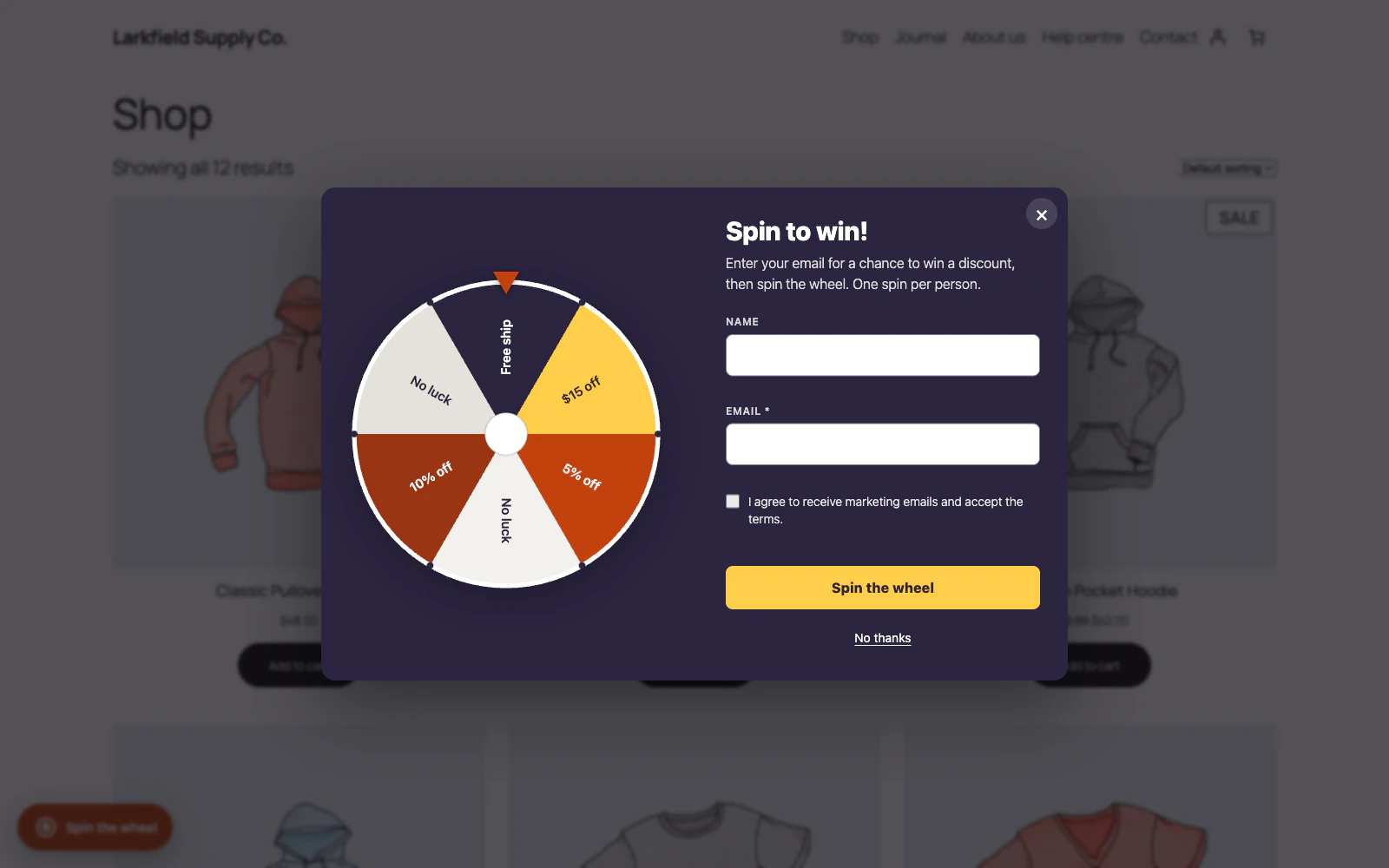
A spin-to-win prize wheel
A spin-to-win wheel shown as a popup, a floating launcher, or inline on any page.
More: A spin-to-win prize wheel
Shoppers enter their email and spin for a discount.
-
Fair odds you control
Give each slice a weight and the winner is drawn on the server, so nobody can edit the page to change the prize, the coupon, or the chances.
More: Fair odds you control
Give a prize a stock and the wheel sets one aside as it draws it, so two shoppers spinning at once cannot both win the last one. When nothing is left to win, the wheel stops showing.
-
The prizes and chances, shown before anyone plays
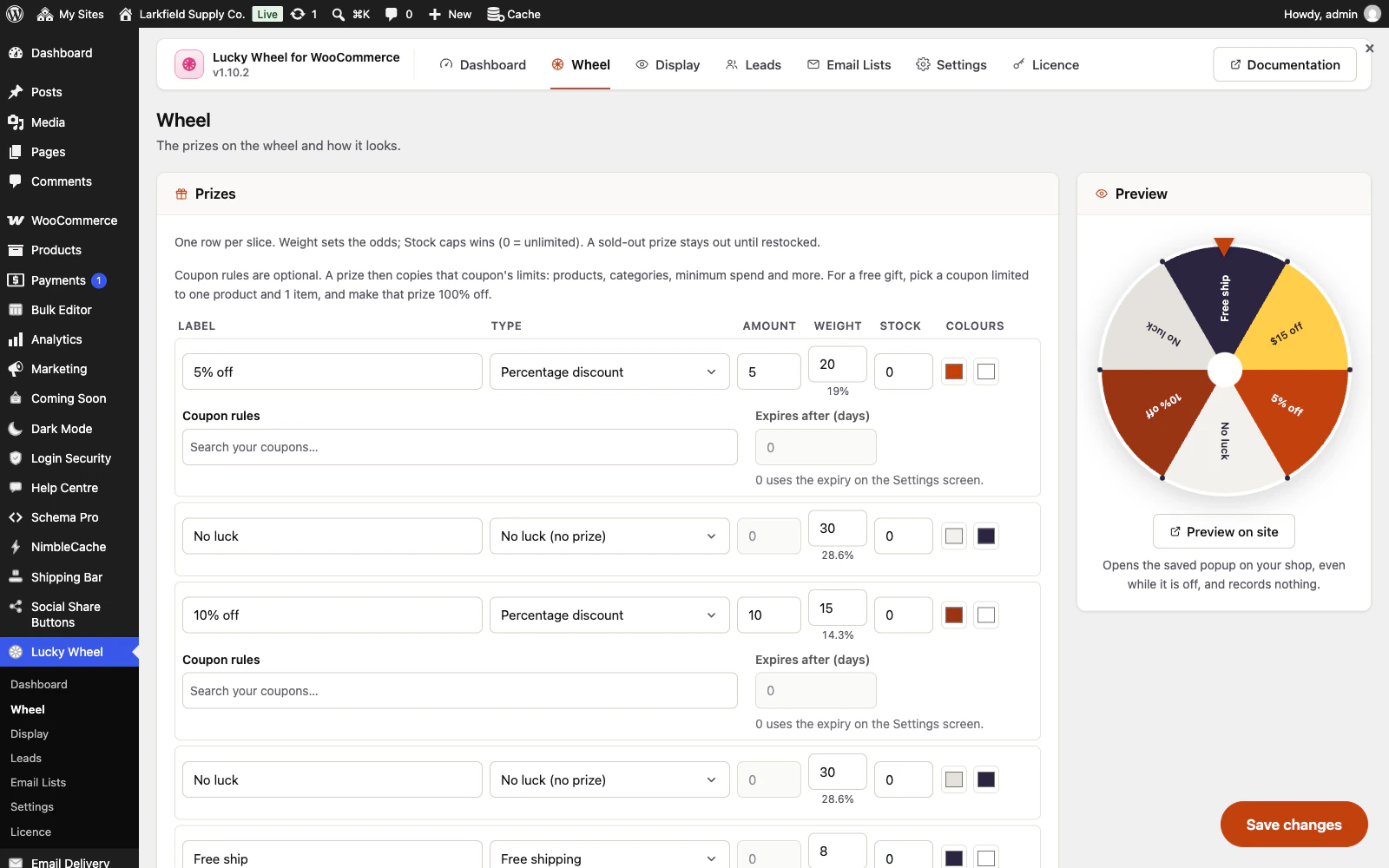
A Prizes and chances link under the Spin button lists each prize with its chance, worked out from the same weights the draw uses, and the terms of the codes: how long they last, the minimum spend, how often someone may play, and when the wheel closes.
More: The prizes and chances, shown before anyone plays
A shortcode puts the same list on your terms page.
-
Quiet on bots
A honeypot and per-email, per-IP limits keep junk out, with optional Google reCAPTCHA v3 — invisible, so shoppers never see a puzzle.
Coupons
4 features
-
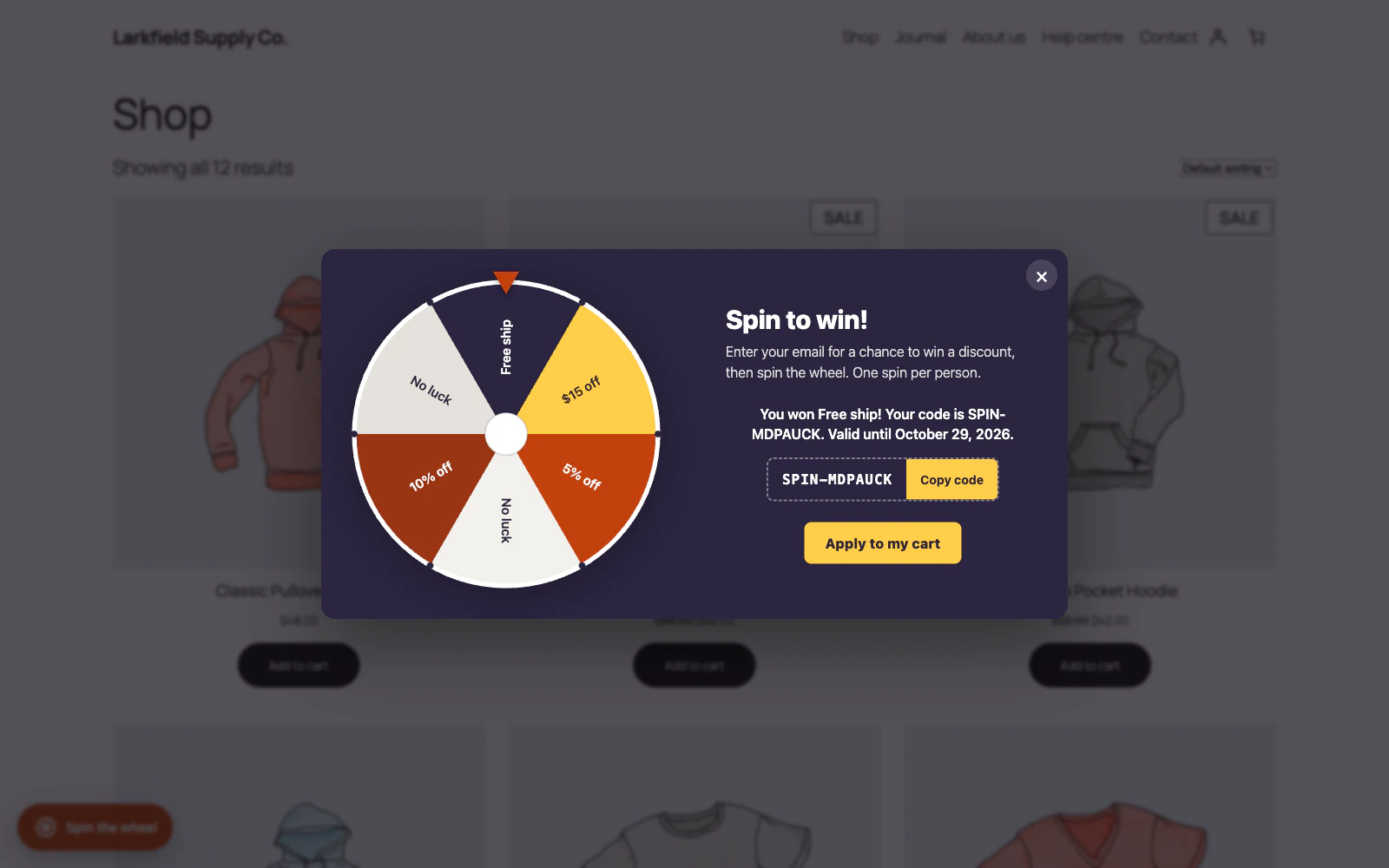
Real WooCommerce coupons
Wins create genuine WooCommerce coupons — percentage, fixed cart or product, or free shipping — with expiry, usage limits and an email lock.
-
Rules for each prize
Give one prize a minimum spend, chosen products or categories, or a cap on items by pointing it at a coupon you already made.
More: Rules for each prize
The winner's code copies those limits and is told the conditions, and a free gift is a 100% prize on a coupon limited to one product.
-
A reminder of the prize code
After a win, a small Your prize button keeps the code in the launcher's corner on the shop's later pages, ready to copy or apply, until the code is in the cart, used or out of date.
More: A reminder of the prize code
A winner who may spin again keeps the launcher too, with the button beside it, and a second win's code joins the first instead of replacing it: applying one code no longer loses the other when the coupons cannot be combined. It works while the wheel is on, and never on the checkout. The code stays in the shopper's own browser and is never sent anywhere, and visitors who have not won download nothing for it.
-
An email before the code runs out
A few days before a won code's last day, one email reminds the winner, with the code, the prize, the date and a link that puts the code in their cart.
More: An email before the code runs out
Sent only while the code is unused and valid, never twice, and where the form asks for consent only to winners who gave it. The Dashboard counts the reminders sent and the codes used after one.
Display
3 features
-
Popup, launcher or shortcode
Open on a delay, on scroll, on exit intent, or only when the shopper presses the launcher or one of your links.
More: Popup, launcher or shortcode
Place it inline anywhere with a shortcode, or leave a floating tab to reopen it.
-
Open it from your own links
Link a menu item, a button or a banner to #trlw-open, or put #trlw-open on the end of a page address in a newsletter, and the wheel opens there.
More: Open it from your own links
A shortcode draws a button in your theme's style. The spin limits still apply.
-
Show it where it counts
Target the homepage, shop, blog or specific pages, cap how often it reappears, and switch it off on mobile if you prefer.
Leads
2 features
-
Every email, exportable
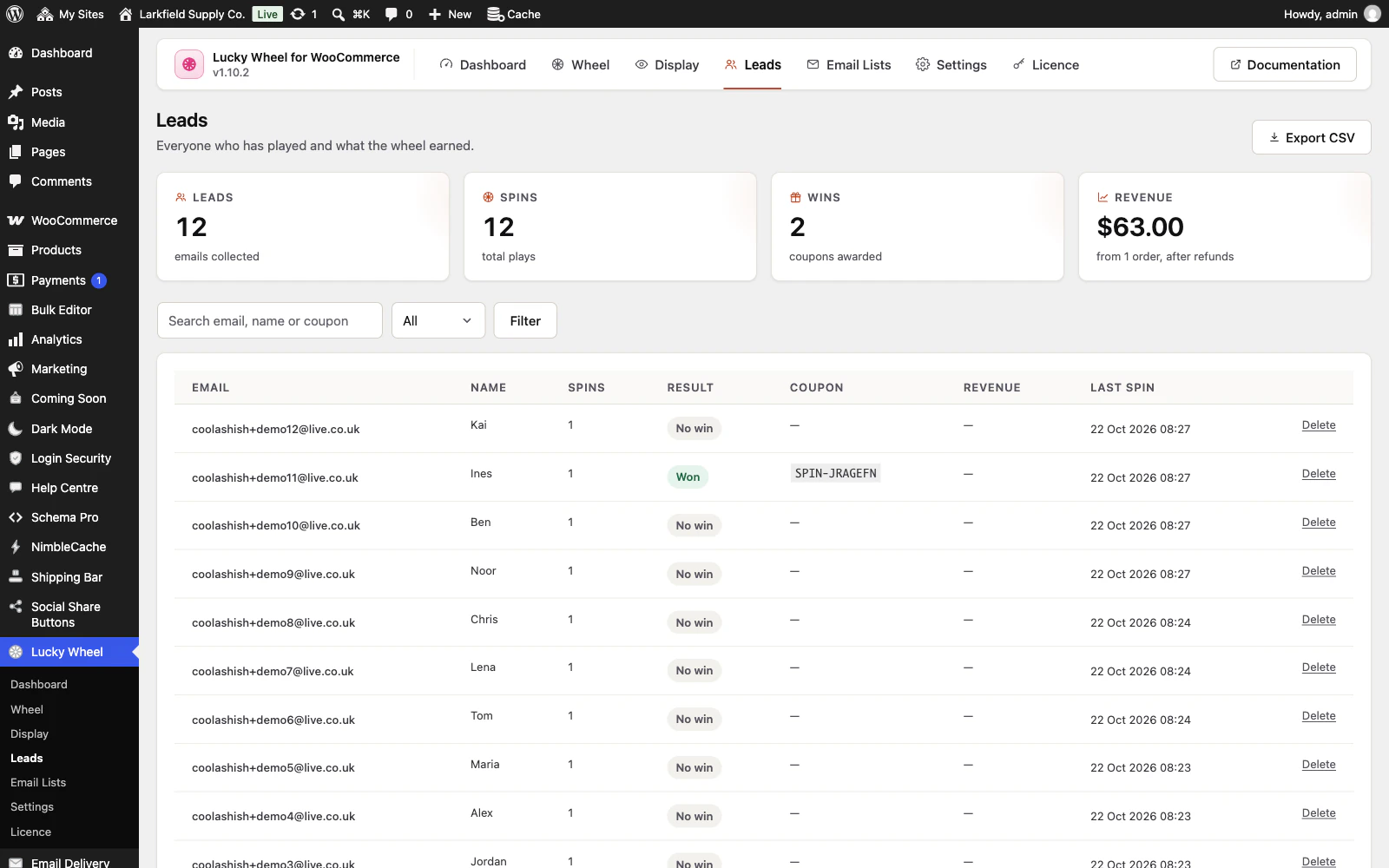
Leads are stored in their own table — searchable, filterable, and one click from a CSV — so a busy campaign never bogs your site down.
More: Every email, exportable
They are part of WordPress's Export and Erase Personal Data tools too.
-
Revenue tracking built in
Orders that use a wheel coupon are attributed back to it, so the dashboard shows conversions and revenue, not just sign-ups.
More: Revenue tracking built in
Refunds, cancellations and failed payments on those orders come off it again as they happen.
Integrations
2 features
-
Mailchimp and Klaviyo
Send every address to your mailing list automatically, with a one-click connection test.
More: Mailchimp and Klaviyo
Everyone else can use the CSV export.
-
MailPoet and FluentCRM on your own site
When MailPoet or FluentCRM runs on the same site, new players go straight into the list you choose, with FluentCRM tags and its double opt-in if you want them.
More: MailPoet and FluentCRM on your own site
No API key, and nothing leaves your site. Only players who gave consent are added where the form asks for it.
Design
3 features
-
Eight shapes to choose from
Card, Stack, Ticket or Strip: the wheel beside the words, a narrow column, a torn cloakroom ticket, or a wide low band for a page.
More: Eight shapes to choose from
A design is a shape only, so trying one never repaints the colours you matched to your shop.
-
Yours to brand
Colours, wheel, pointer, centre logo, copy and the winner email are all yours to set — and translated into Spanish and French out of the box.
-
Readable on any shop
Field edges, error messages, focus rings and the floating tab's label are all measured against the colours you chose, to the contrast WCAG AA asks for.
More: Readable on any shop
Every design mirrors on a right-to-left shop and holds still for a visitor who has asked for less motion.
Placement
3 features
-
Show it exactly where you mean
Tick the places, the kinds of content and the archives it belongs on — every list built from your own site, custom post types included — then name the exceptions by searching for them.
More: Show it exactly where you mean
No page IDs to look up, no code to write, and nothing you can choose that breaks the site.
-
An exception that always wins
"Excluded pages" beats everything else, so one mistake is never expensive.
More: An exception that always wins
Choosing a category covers its archive and everything filed under it.
-
Audience and schedule
Limit it to signed-in or signed-out visitors, or to particular roles from your own site's list.
More: Audience and schedule
Give it a window of dates, days of the week and hours if it is only meant to run for a while. Phones have a switch of their own, on the same Display screen.
Everywhere
3 features
-
An admin that never reloads
Every screen in the plugin arrives without a page load, and every save happens where you are standing.
More: An admin that never reloads
WordPress fetches the whole of wp-admin's CSS and JavaScript again to change one panel; this fetches the panel. The screen you are on is still there while the next one is on its way, and the one you are heading for is usually already in hand — a pointer takes a moment to reach a menu item, and that moment is spent fetching.
-
Saved, and told so where you are looking
A save answers in the corner of the screen, bordered in the colour of what it is telling you and saying what was saved rather than just "Saved".
More: Saved, and told so where you are looking
Four seconds, and hovering holds it open. No reload, and no scrolling back to find a notice above the header three hundred pixels from the button you just pressed.
-
Tabs that change instantly
A WordPress admin request spends about a second in its own bootstrap before a plugin gets a word in, and fetching when your pointer arrives only buys back a fraction of it.
More: Tabs that change instantly
So the plugin's other screens are fetched quietly while you read the first one — one at a time, only while the browser is idle, and never on a metered connection. By the time you click a tab the answer has been in memory for seconds.
Pricing
Every plan includes every feature. Choose how many domains, and whether to pay yearly or once.
Pay yearly renews until you cancel
Pay once (lifetime) no renewals
- Every plan includes every feature. You choose only the number of domains.
- 30-day refund, no reason needed. Refund policy
- Licence key and download straight after payment, by Stripe.
- A lapsed licence stops updates and support. It never switches a feature off.
- Local, development and staging copies are free and do not count against your domains.
- Yearly plans renew at the then-current price until you cancel. Cancel any time from your account.
- Where tax applies it is calculated at checkout and shown before you pay.