


Schema Pro features
Every feature, grouped by what it does. All 22 are in every plan.
$19 a year for one site · or pay once from $49
See the plansMarkup
7 features
-
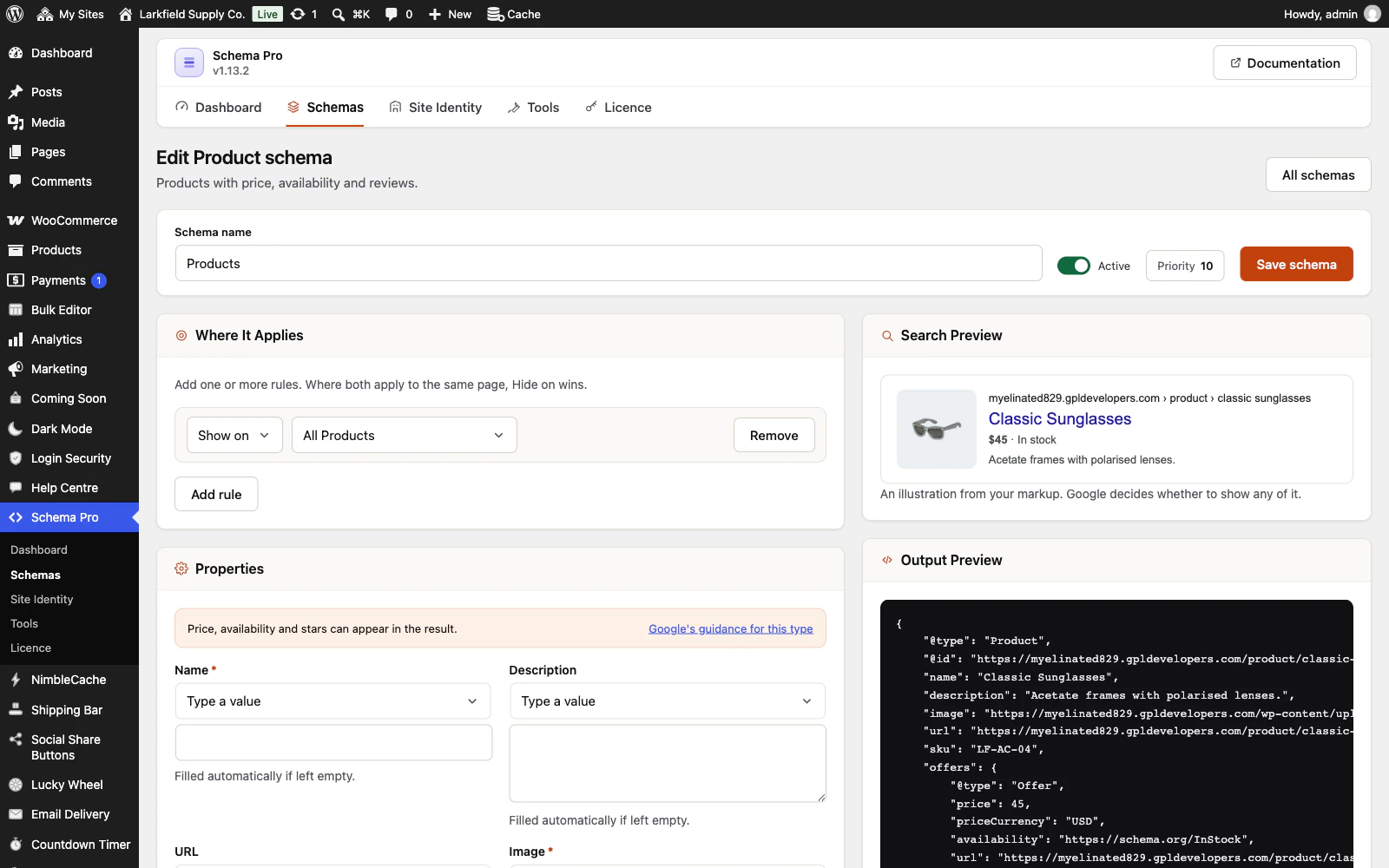
30 schema types
Product, Article, Local Business, Event, Recipe, Job Posting, Video, Review and more, plus Custom JSON-LD for anything the list does not cover.
More: 30 schema types
FAQ and How-to are there too: still valid markup that tells search engines what the page is, though Google no longer shows them as rich results.
-
One block of markup per page
Everything this plugin marks up goes into one block, the way Google recommends, instead of several scattered through the page.
More: One block of markup per page
In the page source it is a single JSON-LD @graph.
-
Fields that fill themselves in
Headline, description, image, author, dates and permalink are read from the post being viewed.
More: Fields that fill themselves in
One schema targeted at a post type covers every post in it, so a working setup is usually two clicks. A members-only or password-protected post is never described from its own content.
-
Authors as real people
Each post's author is marked up as a person, as Google recommends: their author page, a job title and links to their profiles elsewhere, typed once on their WordPress profile or read from Yoast SEO's and Rank Math's fields.
More: Authors as real people
All their posts name the same person, and their author page can be marked up as their profile page. Nothing about the account they did not enter for this is published.
-
WooCommerce ready
Price, stock, SKU, ratings, reviews, brand and GTIN read straight from each product, with each variation of a variable product marked up on its own and a sale marked as Google asks: the struck-through price, and the sale's start and end with their time and time zone.
More: WooCommerce ready
WooCommerce's own product and breadcrumb markup is switched off wherever ours replaces it, so search engines see one clean answer, never two and never none.
-
Each variation its own product
Variable products are marked up as Google describes product variants: one group, each variation with its own price, stock and a link that opens the page with it chosen.
More: Each variation its own product
Where a variation cannot be linked to, the product keeps a valid price range and the editor says why.
-
Shipping policy from your zones
Tell Google your shipping costs and delivery times once, for the whole shop, the way its merchant listings read them.
More: Shipping policy from your zones
Fill the rows in from your WooCommerce shipping zones, read in the order WooCommerce charges by, so each country gets the cost your checkout charges. Plain flat rates and free shipping thresholds are filled in, anything else is named for you to type, and nothing is saved until you have checked it.
Targeting
4 features
-
Precise targeting
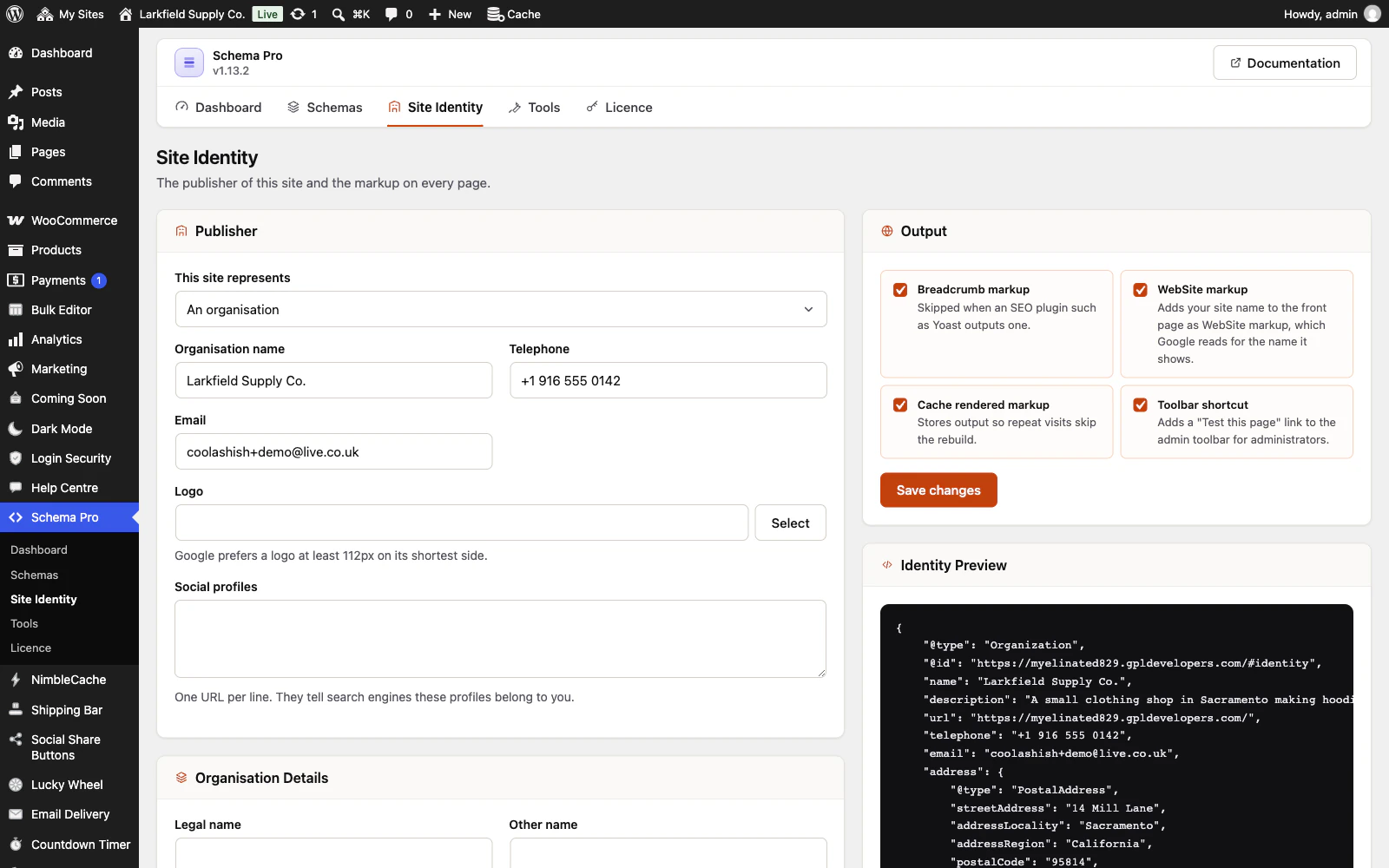
Apply a schema to the whole site, one post type, a taxonomy archive, a single post, or any mix.
More: Precise targeting
Exclusions win over inclusions, so "every post except this one" is a single rule pair.
-
Custom post types and taxonomies
Anything public on your site appears in the targeting rules automatically.
More: Custom post types and taxonomies
No mapping step, no configuration file.
-
Per-post overrides
Change a headline, image or rating for one post from the post editor, without touching the schema every other post shares.
More: Per-post overrides
Empty fields show exactly what will be output instead, and the panel says what that post is missing, shows its markup and links Google's test for it.
-
Read values from your own fields
Point any field at a custom field, an ACF field, the author profile or a term field.
More: Read values from your own fields
One schema then produces the right value on every post, instead of the same value everywhere.
Confidence
7 features
-
Validation before Google sees it
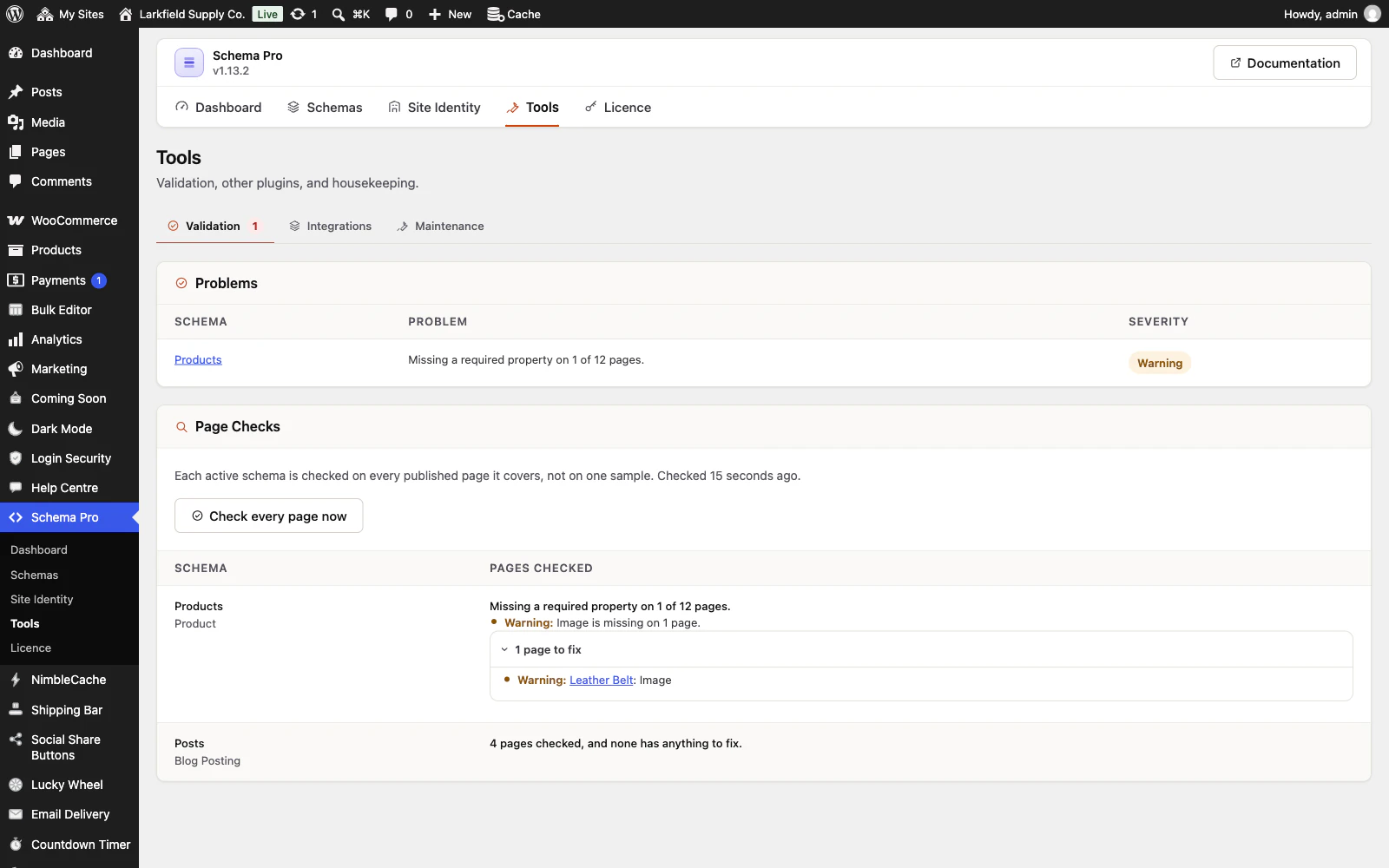
A report lists every active schema missing a property Google requires, so a page that will not qualify for rich results is visible to you first.
-
Every page checked, not one sample
Each schema is checked on every published post, page and product it covers, in background runs that resume where they stopped.
More: Every page checked, not one sample
Tools names how many pages are missing a required property, which property, and the first pages to fix, and a post is checked again as soon as you update it.
-
Site identity done once
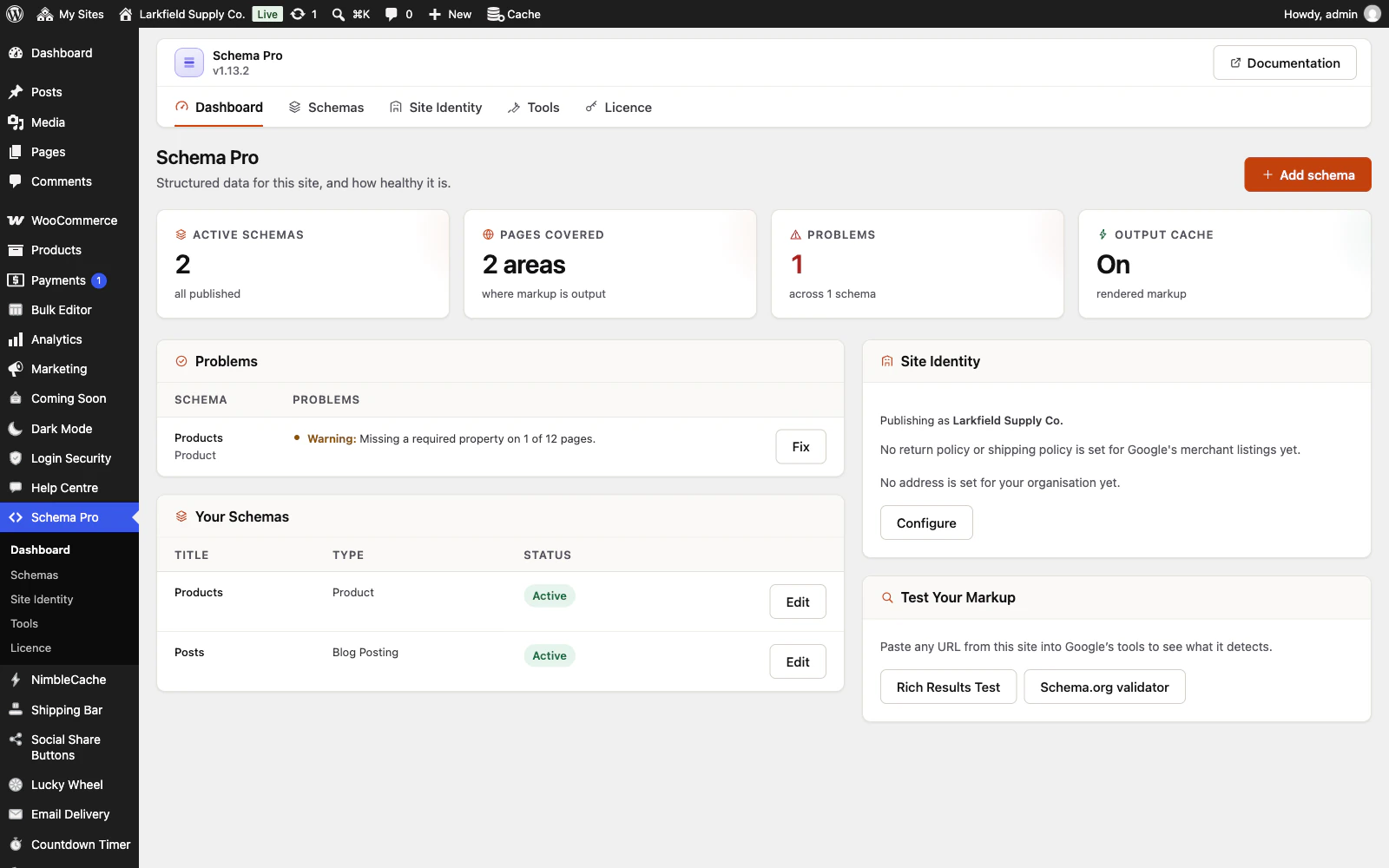
Declare the site as an organisation or a person, with logo, contact details, social profiles and a shop's return and shipping policies.
More: Site identity done once
An organisation can add its address, legal name, customer service contact and company numbers, and a shop fills the address in from WooCommerce. Publishers, providers, employers and sellers point at it, so one correct answer improves everything else.
-
Plays well with your SEO plugin
Yoast, Rank Math, SEOPress, All in One SEO and The SEO Framework are detected automatically.
More: Plays well with your SEO plugin
Site identity, breadcrumbs and the WebSite markup stand down rather than emitting a second, conflicting copy.
-
Setup in two minutes
A short wizard asks who publishes the site and what its posts are, then creates working markup and shows you it is live.
More: Setup in two minutes
No schema.org vocabulary required.
-
Every field explains itself
Each type says what it gets you in search results and links to Google's own guidance, and fields tell you the format, the units and an example.
-
English, Spanish and French
Fully translation-ready, with Spanish and French supplied.
More: English, Spanish and French
Any other language can be added by dropping in a translation file.
Performance
1 feature
-
Built to stay fast
Purpose-built database tables instead of postmeta, targeting matched in a single indexed query however many schemas you have, and rendered markup cached.
Everywhere
3 features
-
An admin that never reloads
Every screen in the plugin arrives without a page load, and every save happens where you are standing.
More: An admin that never reloads
WordPress fetches the whole of wp-admin's CSS and JavaScript again to change one panel; this fetches the panel. The screen you are on is still there while the next one is on its way, and the one you are heading for is usually already in hand — a pointer takes a moment to reach a menu item, and that moment is spent fetching.
-
Saved, and told so where you are looking
A save answers in the corner of the screen, bordered in the colour of what it is telling you and saying what was saved rather than just "Saved".
More: Saved, and told so where you are looking
Four seconds, and hovering holds it open. No reload, and no scrolling back to find a notice above the header three hundred pixels from the button you just pressed.
-
Tabs that change instantly
A WordPress admin request spends about a second in its own bootstrap before a plugin gets a word in, and fetching when your pointer arrives only buys back a fraction of it.
More: Tabs that change instantly
So the plugin's other screens are fetched quietly while you read the first one — one at a time, only while the browser is idle, and never on a metered connection. By the time you click a tab the answer has been in memory for seconds.
Pricing
Every plan includes every feature. Choose how many domains, and whether to pay yearly or once.
Pay yearly renews until you cancel
Pay once (lifetime) no renewals
- Every plan includes every feature. You choose only the number of domains.
- 30-day refund, no reason needed. Refund policy
- Licence key and download straight after payment, by Stripe.
- A lapsed licence stops updates and support. It never switches a feature off.
- Local, development and staging copies are free and do not count against your domains.
- Yearly plans renew at the then-current price until you cancel. Cancel any time from your account.
- Where tax applies it is calculated at checkout and shown before you pay.