


Table of Contents features
Every feature, grouped by what it does. All 26 are in every plan.
$19 a year for one site · or pay once from $49
See the plansThe look
4 features
-
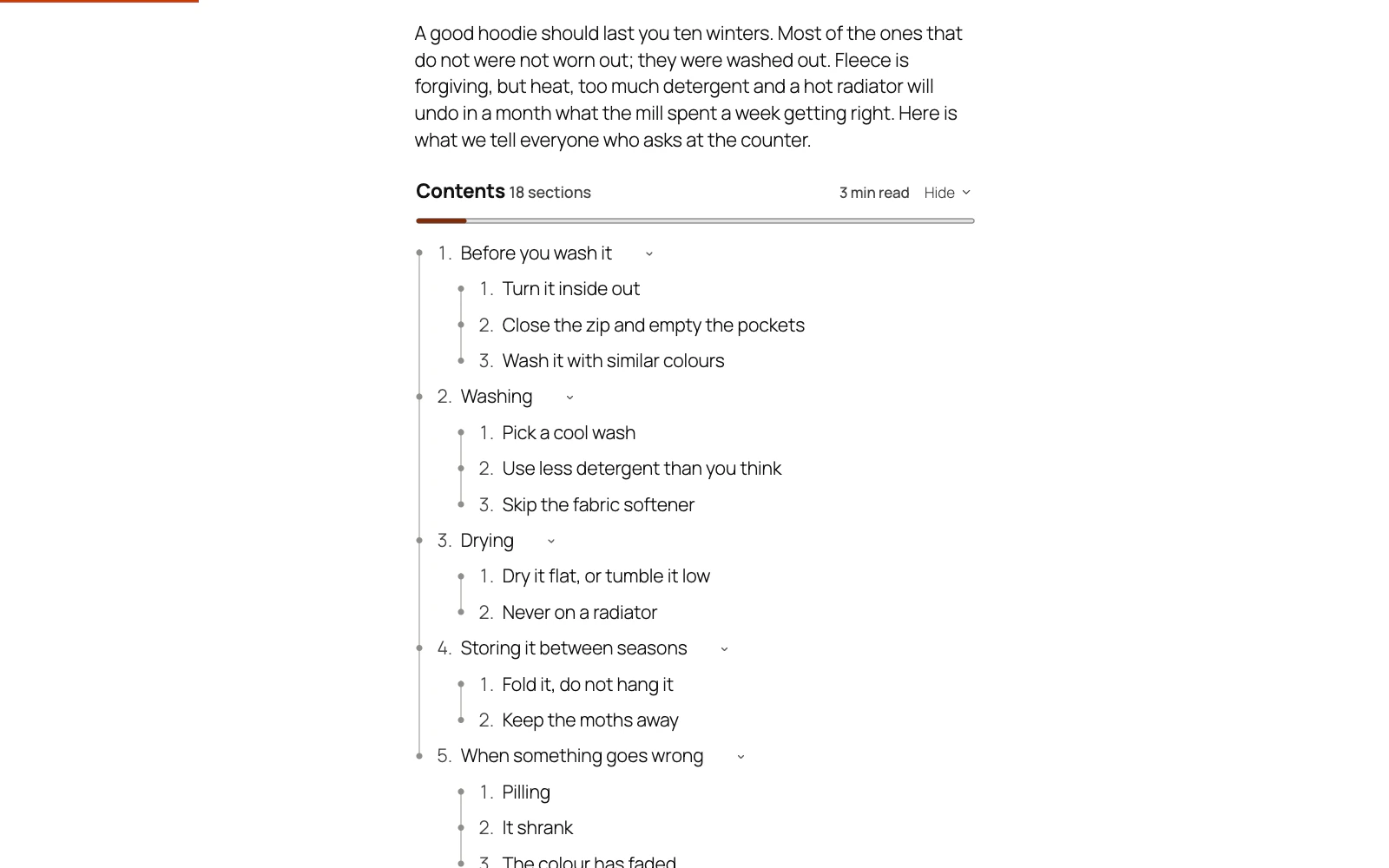
Twenty designs, not one with twenty colour schemes
A plain list, a card, a rail, a bracket, ruled notebook paper, a magazine contents page, numbered steps, a ladder whose dots fill in as the reader moves down the article, a filled banner, a box of outlined chips, a heading standing beside its list, and dotted leaders out to a figure the way a printed contents page sets its page numbers.
More: Twenty designs, not one with twenty colour schemes
Each is a different shape, not the same box in a different colour. Override any of the four colours or leave them and the design decides.
-
Reads on a dark theme as well as a light one
A design that draws a panel of its own paints its own type on it, so a theme that colours its list items cannot recolour your contents list.
More: Reads on a dark theme as well as a light one
A design that draws no panel takes your theme's own text colour instead, so it follows a dark site rather than disappearing into it. Every line a design is built from — a panel edge, the ladder's dots, a chip's outline, the reading bar — is held to 3:1 against what it sits on, measured on the rendered page rather than judged by eye.
-
Marks the section being read
The entry for whichever section the reader is in is highlighted as they scroll, so a long article always says where they are.
More: Marks the section being read
It works from position rather than from what is on screen, which means it still has an answer in the middle of a long section where no heading is visible at all.
-
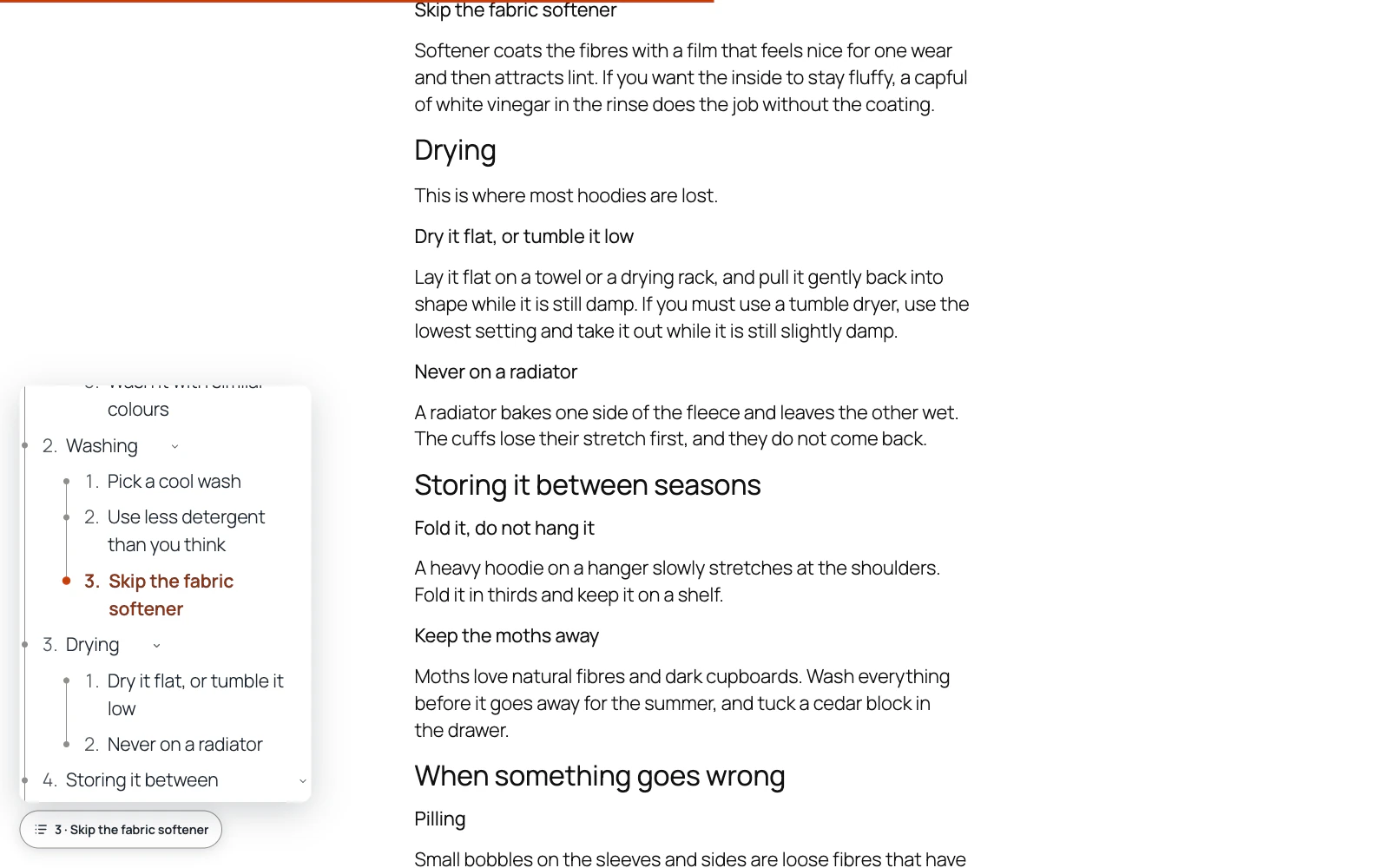
Numbering that reads like a printed outline
None, bullets, 1.
More: Numbering that reads like a printed outline
2. 3., nested 1.1.1., roman or alphabetic — and roman and alphabetic alternate by depth the way a real outline does, because six levels of roman numerals is unreadable. The numbers are real text, so they are read aloud and they copy with the list.
Everywhere
6 features
-
Mirrors properly in Arabic and Hebrew
Every design is built from logical properties, so on a right-to-left site the indent, the rail, the notebook margin, the ladder's dots and the dotted leaders all move to the side the page reads from — rather than staying on the left with the words on the right.
-
Works on a network
Activate it on one site or across a whole multisite network.
More: Works on a network
Each site keeps its own settings, and a site added to the network later is set up on its own rather than coming up with nothing.
-
Spanish and French included
Every string in the plugin, the admin screens and the licence page is translated into Spanish and French, and the contents list itself is built from your own headings in whatever language you write them.
-
An admin that never reloads
Every screen in the plugin arrives without a page load, and every save happens where you are standing.
More: An admin that never reloads
WordPress fetches the whole of wp-admin's CSS and JavaScript again to change one panel; this fetches the panel. The screen you are on is still there while the next one is on its way, and the one you are heading for is usually already in hand — a pointer takes a moment to reach a menu item, and that moment is spent fetching.
-
Saved, and told so where you are looking
A save answers in the corner of the screen, bordered in the colour of what it is telling you and saying what was saved rather than just "Saved".
More: Saved, and told so where you are looking
Four seconds, and hovering holds it open. No reload, and no scrolling back to find a notice above the header three hundred pixels from the button you just pressed.
-
Tabs that change instantly
A WordPress admin request spends about a second in its own bootstrap before a plugin gets a word in, and fetching when your pointer arrives only buys back a fraction of it.
More: Tabs that change instantly
So the plugin's other screens are fetched quietly while you read the first one — one at a time, only while the browser is idle, and never on a metered connection. By the time you click a tab the answer has been in memory for seconds.
Links to every section
2 features
-
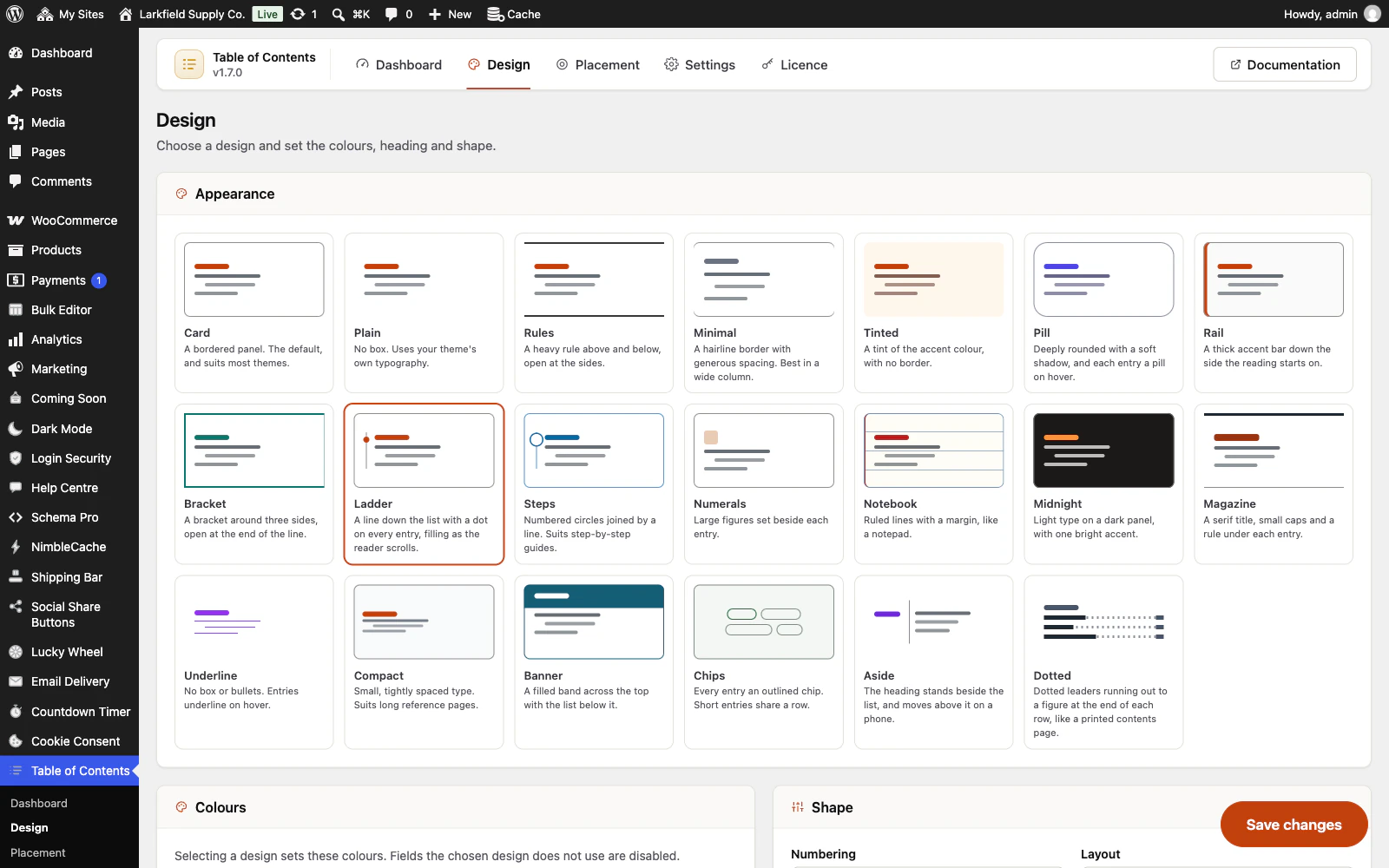
Every heading gets its own permanent link
The link is named after the words in the heading, the way WordPress names a post's permalink.
More: Every heading gets its own permanent link
No two headings on a page get the same one, and a heading that already had a link keeps it, because somebody may have shared it. These are what a search engine uses to offer a jump straight into the right part of your page.
-
Rename a heading without breaking the links to it
An anchor is made from a heading's words, so editing the words has always broken every link already shared to it — and you never find out which link that was until afterwards.
More: Rename a heading without breaking the links to it
Each save now writes the post's anchors down, and a heading that comes back under a new name keeps the old one working alongside it. It will not guess: a heading replaced outright, or one of two that could each be the rename, is left alone rather than sending a reader somewhere they were not going.
Where it goes
6 features
-
Automatic, but never on the wrong post
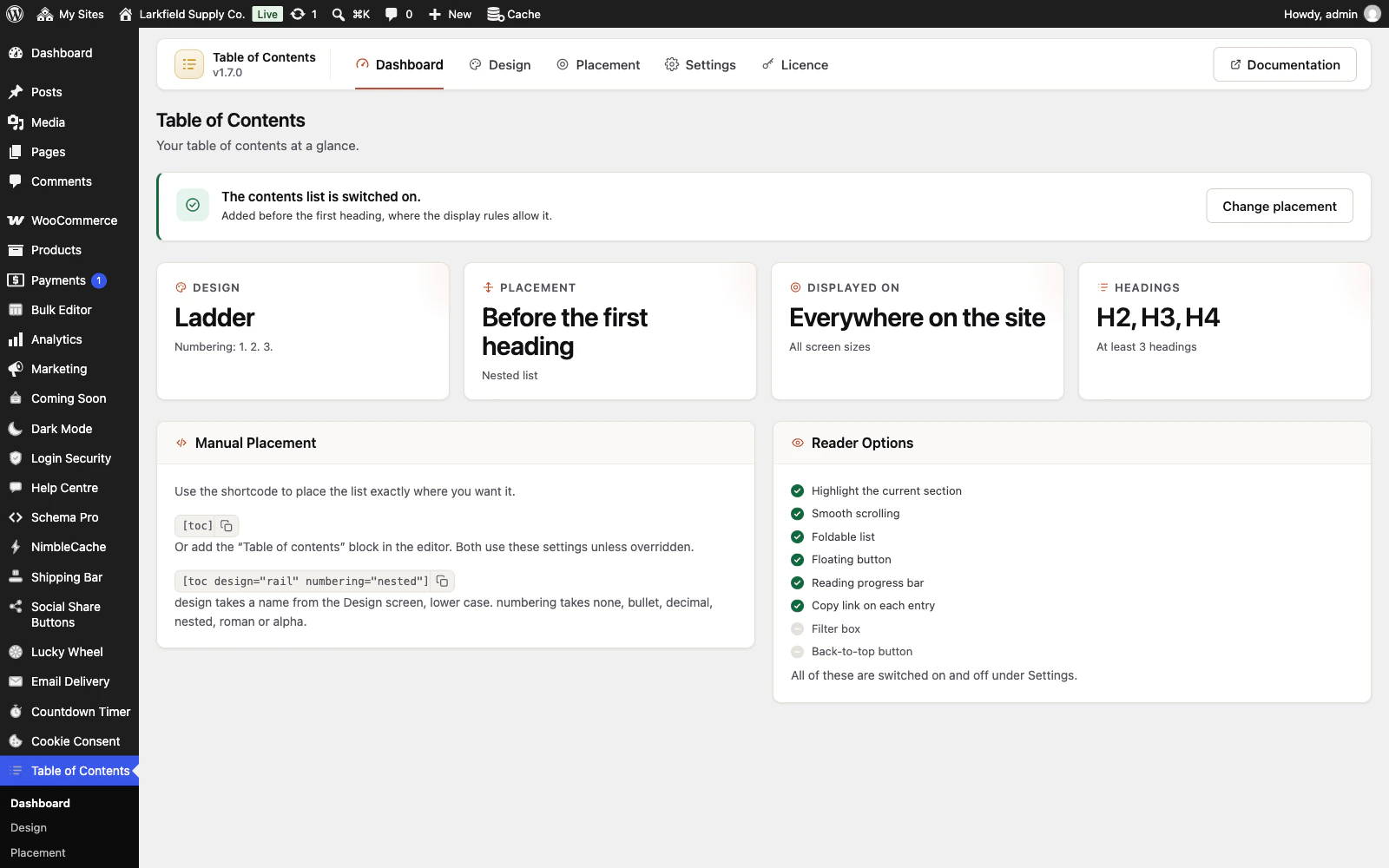
Added before the first heading — after the intro, above the first section — on any post long enough to need one.
More: Automatic, but never on the wrong post
Set the threshold yourself, limit it to the post types and pages you choose, and overrule the whole thing from any single post's editor.
-
Finds the headings the list cannot see
A line made bold where a heading was meant, sections written as H1s, a heading that skips a level: in the block editor the post's Table of Contents box names each one while you write, and one press makes the bold lines headings, keeping their anchors, alignment and colours, or puts the levels right, with Undo beside it.
More: Finds the headings the list cannot see
Nothing is saved until you save the post. The classic editor names the bold lines once the post is saved. Nothing changes until you press.
-
A shortcode and a block for the rest
[toc] anywhere in the content, or the Table of contents block in the editor.
More: A shortcode and a block for the rest
Both take their settings from the plugin unless you override them on the spot, so [toc design="rail" numbering="nested"] tries something on one post without changing anything for the others.
-
Switch from Easy Table of Contents or LuckyWP without editing a post
Deactivate the old plugin and leave your posts alone.
More: Switch from Easy Table of Contents or LuckyWP without editing a post
Its [ez-toc], [toc] and [lwptoc] shortcodes and LuckyWP's block show this list in the same place, with their title, heading levels and folding. A post where the old list was switched off stays without one, and links people shared to the old sections still land on the heading. Nothing of the old plugin's is changed, so switching back is one click.
-
In the sidebar, and in view while people read
Add the Contents (sidebar) block, or the widget on a classic theme, and the post's list sits beside the article in the same design.
More: In the sidebar, and in view while people read
Placed last in the sidebar it stays in view under your sticky header and marks the section being read. It is drawn from the same headings as the list in the post, so the two always match, and a post without a list leaves the sidebar exactly as it was. On wide screens the list in the post can stand aside for it.
-
One list across every page of a split post
A post split into pages with the Page Break block can list the whole post on every page.
More: One list across every page of a split post
An entry for a heading on another page opens that page at the heading and says which page it is on; the entries for the page being read scroll as usual. Every page keeps the heading links it already had, and the editor box counts page by page, so it says what each page will show. The other pages are read without running their shortcodes, and a section a block or a membership shortcode keeps from visitors is not in their list. On for new sites; a site that had the plugin before is offered it.
Getting around
5 features
-
Comes back after it has scrolled away
A small button in the corner reopens the list once the real one has scrolled off the top, so the reader can jump to another section from anywhere in the article — without a sidebar, and without moving the list out of the post where it belongs.
-
Folds away, branch by branch
The whole list folds, and so does each branch.
More: Folds away, branch by branch
Start it folded on phones only, where a forty-entry list would push the article itself off the bottom of the screen. An accordion mode keeps one branch open at a time.
-
Stops in the right place under a sticky header
Name your sticky header once and its height is measured and allowed for, so jumping to a section never lands with the heading hidden underneath it.
More: Stops in the right place under a sticky header
The admin bar is measured too, for signed-in readers only.
-
A copyable link on every entry
A small button on the row being pointed at copies a link straight to that section — for anyone who wants to share one part of a long article rather than the whole thing.
-
Reading time, section count and a progress bar
Say how long the post takes, how many sections it has, and how far through it the reader is.
More: Reading time, section count and a progress bar
All three are off by default: they suit a long guide and clutter a short one, so it is your call rather than ours.
Honest by default
3 features
-
Nothing fetched from anywhere
One small stylesheet and one small script, both from your own server, and only on pages that actually have a contents list.
More: Nothing fetched from anywhere
No font, no icon service, no third-party request, and nothing recorded about the reader.
-
Works without JavaScript
The list is a real nav holding real links to real anchors before a byte of script runs.
More: Works without JavaScript
Folding, the scroll marker and the copy button are additions on top — if any of them fail, the reader still has a working table of contents.
-
Prints as a proper contents page
On paper the interactive chrome disappears and anything folded is opened, so a printed article carries a contents list that is actually complete rather than an empty box with a Show button in it.
Pricing
Every plan includes every feature. Choose how many domains, and whether to pay yearly or once.
Pay yearly renews until you cancel
Pay once (lifetime) no renewals
- Every plan includes every feature. You choose only the number of domains.
- 30-day refund, no reason needed. Refund policy
- Licence key and download straight after payment, by Stripe.
- A lapsed licence stops updates and support. It never switches a feature off.
- Local, development and staging copies are free and do not count against your domains.
- Yearly plans renew at the then-current price until you cancel. Cancel any time from your account.
- Where tax applies it is calculated at checkout and shown before you pay.