


Help Centre features
Every feature, grouped by what it does. All 26 are in every plan.
$19 a year for one site · or pay once from $49
See the plansKnowledge base
6 features
-
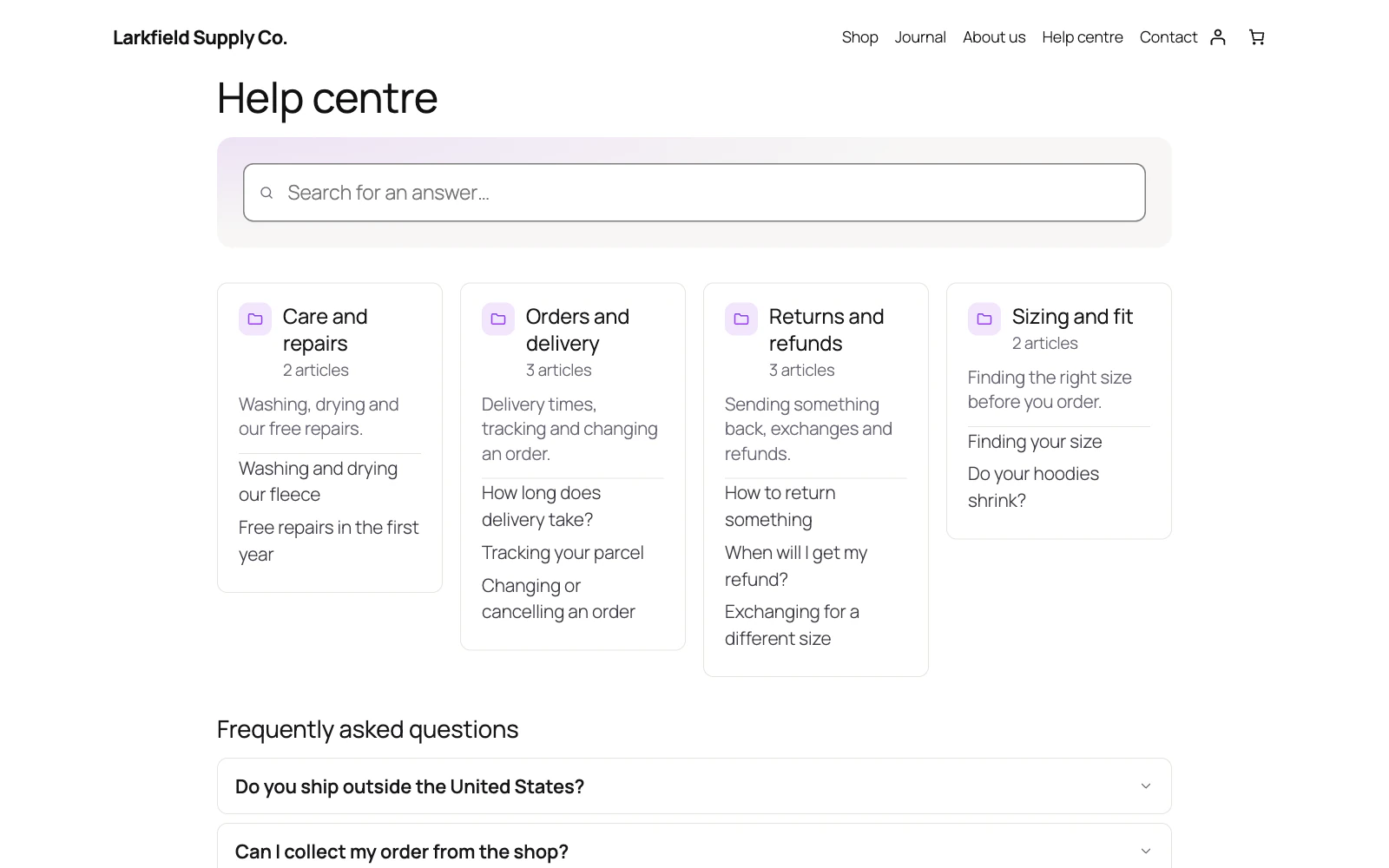
A knowledge base worth reading
Articles in topics, ordered the way you arranged them rather than by date, with a table of contents built from the article's own headings and related reading at the end.
-
For customers only, if you like
One setting keeps the articles, topics, front page and search for people signed in to your site, and sends everyone else to sign in and back again.
More: For customers only, if you like
Every door is closed with it, not just the front one: your theme's search, the REST API, the sitemap and link previews stop listing articles. The support desk stays open.
-
Search that understands a sentence
WordPress search demands every word appear, so "how do I get a refund on my order" finds nothing.
More: Search that understands a sentence
Ours matches on the words that matter and ranks a title above a passing mention in paragraph nine.
-
Show a "Was this helpful?" vote
Readers answer in one click, and the dashboard lists the articles they said no to.
More: Show a "Was this helpful?" vote
It is the fastest way to find the page that is quietly failing everyone who reads it.
-
Ask what was missing
After a No, the reader is asked what they were looking for, so you know why an article failed as well as that it did.
More: Ask what was missing
Their words appear on the article's edit screen, the newest beside it in the dashboard's list of unhelpful articles, with no name, address or account kept. A note carrying an email address, a web address starting with http or www, or seven digits or more in a row, as a phone or order number has, is not kept at all.
-
The searches that found nothing
The dashboard lists what customers searched for and did not find, most frequent first, with a link that starts the missing article.
More: The searches that found nothing
Only the words are kept, never who typed them.
FAQ
1 feature
-
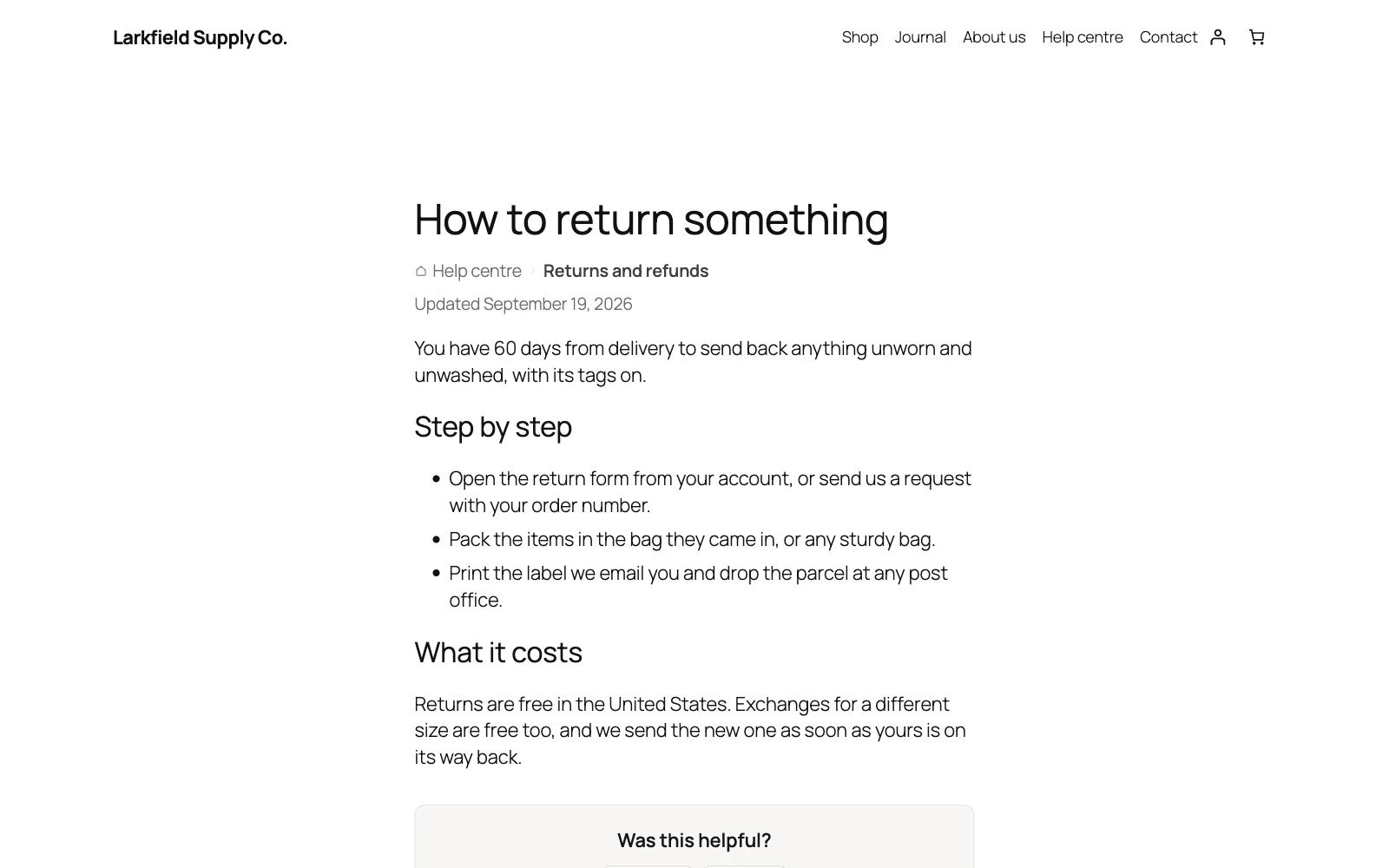
An FAQ search engines can read
Questions grouped and shown as an accordion that opens without JavaScript, with FAQPage structured data that search engines and AI assistants can read.
Support desk
13 features
-
The answers you send every day, written once
A desk answers the same dozen questions over and over.
More: The answers you send every day, written once
Write each answer once and it becomes a button above the reply box: one click and it is in the editor, at your cursor, with the customer's name, the reference, the subject and your own name already filled in. A placeholder with nothing to fill it is removed rather than left for you to spot, so a reply never goes out still saying {customer}.
-
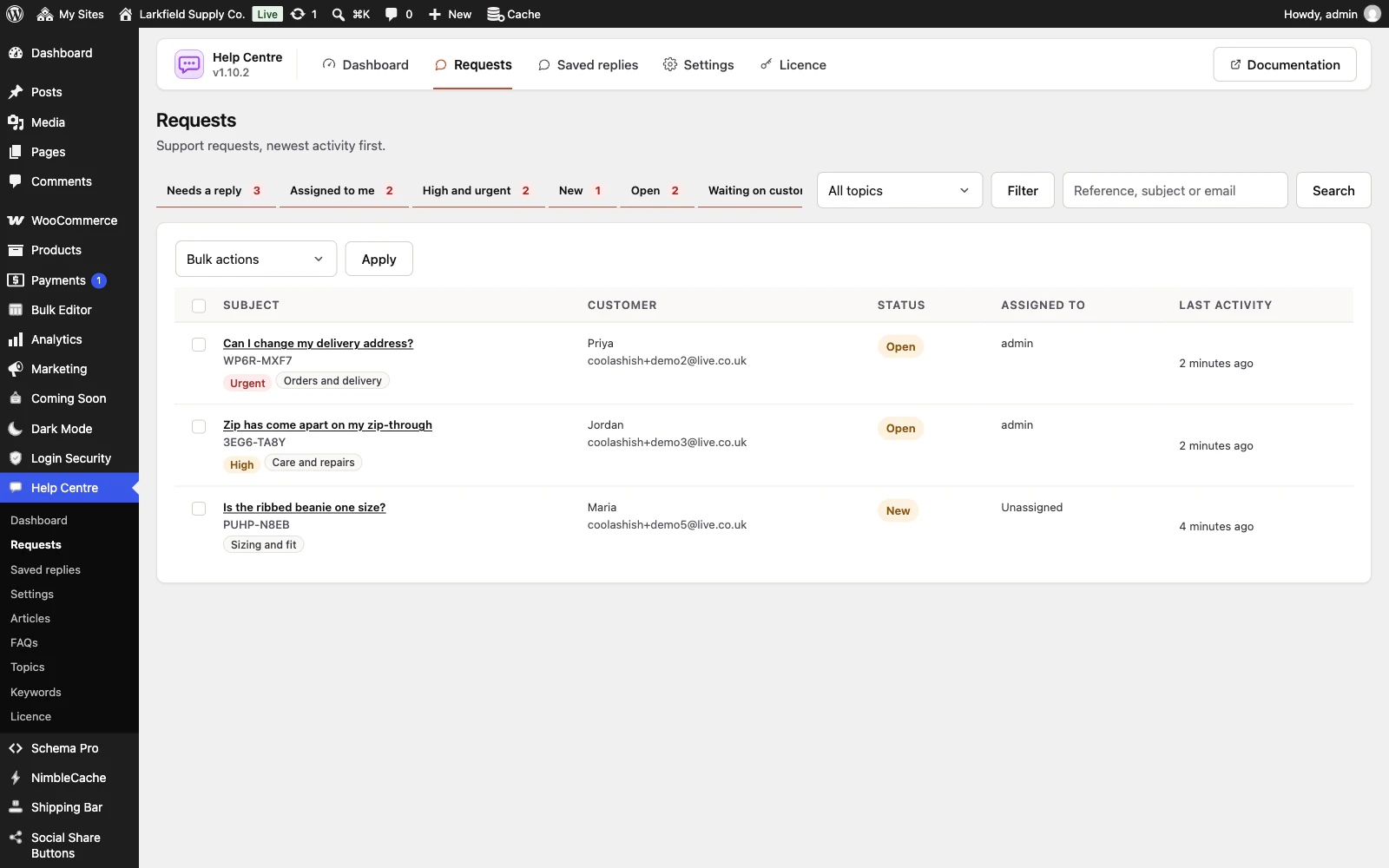
Requests, not an inbox
Every request gets a reference, a status and a thread.
More: Requests, not an inbox
Work a queue that defaults to what still needs a reply, rather than scrolling a mailbox.
-
The right person, from the first minute
The topic a customer picks is shown on every request and filters the queue.
More: The right person, from the first minute
Choose who answers each topic and new requests are assigned to them as they arrive. With the desk's emails on, the new-request email reaches them too, and a colleague you hand a request to gets an email saying so; take one yourself and nobody is bothered.
-
How did we do?
When you resolve a request, the customer is asked on its page and in the Resolved email, and answers Good or Not good with a comment if they like.
More: How did we do?
The dashboard shows the share rated good over the last 30 days and lists the latest Not good ones, and each request shows its rating. Only the customer can rate, and the rating locks once you close the request. On for new installs; an existing desk switches it on under Settings.
-
Requests that tidy themselves up
A request you answered that the customer never replied to can resolve itself after 3, 5, 7, 14 or 30 days, counted from your last reply.
More: Requests that tidy themselves up
The customer gets an email saying so, with a link that reopens it and the How did we do? question, and can be reminded a few days before. Urgent requests are left alone, an old backlog is resolved without emailing anybody, and the dashboard counts what resolved itself. Off until you choose a number.
-
No account needed
Customers write with an email address and get a private link back to their own conversation.
More: No account needed
Signed-in customers see what they sent in one list.
-
Answers offered before they ask
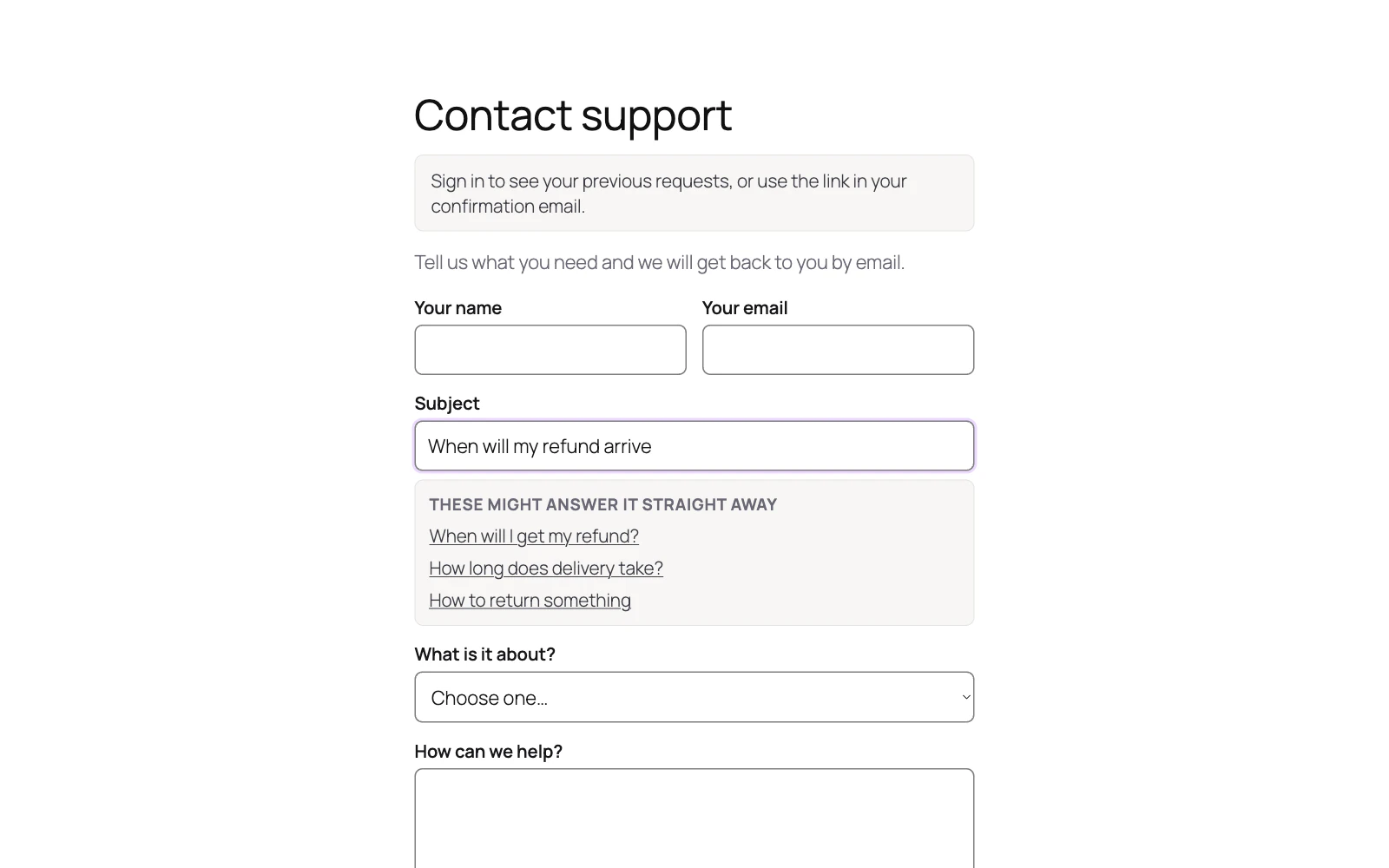
Matching articles appear under the subject line while someone types their question.
More: Answers offered before they ask
Many people find what they needed and never send it.
-
Ask about this product
A link under the add to cart button opens the request form about that product, and your team sees which product on the request.
More: Ask about this product
Links of your own can open the form on the right topic with the subject typed, from a returns page, a menu or an order email. Nothing about the customer is put in the link.
-
The order it is about
On a WooCommerce shop, signed-in customers pick the order their question is about, and you see it beside the conversation with their five latest orders.
-
A screenshot, on the request it belongs to
"Could you send me a screenshot?" is the first reply most desks send, and every one of them costs a round trip.
More: A screenshot, on the request it belongs to
Customers can attach up to three files to a message and so can you — pictures show in the conversation, and anything refused is named rather than dropped in silence. Files are kept out of your media library, under a random name with no extension, and are only served to you and to the customer whose request it is.
-
Private notes
Leave a note on a request for whoever picks it up next.
More: Private notes
Never emailed, never shown to the customer.
-
Assignment and priority
Give a request to a colleague, set its priority, and see the median time it takes your team to reply first.
More: Assignment and priority
High and urgent requests carry a label in the queue and have a tab of their own, and urgent ones say so in the subject of your team's emails.
-
Work the queue in bulk
Tick several requests, or a whole page, and resolve, close, assign, reprioritise or delete them in one go.
More: Work the queue in bulk
Resolve them without emailing the customers when they are junk. Apply says how many emails will go, or how many requests will be deleted, before it does anything, and emails only the customers it counted.
Design
2 features
-
Six looks for the front page
Cards, Tiles, List, Minimal, Spotlight and Boxed.
More: Six looks for the front page
Each is a shape, not a palette: your theme's type and the same colours every time, so trying another look never repaints the page. Chosen with one click, no CSS.
-
It looks like your site
Everything inherits your theme's typography and reads from colour variables you can override in one line, and article text stays in your theme's own colour.
More: It looks like your site
No jQuery, no fonts fetched from anywhere, and a dark palette for a dark theme.
Everywhere
4 features
-
Set it up once, not once per site
Export the address, the search behaviour, the emails and the wording as a small file, and import it on your next site.
More: Set it up once, not once per site
Settings only — no articles, no FAQs, no requests, no saved replies and no licence key. The two pages holding the shortcodes are named by number, so those you choose again, and the message after the import says so.
-
An admin that never reloads
Every screen in the plugin arrives without a page load, and every save happens where you are standing.
More: An admin that never reloads
WordPress fetches the whole of wp-admin's CSS and JavaScript again to change one panel; this fetches the panel. The screen you are on is still there while the next one is on its way, and the one you are heading for is usually already in hand — a pointer takes a moment to reach a menu item, and that moment is spent fetching.
-
Saved, and told so where you are looking
A save answers in the corner of the screen, bordered in the colour of what it is telling you and saying what was saved rather than just "Saved".
More: Saved, and told so where you are looking
Four seconds, and hovering holds it open. No reload, and no scrolling back to find a notice above the header three hundred pixels from the button you just pressed.
-
Tabs that change instantly
A WordPress admin request spends about a second in its own bootstrap before a plugin gets a word in, and fetching when your pointer arrives only buys back a fraction of it.
More: Tabs that change instantly
So the plugin's other screens are fetched quietly while you read the first one — one at a time, only while the browser is idle, and never on a metered connection. By the time you click a tab the answer has been in memory for seconds.
Pricing
Every plan includes every feature. Choose how many domains, and whether to pay yearly or once.
Pay yearly renews until you cancel
Pay once (lifetime) no renewals
- Every plan includes every feature. You choose only the number of domains.
- 30-day refund, no reason needed. Refund policy
- Licence key and download straight after payment, by Stripe.
- A lapsed licence stops updates and support. It never switches a feature off.
- Local, development and staging copies are free and do not count against your domains.
- Yearly plans renew at the then-current price until you cancel. Cancel any time from your account.
- Where tax applies it is calculated at checkout and shown before you pay.