


Social Share Buttons features
Every feature, grouped by what it does. All 22 are in every plan.
$19 a year for one site · or pay once from $49
See the plansSharing
5 features

-
Fifteen networks, kept current
X, Facebook, WhatsApp, LinkedIn, Pinterest, Reddit, Telegram, Bluesky, Threads, Mastodon, Tumblr and email, plus copy link, print and the phone's own share sheet.
More: Fifteen networks, kept current
No dead networks padding the list.
-
Ask an AI about this page
Buttons for ChatGPT, Claude, Perplexity, Google AI Mode and Grok, which open the assistant with a request to summarise the page.
More: Ask an AI about this page
The question is yours to change and follows your site's language. Off until you choose them, nothing loaded from the services, and nothing sent until a reader presses one. Presses are counted like shares.
-
Follow buttons for your own profiles
Links to your profiles on Instagram, YouTube, TikTok, Mastodon, Spotify, GitHub and eleven more, in the order you set.
More: Follow buttons for your own profiles
Placed with a block, a shortcode, a template tag or under the share buttons. Plain links with the marks drawn into the page, so nothing is loaded from anywhere else.
-
A quotable line
Mark the one sentence in an article worth repeating and a reader can post it in a single click, with a link back to you.
-
Title, summary and picture for shared pages
Open Graph and X card tags from your title, excerpt and featured image (or your Site Icon), so a shared page shows what it is about instead of a bare link.
More: Title, summary and picture for shared pages
Give any post its own share title, summary and picture, set a default picture for posts without one, and see the card as you edit. On for new sites and suggested to existing ones. It steps aside wherever an SEO plugin or your theme already writes them.
Design
2 features
-
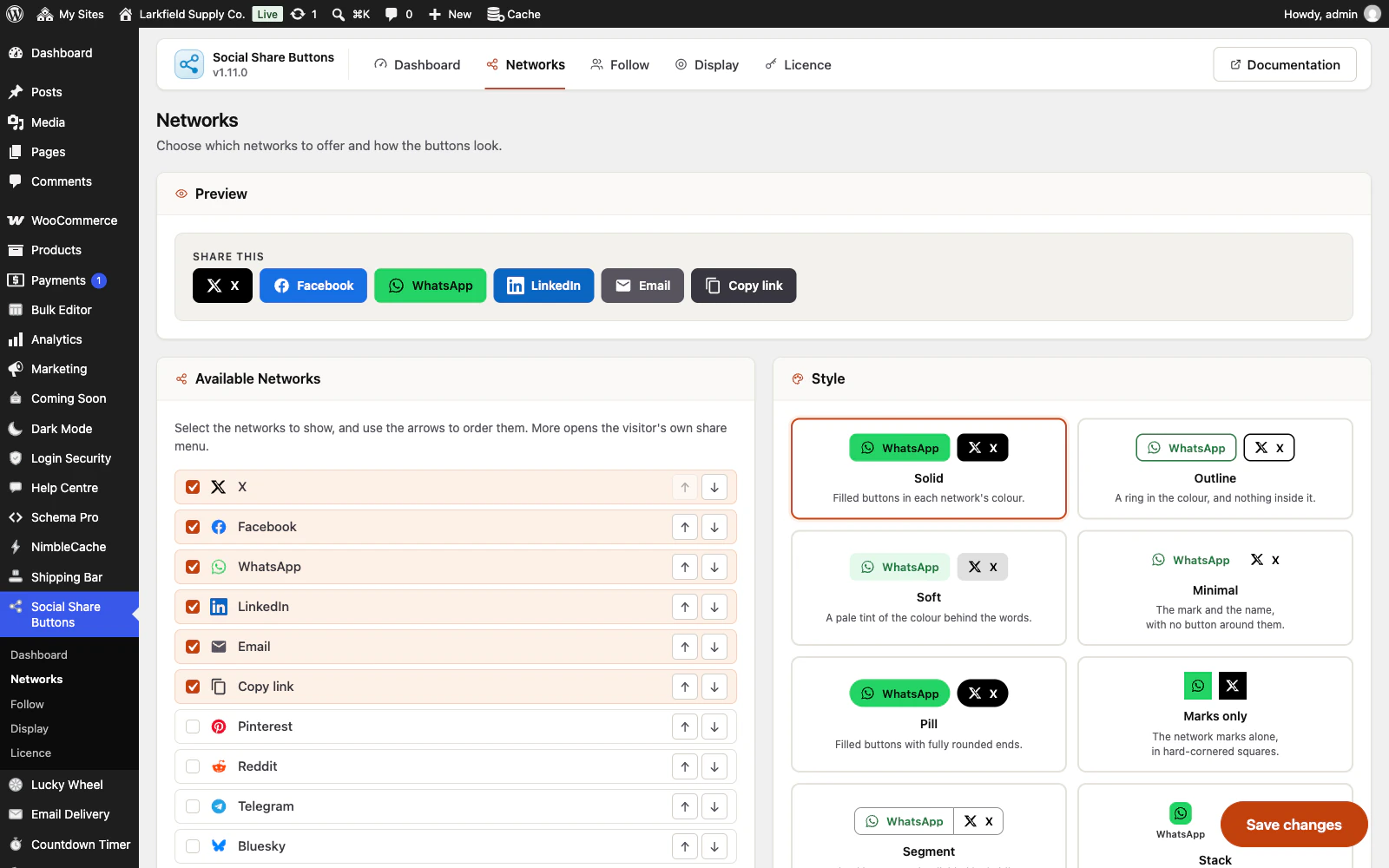
Twelve button styles
Solid, outline, soft, minimal, pill, marks only, segment, stack, two-tone, raised, underline or badge — with rounded, circular or square corners, three sizes, and labels that can hide themselves on a phone where a labelled row would wrap into a wall.
More: Twelve button styles
Segment joins the buttons into one strip divided by hairlines; stack puts each mark in a coloured tile with its name underneath, like a phone's share sheet. Every card in the picker draws itself in the style it names.
-
Your colours or theirs
Each network in its own brand colour, everything in one neutral, or everything in a colour you pick.
More: Your colours or theirs
The buttons inherit your theme's typography either way, so they read as part of the page.
Placement
5 features
-
Placed where people share
Above the content, below it, floating alongside it, or pinned to the bottom of the screen on a phone — and on a WooCommerce shop, in the product summary under Add to cart.
More: Placed where people share
Use as many as suit the page, and a block, a shortcode or a template tag for anywhere else.
-
Per-post control
Choose which content types get buttons, whether archives and the front page do, and switch them off for one particular post from the editor without keeping a list of exceptions.
-
On exactly the content you mean
Tick the kinds of content that carry buttons, and the archives if you want them — both lists built from your own site, custom post types included.
More: On exactly the content you mean
Nothing asks for an ID, and nothing is offered that buttons could never appear on.
-
Keep them off whole sections
The Exclude list takes a page, a post, a product or a whole category — picked by name — and a category covers everything filed under it.
More: Keep them off whole sections
Individual posts can still be switched off from the editor.
-
Audience and schedule
Limit it to desktop, tablet or mobile — decided by the width of the window, so it survives page caching — to signed-in or signed-out visitors, or to particular roles.
More: Audience and schedule
Give it a window of dates, days of the week and hours if it is only meant to run for a while.
Measuring
3 features
-
Counts you can stand behind
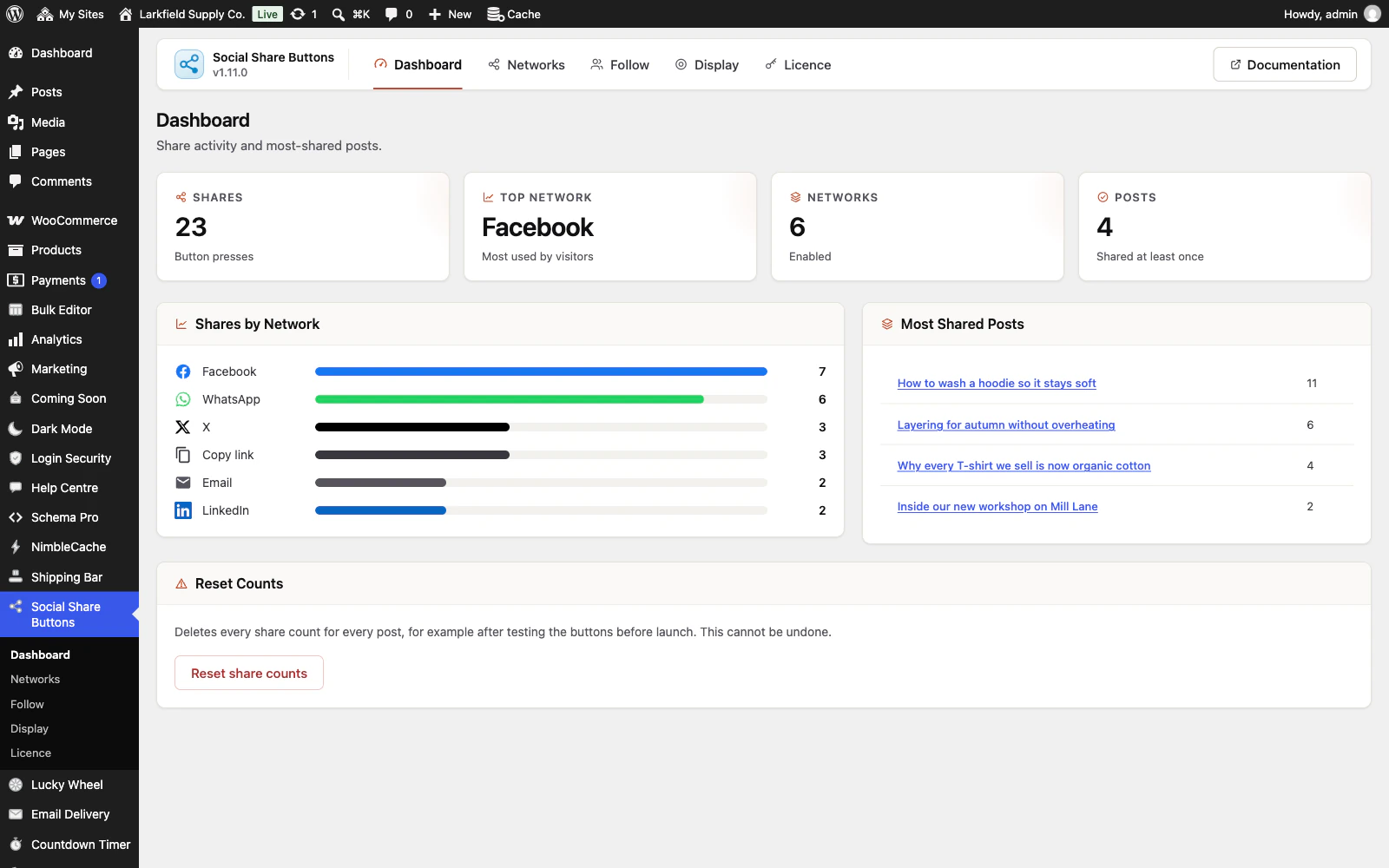
Presses are counted on your own site, per post and per network.
More: Counts you can stand behind
Nothing about the reader is stored — a post id and a network name is the whole row.
-
How each post did, in your lists
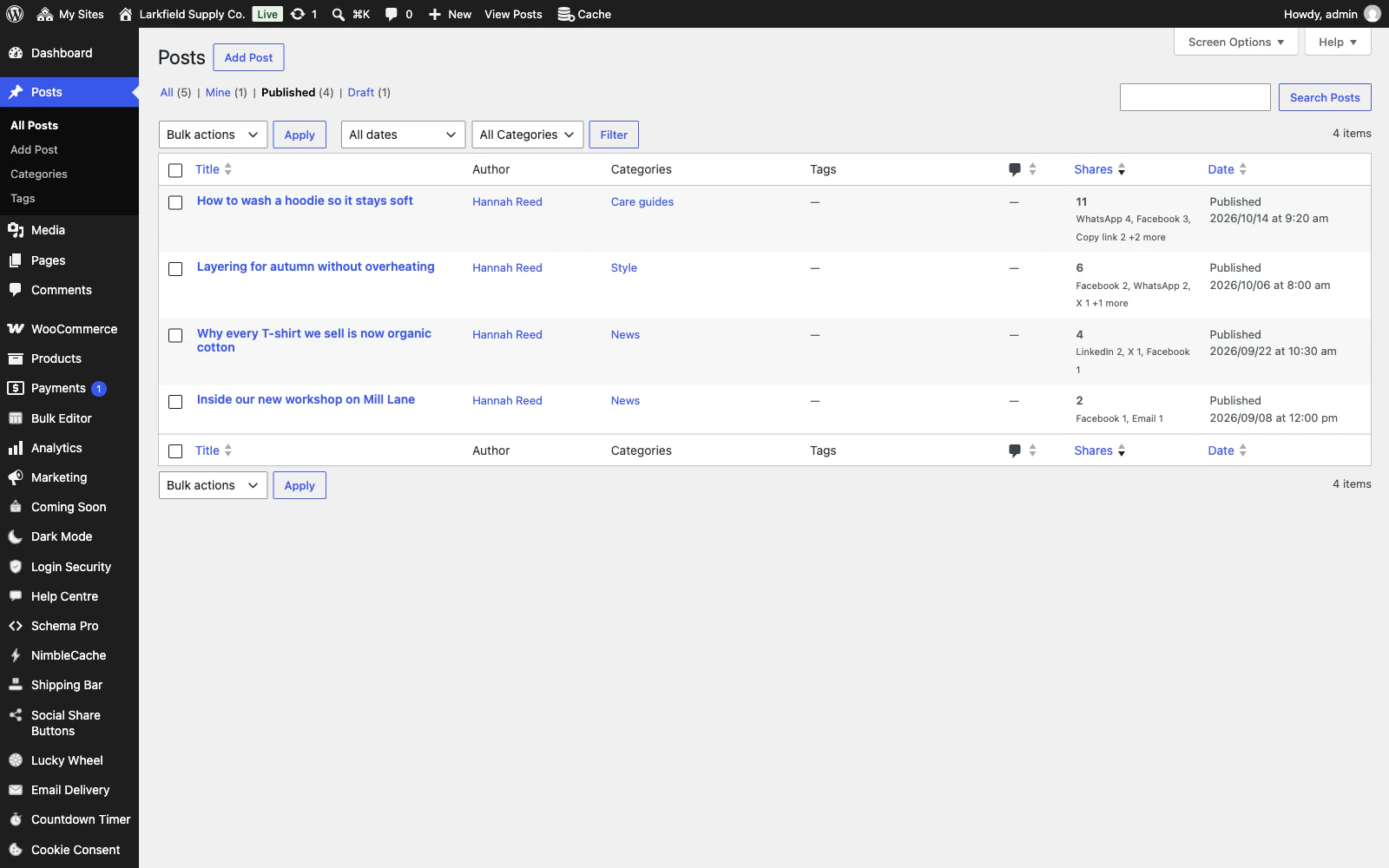
While presses are counted, a Shares column on the Posts, Pages and Products lists shows how often each post's share buttons were pressed and the networks pressed most, and sorts the list by it.
More: How each post did, in your lists
Open a post and its Share buttons box names every network and its count. It adds nothing to what your visitors load.
-
See what a share brought back
Switch on UTM tags and every shared link says which button it came from, so the visits a share brings back show up in Google Analytics, Matomo or whatever analytics you already use.
More: See what a share brought back
Off until you ask for it.
Performance
3 features
-
Nothing loaded from elsewhere
No jQuery, no network SDKs, no tracking pixels, no external fonts.
More: Nothing loaded from elsewhere
One small stylesheet and one small script, both loaded only on pages that show buttons, and only after the page itself.
-
Works without JavaScript
Every network button is a plain link that works with scripts disabled.
More: Works without JavaScript
The script only adds the things a link cannot do — copying, printing, the device share sheet and Mastodon.
-
Accessible by default
Real buttons and real links, each with an accessible name, visible focus rings, and motion that respects a reduced-motion preference.
Everywhere
4 features
-
Set it up once, not once per site
Export the networks, the design, the placement and the rules as a small file, and import it on your next site.
More: Set it up once, not once per site
Settings only — no share counts and no licence key. Rules that name a particular page by its number are left for you to set, because that number means something else on the other site, and the message after the import says which.
-
An admin that never reloads
Every screen in the plugin arrives without a page load, and every save happens where you are standing.
More: An admin that never reloads
WordPress fetches the whole of wp-admin's CSS and JavaScript again to change one panel; this fetches the panel. The screen you are on is still there while the next one is on its way, and the one you are heading for is usually already in hand — a pointer takes a moment to reach a menu item, and that moment is spent fetching.
-
Saved, and told so where you are looking
A save answers in the corner of the screen, bordered in the colour of what it is telling you and saying what was saved rather than just "Saved".
More: Saved, and told so where you are looking
Four seconds, and hovering holds it open. No reload, and no scrolling back to find a notice above the header three hundred pixels from the button you just pressed.
-
Tabs that change instantly
A WordPress admin request spends about a second in its own bootstrap before a plugin gets a word in, and fetching when your pointer arrives only buys back a fraction of it.
More: Tabs that change instantly
So the plugin's other screens are fetched quietly while you read the first one — one at a time, only while the browser is idle, and never on a metered connection. By the time you click a tab the answer has been in memory for seconds.
Pricing
Every plan includes every feature. Choose how many domains, and whether to pay yearly or once.
Pay yearly renews until you cancel
Pay once (lifetime) no renewals
- Every plan includes every feature. You choose only the number of domains.
- 30-day refund, no reason needed. Refund policy
- Licence key and download straight after payment, by Stripe.
- A lapsed licence stops updates and support. It never switches a feature off.
- Local, development and staging copies are free and do not count against your domains.
- Yearly plans renew at the then-current price until you cancel. Cancel any time from your account.
- Where tax applies it is calculated at checkout and shown before you pay.