


Load the tags only after the visitor clicks Accept, rather than loading them as usual and showing a banner on top. You can test any site for this in two minutes: in a private window with the browser's Network panel open, nothing should come from Google Analytics or Facebook before you click anything. This guide gives that test, the usual reasons a site fails it, a small piece of code that passes it, and the regulators' own pages for the rules.
Why asking is not the same as holding back#
Google's tag and Meta's pixel are scripts. Placed in the page head, as their own instructions say, they run while the page loads: they set their cookies (_ga and _ga_<container-id> for Google Analytics, as Google documents, and _fbp for the pixel, as Meta documents) and report the visit before anybody has read the banner. A banner that only stores the answer has asked too late.
The rules are about that order. In the EU, Article 5(3) of the ePrivacy Directive allows storing information on a visitor's device, or reading it from there, only with consent or where it is necessary for specific purposes the article sets out. The European Data Protection Board's guidelines on the technical scope of Article 5(3) say it covers tracking pixels as well as cookies. In the UK the rules are in PECR, and the ICO finalised its guidance on storage and access technologies in April 2026, after the Data (Use and Access) Act changed them. It now describes an exception for analytics used only to improve your own site, where visitors are told and given a simple, free way to object, and it says that exception does not cover advertising. Whether any exception fits your site is a question for that guidance and, if you are unsure, for somebody qualified. This guide covers the technical part.
Test your own site in two minutes#
- Open a private window, so no earlier answer is stored.
- Open the developer tools (F12, or Cmd + Option + I on a Mac) and choose Network.
- In the filter box, type
/googletagmanager|google-analytics|analytics.google|doubleclick|facebook/with the slashes, which makes Chrome read it as a pattern. - Load your site and leave the banner alone.
- Look at the list. Before you click anything it should be empty.
- Click Reject, then open another page. The list should still be empty.
- Open a new private window, load the site and click Accept. Now
gtag/jsfrom googletagmanager.com andfbevents.jsfrom connect.facebook.net appear, followed by the requests they make.
Then look at the cookies under Application → Storage → Cookies (Chrome's guide). Before Accept there should be no _ga and no _fbp. Chrome's Network panel guide covers the filter box, and Firefox has the same tools in its Network Monitor.
One set-up shows Google requests before the click on purpose. In Google's advanced consent mode, its consent mode overview says, the tag loads straight away and, while consent is denied, sends measurements without cookies. In basic consent mode the tag is blocked until the visitor answers, and nothing reaches Google before then. Which suits your site is a decision for you and your adviser; the test shows you which one you have.
Why something still loads before the click#
- The tag is pasted into the theme (a header box in the theme's options,
header.php, a child theme) or added by another plugin, and whatever your banner uses to hold tags back does not reach it. - Google Tag Manager waits, but the tags inside it do not: once the container loads, any tag in it can fire unless that tag is told to wait. Google's overview points to Advanced Settings → Consent Settings in Tag Manager for tags without built-in consent checks.
- Meta's base code ends with a
<noscript>image that reports a page view for visitors with JavaScript switched off, who can never click your banner. - An embedded YouTube video, map or social post is a request to that company as soon as the page loads.
- WooCommerce's own Order Attribution (on by default, under WooCommerce → Settings → Advanced → Features) sets cookies whose names start with
sbjs_. With the WP Consent API plugin installed and a consent tool that uses it, WooCommerce waits for consent to marketing first. - The page comes from a cache made before you changed anything, or a performance plugin has combined the scripts into one file, so nothing that recognises scripts by their address can tell them apart any more.
The free way: load the tags only after a yes#
If you added Google Analytics and the pixel yourself, you can replace both with the script below. It asks once, remembers the answer in the visitor's browser, and loads nothing from Google or Meta until the visitor clicks Accept. Put it where your old tags were, delete those (Google's snippet and Meta's base code, <noscript> part included), and put your own IDs in the first lines.
<script>
(function () {
  var KEY = 'site-consent';          // where the visitor's answer is kept
  var GA_ID = 'G-XXXXXXXXXX';        // your Google Analytics ID
  var PIXEL_ID = '000000000000000';  // your Meta pixel ID

  function loadAnalytics() {
    window.dataLayer = window.dataLayer || [];
    window.gtag = function () { window.dataLayer.push(arguments); };
    gtag('js', new Date());
    gtag('config', GA_ID);
    var s = document.createElement('script');
    s.async = true;
    s.src = 'https://www.googletagmanager.com/gtag/js?id=' + GA_ID;
    document.head.appendChild(s);
  }

  function loadPixel() {
    // Meta's base code, unchanged, minus the <noscript> image.
    !function(f,b,e,v,n,t,s){if(f.fbq)return;n=f.fbq=function(){n.callMethod?
    n.callMethod.apply(n,arguments):n.queue.push(arguments)};
    if(!f._fbq)f._fbq=n;n.push=n;n.loaded=!0;n.version='2.0';
    n.queue=[];t=b.createElement(e);t.async=!0;
    t.src=v;s=b.getElementsByTagName(e)[0];
    s.parentNode.insertBefore(t,s)}(window, document,'script',
    'https://connect.facebook.net/en_US/fbevents.js');
    fbq('init', PIXEL_ID);
    fbq('track', 'PageView');
  }

  function start() { loadAnalytics(); loadPixel(); }

  var answer = null;
  try { answer = localStorage.getItem(KEY); } catch (e) {}
  if (answer === 'yes') { start(); return; }
  if (answer === 'no') { return; }

  document.addEventListener('DOMContentLoaded', function () {
    var box = document.getElementById('consent-box');
    box.hidden = false;
    box.addEventListener('click', function (e) {
      var choice = e.target.getAttribute('data-consent');
      if (!choice) { return; }
      try { localStorage.setItem(KEY, choice); } catch (err) {}
      box.hidden = true;
      if (choice === 'yes') { start(); }
    });
  });
})();
</script>
The banner goes just before </body>:
<div id="consent-box" hidden>
  <p>May we count visits with Google Analytics and measure our ads with Meta? Both set cookies.</p>
  <button type="button" data-consent="yes">Accept</button>
  <button type="button" data-consent="no">Reject</button>
</div>
We tested it in a headless Chromium with Google's and Meta's addresses intercepted: no request to either before a click, both after Accept, none after Reject, and the stored answer kept on the next visit.
It leaves three things to you. It asks one question for measurement and advertising together; the ICO's page on managing consent in practice discusses bundling consent requests, and for separate answers you store two and call each loader on its own. People need a way to change their mind, such as a "Cookie settings" link in your footer that runs localStorage.removeItem('site-consent') and reloads the page (that does not delete cookies already set). And the banner needs styling: the same ICO page lists, among its expectations, a mechanism that "makes it as easy to refuse consent as it is to accept", so give Accept and Reject the same weight.
If you would rather keep Meta's code as it is, Meta's consent API does part of the job: fbq('consent', 'revoke') before fbq('init', ...) pauses the pixel's events until fbq('consent', 'grant'), and Meta says to call revoke on every page. The fbevents.js file is still fetched from Meta, so the test above will show it.
Embedded videos and maps#
An embed is another company's page inside yours. To hold one back, show a still image or a plain box with a button where the video goes, and add the <iframe> only when the visitor presses it. YouTube's privacy-enhanced mode, an embed address on youtube-nocookie.com, is not the same thing: by YouTube's own description it stops the view being used to personalise YouTube and advertising, but the player still loads from YouTube.
Expect your analytics to count fewer visits#
Visitors who say no, or never answer, stop being counted, so reports show fewer visits and conversions than before the change. The site did not lose those people; the reports stopped seeing them. Compare periods either side of the change with that in mind, and resist making Reject harder to find to win the numbers back.
Doing it with Cookie Consent#
Cookie Consent does the holding back for you, as its documentation describes under The part that makes it different. It rewrites the page so that every script and embed of a service nobody has agreed to leaves the server with type="text/plain" and its address moved out of src. A browser will not run a script whose type it does not recognise, and will not fetch an address that is not in src. When a visitor agrees, the plugin's own script puts the tags back, one at a time and in the page's order. The page is the same for everybody, so it works behind a page cache.
Also as documented:
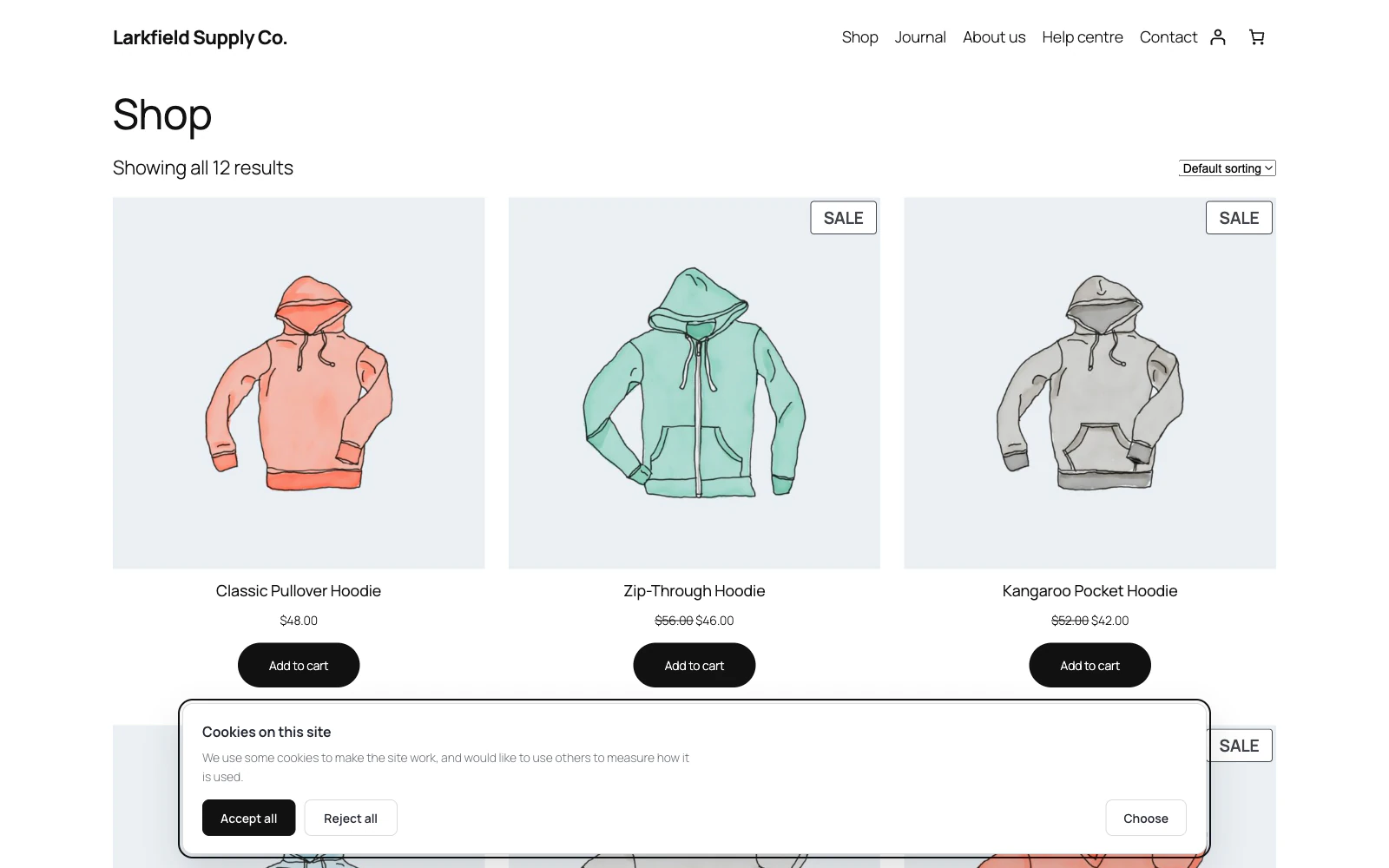
- It reads your own pages as a logged-out visitor would (on a shop, the newest product, the cart and the checkout too) and lists the third parties on them, with Held back: No beside anything still running before people agree (What is held back).
- It recognises Google Analytics, Google Tag Manager, Meta's pixel, Google Ads, Hotjar, Microsoft Clarity and the other services listed there, by their address and by a phrase from their snippets.
- The banner offers only the categories your site uses, out of Necessary, Preferences, Measurement and Advertising.
- Embeds are held back with a Load this content button in a box the size of the video.
- It prints Google's Consent Mode signals, set to denied, before any Google tag can run, and holds Google Tag Manager back as Measurement.
- It keeps a record of each answer: a random reference, when, what was agreed, how, and on which page, with no IP address.
What it does not do: it is not legal advice, which its documentation says first (Before anything else). Scripts that a performance plugin combines into one file or renames cannot be recognised, so they are not held back; leave them out of combining. A script from a site it does not recognise keeps loading until you hold it back yourself. Two consent plugins rewriting the same page give a result that depends on which loads last, so run one. And a CDN or host cache it cannot empty may serve old pages until they expire.
Check it worked#
- In a private window with the Network filter set, nothing from Google or Facebook loads before you click.
- After Reject, nothing loads on the next page either.
- After Accept, the tags load, and
_gaand_fbpappear under Application → Storage → Cookies. - Videos and maps show a placeholder until somebody presses it.
- You have emptied your page cache and any CDN, and tried the test on a phone too.
- You run the test again whenever you add a plugin or paste in a new snippet.
The plugin for this
 Cookie Consent
Ask before you set a cookie, and actually hold the scripts back until somebody says yes.
From $19 a year · every feature · 30-day refund
In the documentation
- The part that makes it different Documentation
- What is held back Documentation
- The categories Documentation
- Google Consent Mode Documentation
- Google Tag Manager Documentation
- Caching, and other plugins Documentation
- Before anything else Documentation
- How is this different from the free banner plugins? Knowledge base
- Something on my site is still loading before people agree Knowledge base
- My analytics numbers dropped after installing this Knowledge base
- What happens to YouTube videos? Knowledge base
- Does this make my site legally compliant? Knowledge base
More guides
 Bulk Editor for WooCommerce · Updated
 How to change WooCommerce prices in bulk, and undo it
- Bulk Editor for WooCommerce · Updated
Update WooCommerce prices and stock from a supplier's spreadsheet
 Coming Soon and Maintenance Mode · Updated
 Does maintenance mode hurt SEO? Coming soon vs maintenance mode