All 33 NimbleCache answers

See every answer

Answer

The confirmation message disappears too quickly

Updated NimbleCache 1.7.0Tested with WordPress 7.1

Hover it and it stays; select it and it goes. It is deliberately short-lived — four seconds — because a message about something you have just done is not something you need to dismiss ten minutes later. It also goes away on its own so it never covers a control.

Still stuck? Ask the developers who wrote it. We aim to reply within one business day.

NimbleCache

Serve your pages before the plugins load — and never touch a setting to do it.

From $19 a year · every feature · 30-day refund
Buy NimbleCacheSee the plugin

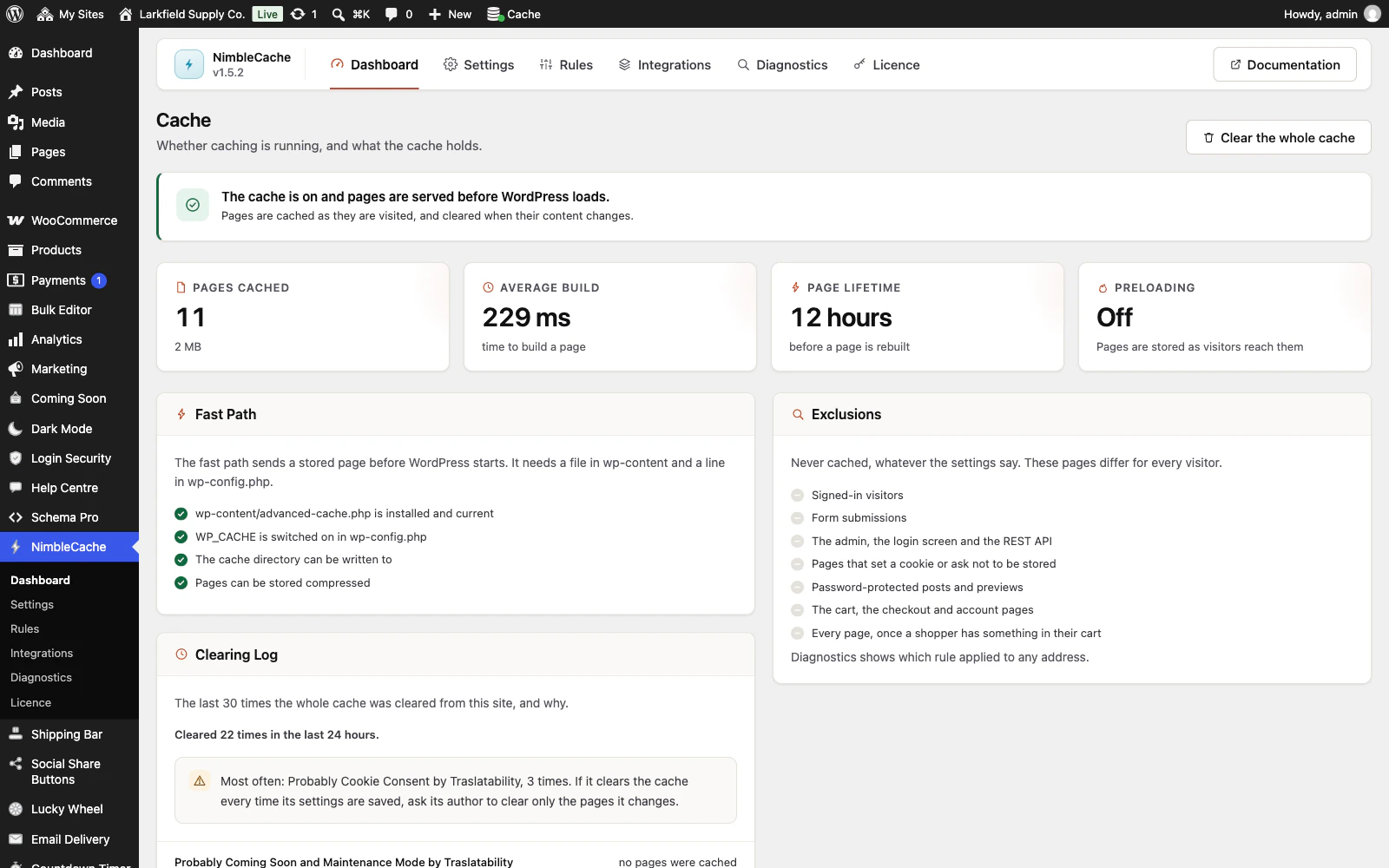
The NimbleCache dashboard in WordPress admin. A green notice reads The cache is on and pages are served before WordPress loads. Four cards show 11 pages cached (2 MB), an average build of 229 ms, a 12 hour page lifetime and preloading off. A Fast Path panel ticks off advanced-cache.php installed and current, WP_CACHE switched on in wp-config.php, the cache directory writable and compressed pages. An Exclusions panel lists what is never cached, and a Clearing Log lists recent full clears with the plugin that probably caused each.