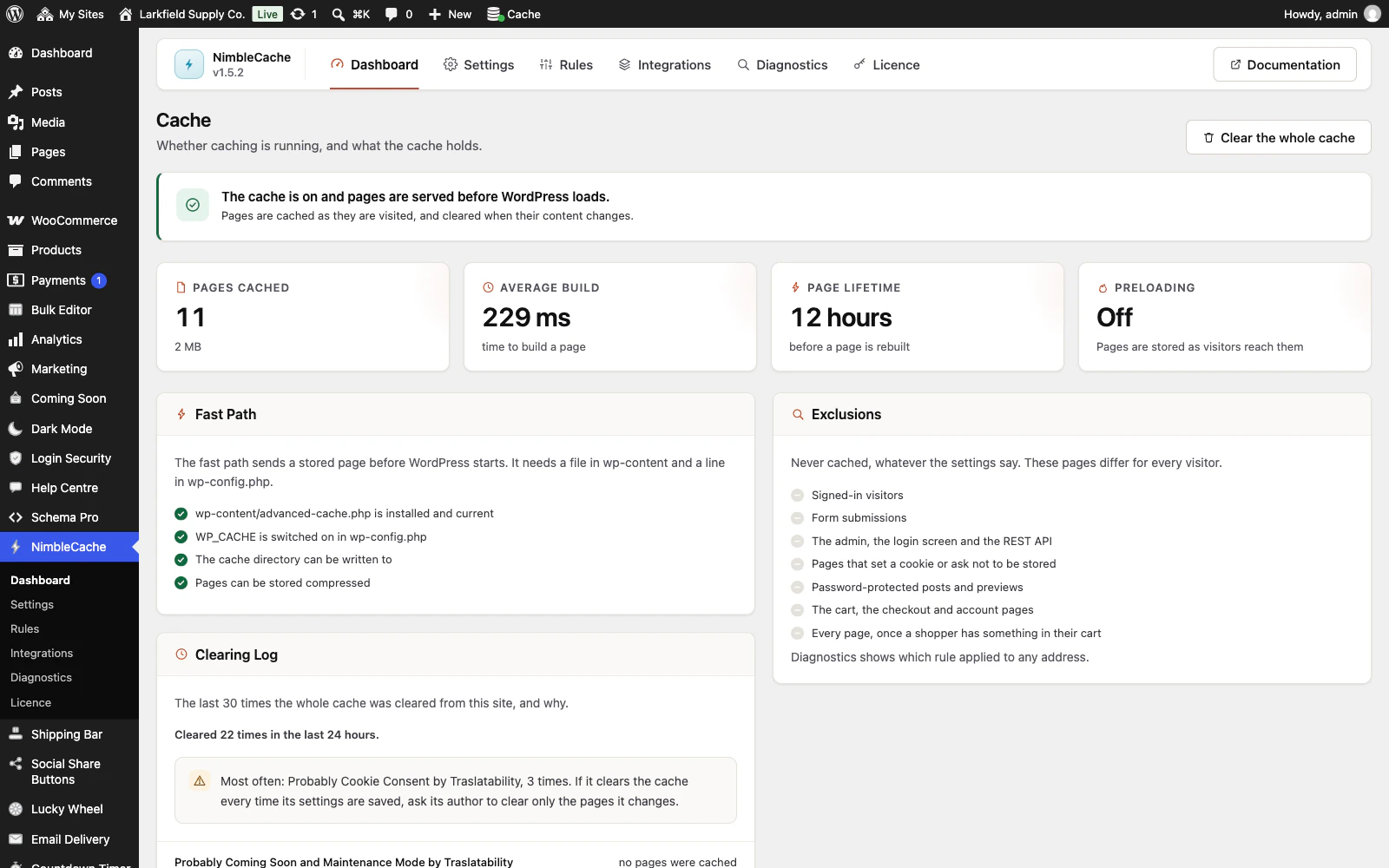
Open the Dashboard and look at the Clearing Log panel. It lists the last 30 times the whole cache was cleared from this site, newest first, with the reason, who was signed in, and how many pages went, and says how many times it happened in the last 24 hours. On a network, a clear of every site at once is listed only on the site it was done from.
Most often it is another plugin that clears the whole cache every time its settings are saved. The panel names it as Probably and the plugin's name (worked out from where the request came from, so it is a strong hint rather than proof), or in the plugin's own words if it gives a reason. Past 10 clears in 24 hours a note names the reason seen most and what to do: for a plugin, ask its author to clear only the pages it changes. For menus, widgets and the Customizer, which show on every page, make several changes and save once.
Saving a post never clears the whole cache, only that post and the pages that list it, so those are not in this list. wp nimblecache status prints the last five clears as well.
Still stuck? Ask the developers who wrote it. We aim to reply within one business day.
 NimbleCache
Serve your pages before the plugins load — and never touch a setting to do it.
From $19 a year · every feature · 30-day refund