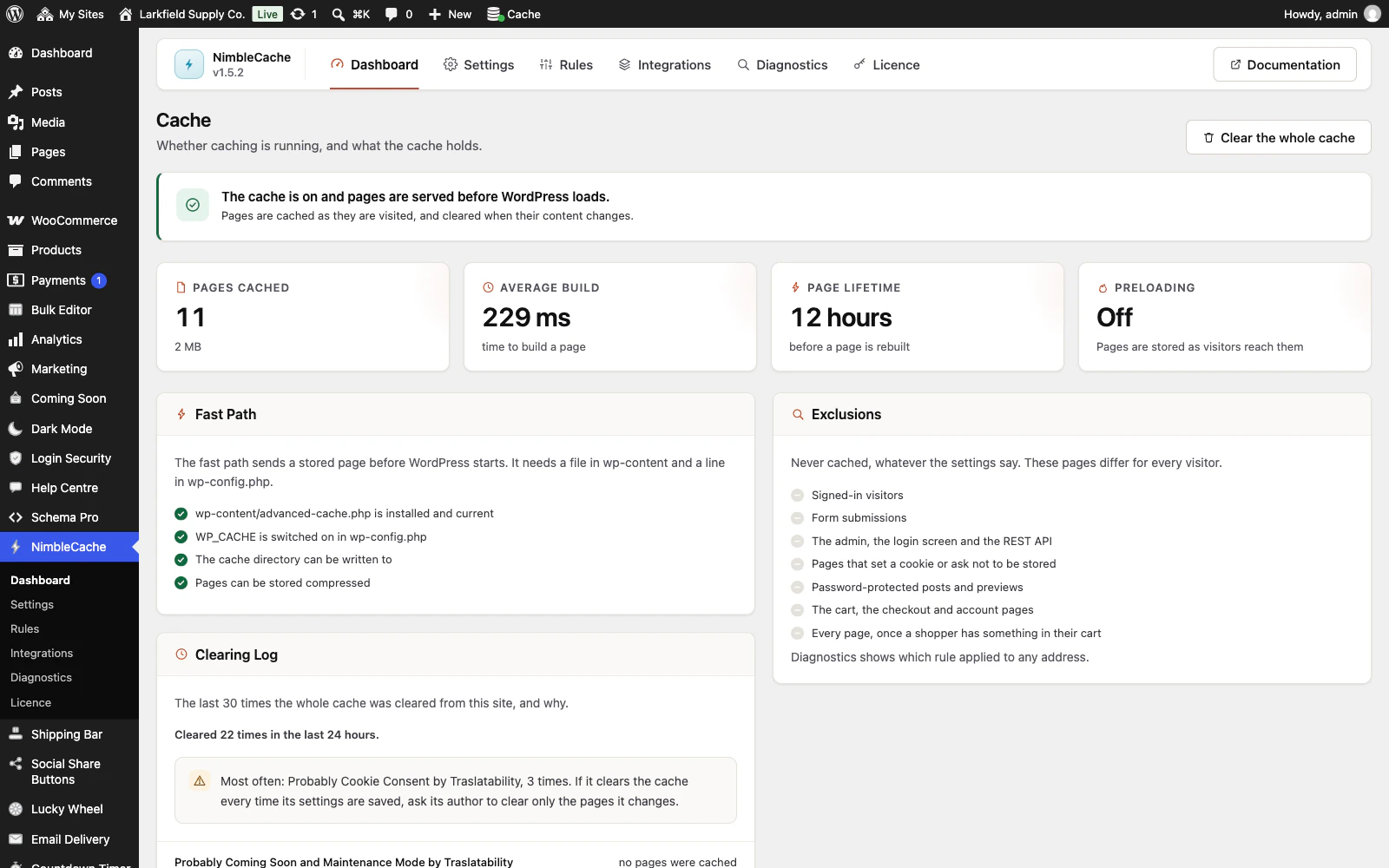
Nothing is cached until both halves of the fast path are in place: wp-content/advanced-cache.php, and WP_CACHE in wp-config.php. The Fast Path list on the Dashboard says which one is missing, and the notice on the Plugins screen says why. Press Set up caching and the plugin puts both there. On a network, only a network administrator can.
If wp-content is not writable, the Dashboard names the folder: ask your host to let the web server write to it, or copy advanced-cache.php from the plugin's folder into wp-content yourself.
If it still says so, wp-config.php is probably read-only — on many hosts that is deliberate, and good practice rather than a fault. Add this yourself, immediately below the opening <?php:
define( 'WP_CACHE', true );It must be near the top. Below the "stop editing" comment is too late.
Still stuck? Ask the developers who wrote it. We aim to reply within one business day.
 NimbleCache
Serve your pages before the plugins load — and never touch a setting to do it.
From $19 a year · every feature · 30-day refund