All 33 NimbleCache answers

See every answer

Answer

Another caching plugin owns advanced-cache.php

Updated NimbleCache 1.7.0Tested with WordPress 7.1

Only one plugin can own that file, and we will not overwrite somebody else's — two page caches on one site is how a shop ends up showing the wrong prices.

Deactivate the other caching plugin. The next admin page you open puts NimbleCache's fast path in its place, and adds WP_CACHE back if the other plugin took it out of wp-config.php. Set up caching again on Diagnostics does the same straight away.

Still stuck? Ask the developers who wrote it. We aim to reply within one business day.

NimbleCache

Serve your pages before the plugins load — and never touch a setting to do it.

From $19 a year · every feature · 30-day refund
Buy NimbleCacheSee the plugin

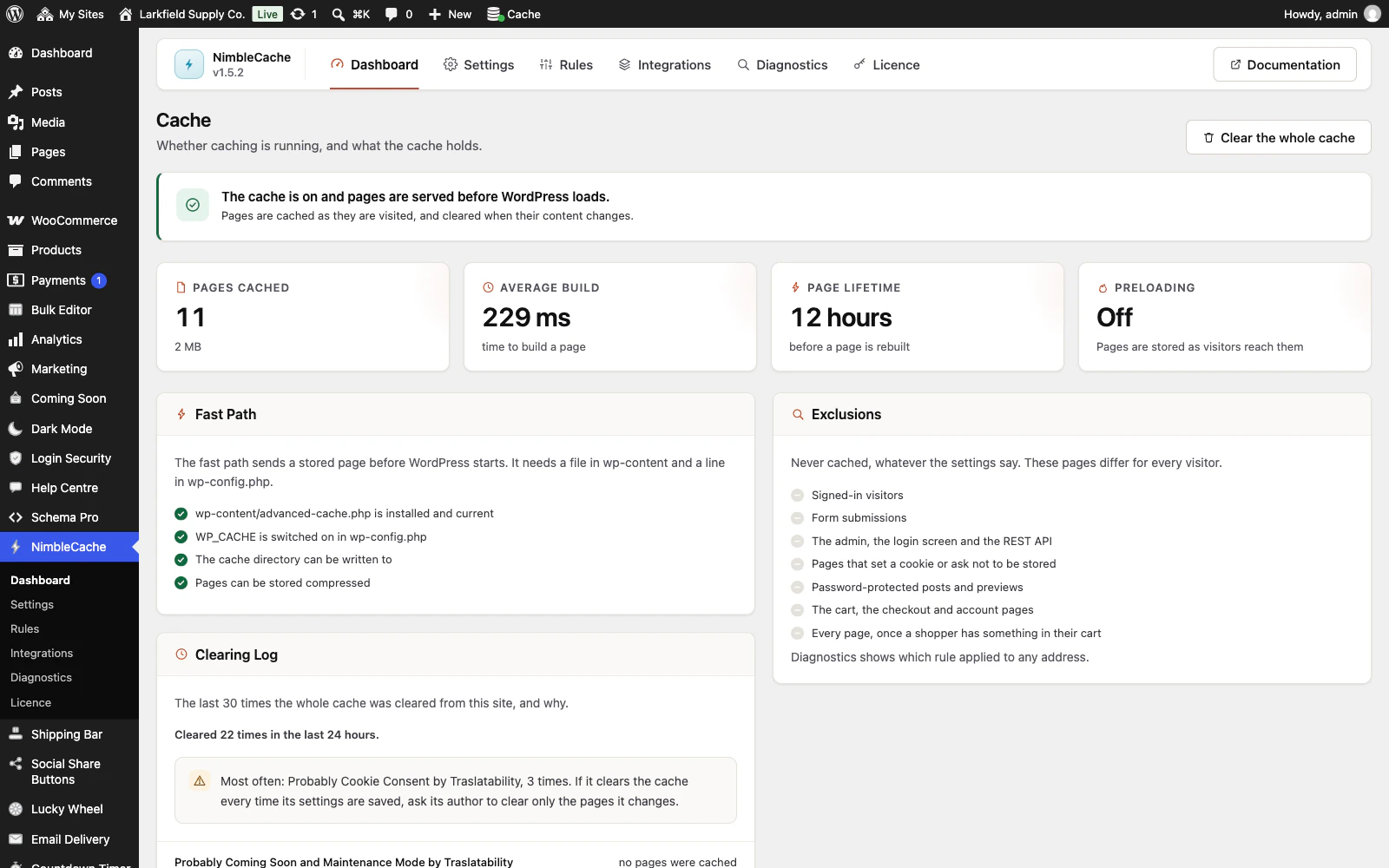
The NimbleCache dashboard in WordPress admin. A green notice reads The cache is on and pages are served before WordPress loads. Four cards show 11 pages cached (2 MB), an average build of 229 ms, a 12 hour page lifetime and preloading off. A Fast Path panel ticks off advanced-cache.php installed and current, WP_CACHE switched on in wp-config.php, the cache directory writable and compressed pages. An Exclusions panel lists what is never cached, and a Clearing Log lists recent full clears with the plugin that probably caused each.